NERV UI Visual Language Taxonomy¶
A comprehensive catalog of recurring visual design patterns, compositional strategies, and aesthetic themes from the Future User Interfaces (FUI) of Neon Genesis Evangelion (TV series, episodes 1–26) and The End of Evangelion. Where the Atomic Elements catalog lists the specific building blocks you'd implement, this document describes the compositions, vibes, and thematic treatments — the large-scale visual language that makes a NERV interface feel like a NERV interface.
Sourced from 271 reference frames. Reference album: Evangelion User Interfaces (Images)
1. Hazard Chevron Striping¶
Diagonal warning stripes — usually in red/black, red/darker-red, or orange/black — running at ~45° angles above and below critical text or along the borders of danger zones. Directly descended from real-world industrial hazard marking (ISO 3864), but stylized with heavier stroke weight and more saturated color. Often paired with full-bleed status cards (see §2). The chevrons create a visual "do not cross" frame that draws the eye inward to the enclosed content.
| Reference | Source | Notes |
|---|---|---|
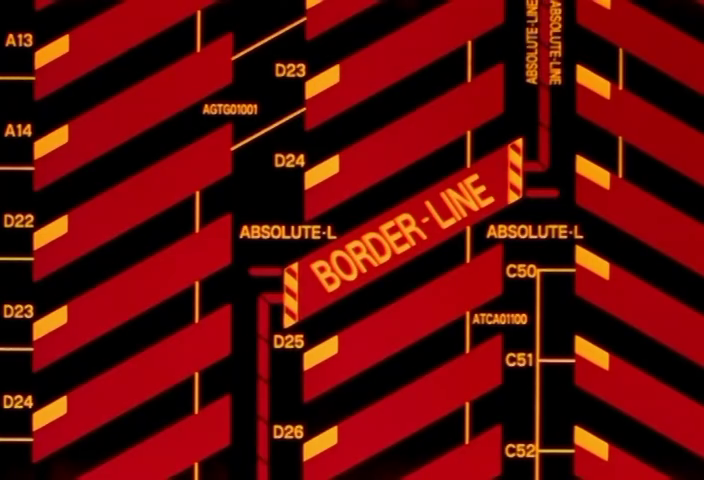 |
NGE-5 00:02:19 | Dense multi-layer chevrons with ABSOLUTE-LINE / BORDER-LINE labels and section codes |
 |
NGE-13 00:06:31 | ALERT card with upper/lower chevron borders — the archetypal hazard frame |
 |
NGE-6 00:19:13 | Same ALERT pattern, lighter palette variant (red text on bright red ground) |
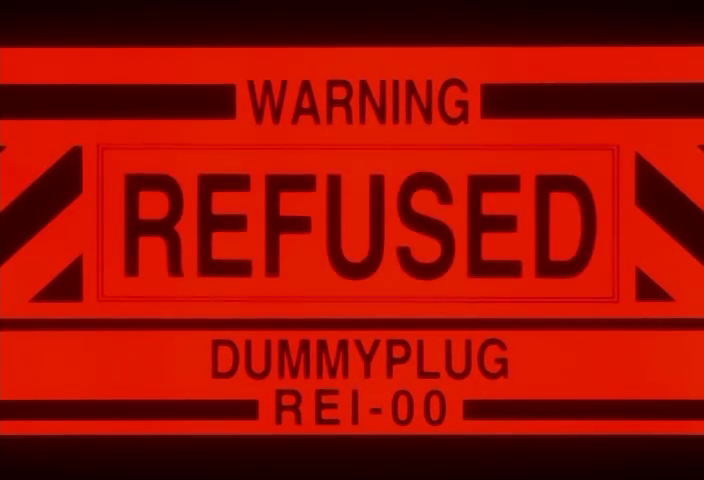 |
NGE-19 00:16:15 | REFUSED card flanked by chevrons — same frame pattern applied to system denial state |
2. Full-Bleed Status Card¶
A single dominant English word — ALERT, DANGER, LOST, REFUSED, EMERGENCY — rendered at maximum scale to fill the entire screen or display panel. No ancillary data, no decoration beyond the chevron frame. The word is the interface. Text is typically set in a heavy condensed sans-serif (Helvetica Neue Black Condensed or similar), dark on a saturated monochrome ground. The effect is unapologetically blunt: the system has one thing to tell you and it will not be ignored.
| Reference | Source | Notes |
|---|---|---|
|
NGE-13 00:06:31 | ALERT — dark red text on red ground with chevron border |
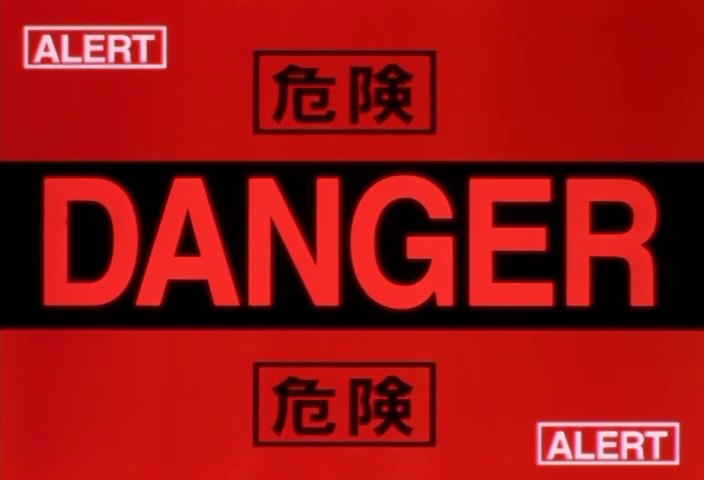 |
NGE-7 00:13:39 | DANGER with bilingual 危険 labels and corner ALERT badges |
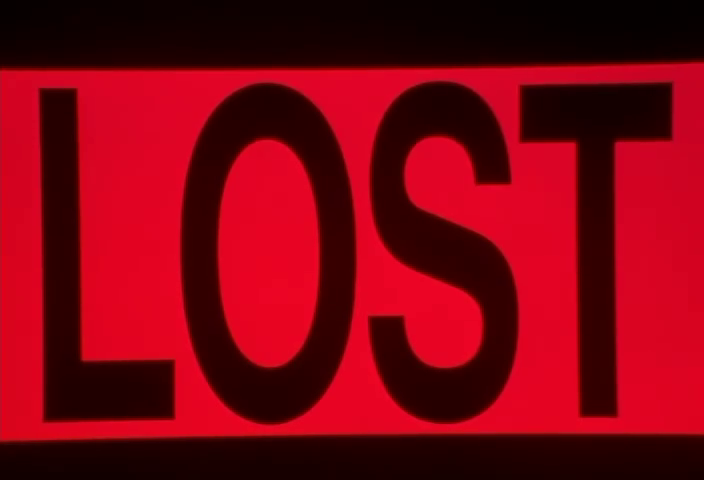 |
NGE-12 00:14:29 | LOST — maximally reduced: just the word, the red field, the glow |
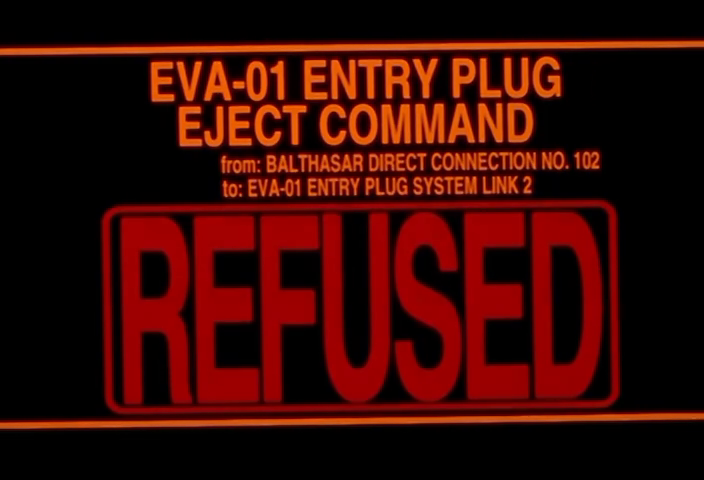 |
NGE-20 00:05:05 | REFUSED with system context (EVA-01 ENTRY PLUG EJECT COMMAND) above the status word |
3. Bilingual Japanese/English Labeling¶
Simultaneous display of Japanese (kanji/kana) and English text for all system labels, warnings, status readouts, and signage. Neither language is subordinate — both are rendered at legible scale, often in different positions (Japanese above, English below; or side-by-side). This isn't mere localization; it's a worldbuilding choice that grounds NERV as a Japanese organization operating within an international military-scientific framework. The dual-text treatment is applied consistently from countdown timers to environmental signage to MAGI system alerts.
| Reference | Source | Notes |
|---|---|---|
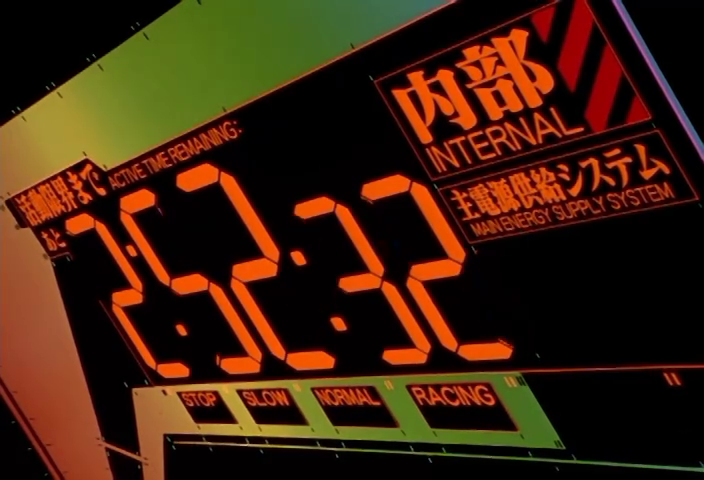 |
NGE-11 00:19:17 | 活動限界まで / ACTIVE TIME REMAINING with 内部 / INTERNAL and 主電源供給システム / MAIN ENERGY SUPPLY SYSTEM |
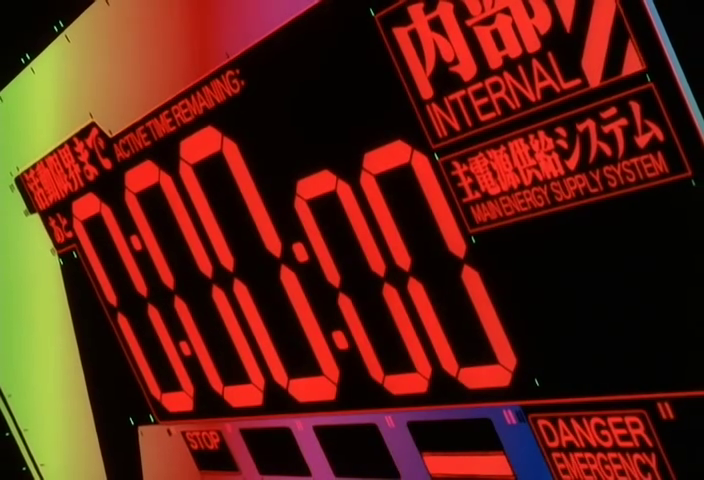 |
EoE 00:38:15 | Same countdown format at 0:00:00 — DANGER EMERGENCY below |
|
NGE-7 00:13:39 | DANGER / 危険 with ALERT corner badges |
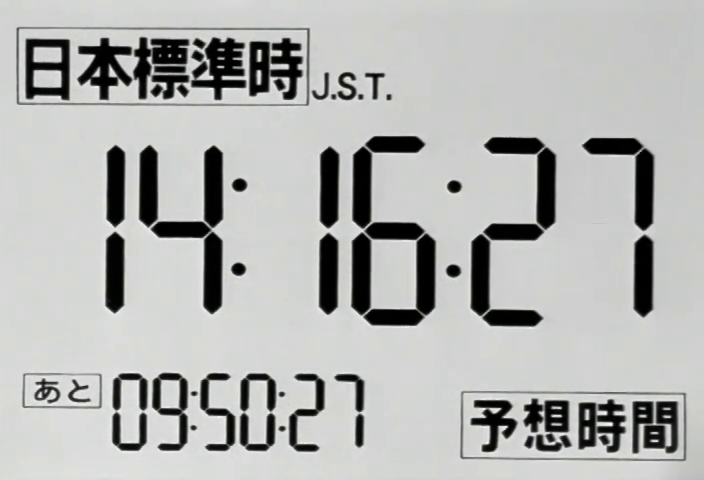 |
NGE-6 00:04:59 | 日本標準時 J.S.T. clock with あと (remaining) countdown — full Japanese-primary display |
4. Green Wireframe Topographic Map¶
Terrain data rendered as green contour lines on a black background, often with red overlay lines showing roads, routes, or boundary zones. The aesthetic references real military mapping systems (GIS/terrain-following radar) but cranked to 11 — the contour density is extremely high, producing an almost organic, flowing texture. Annotation labels appear in red or orange. Used for strategic planning, Angel approach tracking, and operation schematics.
| Reference | Source | Notes |
|---|---|---|
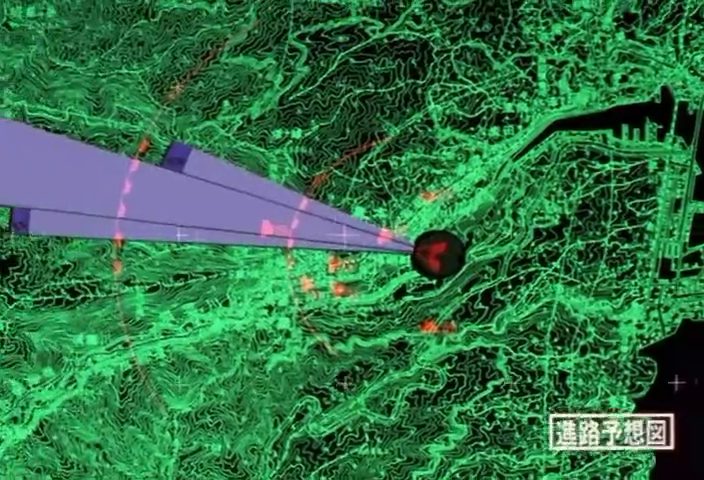 |
NGE-1 00:03:15 | Overhead terrain map with purple/pink trajectory cone projecting Angel approach path |
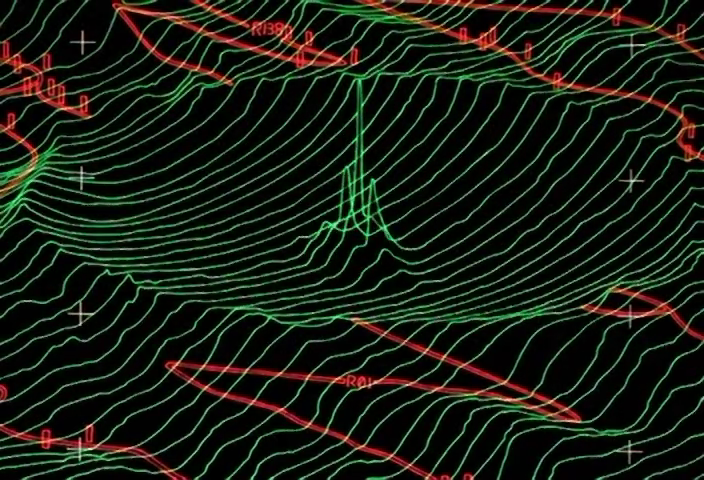 |
NGE-1 00:06:37 | Close-up of contour detail with red road overlays and crosshair registration marks |
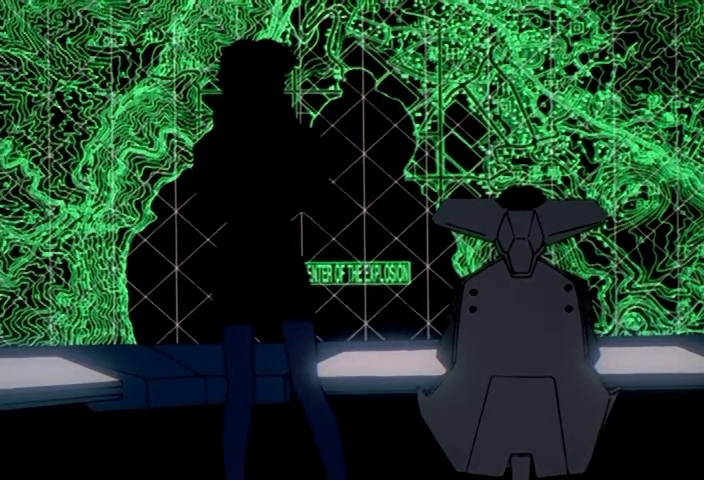 |
NGE-24 00:02:49 | Gendo silhouetted against full-wall terrain display with "CENTER OF THE EXPLOSION" label |
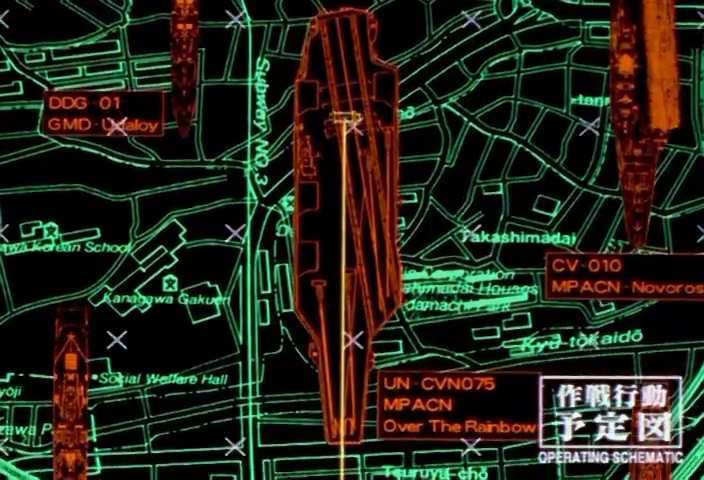 |
NGE-8 00:17:41 | Operation schematic overlaying city street map with ship positions and 作戦行動予定図 label |
5. Hexagonal Network Grid¶
Hexagonal tessellation used as the underlying geometry for network status displays, defensive perimeter maps, and infrastructure layouts. Nodes sit at hex vertices; connections run along hex edges, colored by status (cyan/green = active, red = compromised, dark = offline). The hex grid is NERV's visual metaphor for interconnected systems — it appears for both the MAGI defense network and Tokyo-3's physical infrastructure. In EoE, the progressive failure of the hex network during the JSSDF attack is one of the show's most iconic UI sequences.
| Reference | Source | Notes |
|---|---|---|
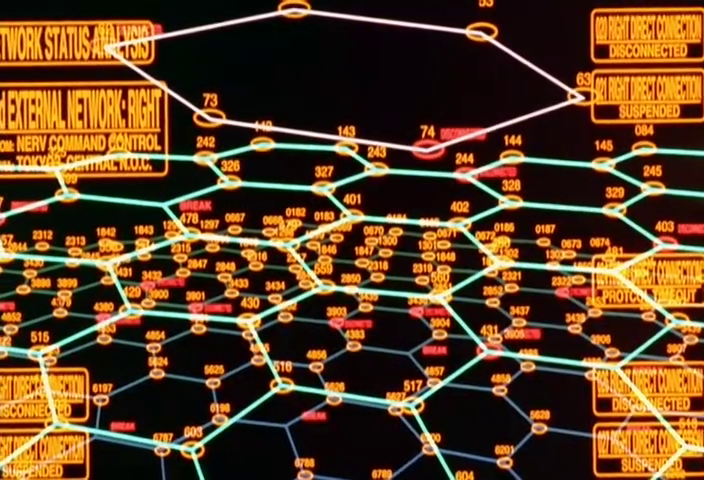 |
EoE 00:07:17 | NETWORK STATUS ANALYSIS — cyan hex grid with numbered nodes, BREAK and DISCONNECTED labels |
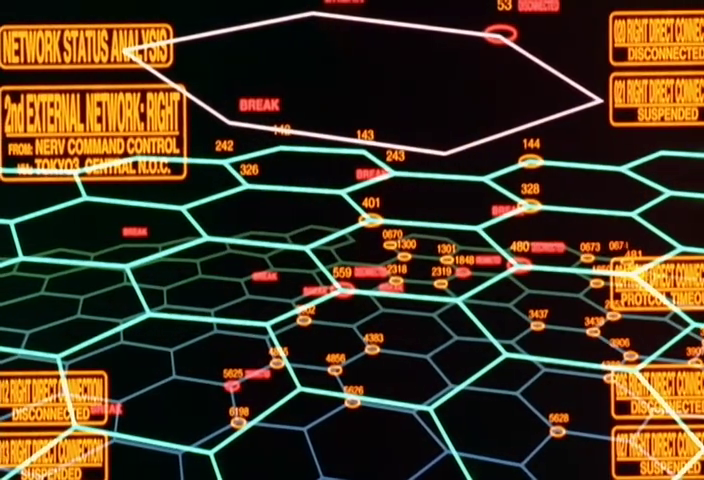 |
EoE 00:07:19 | Same network, moments later — more BREAK labels propagating across the grid |
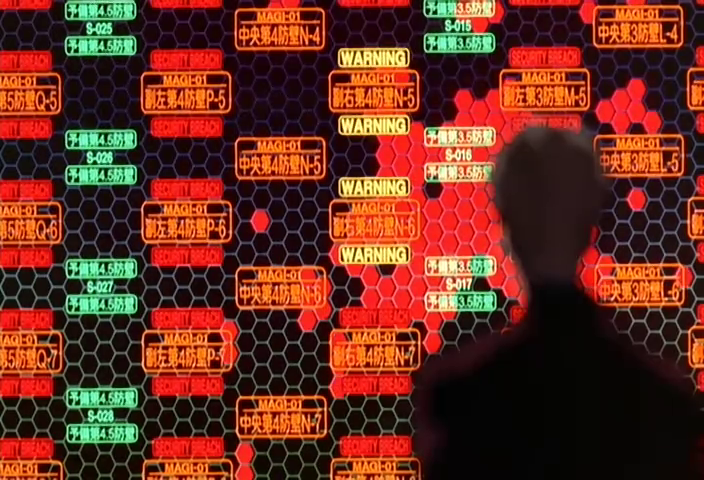 |
EoE 00:07:43 | Hex grid with MAGI-01 nodes, WARNING and SECURITY BREACH labels propagating across sectors |
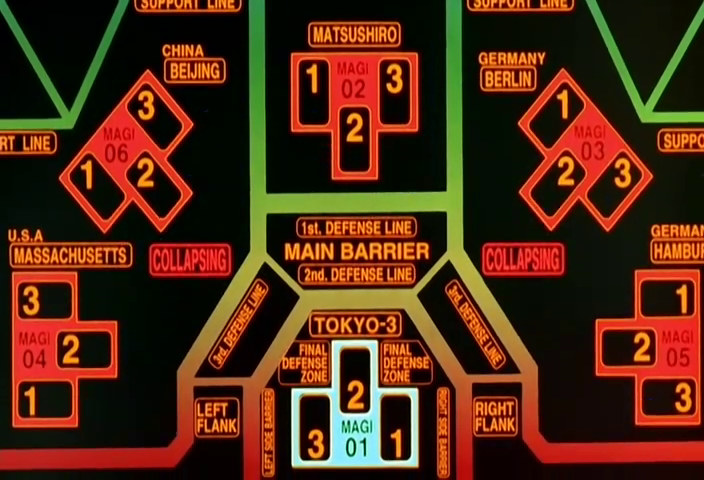 |
EoE 00:07:35 | Global MAGI defense network with diamond-rotated MAGI status indicators at each city node |
6. MAGI Triad Diagram¶
The three MAGI supercomputers — MELCHIOR·1, BALTHASAR·2, CASPER·3 — displayed as a trio of connected pentagonal or hexagonal nodes arranged in a triangular formation, with a central MAGI label at the junction. Node color indicates voting state: green/cyan = proposal accepted, red = rejected, blue/white = pending. Surrounding metadata includes CODE numbers, FILE references, PRIORITY levels, and Japanese decision labels (決議 = resolution, 提訴 = proposal, 否決 = rejection). This is the show's signature "consensus computer" visualization.
| Reference | Source | Notes |
|---|---|---|
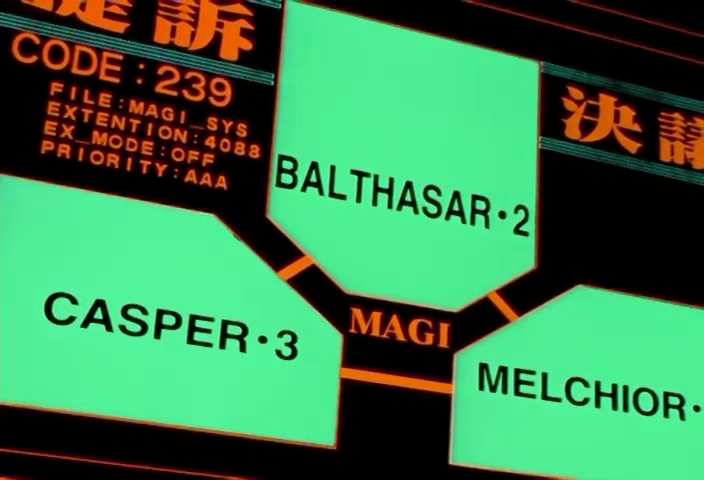 |
NGE-13 00:13:31 | All three nodes green/cyan — unanimous acceptance with CODE:239 metadata |
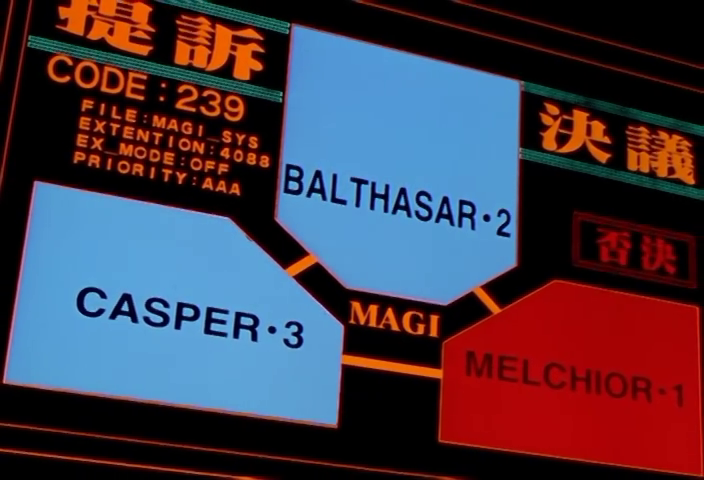 |
NGE-13 00:13:35 | MELCHIOR·1 in red (否決), others in blue/cyan — dissenting vote visualized |
|
EoE 00:07:35 | Global MAGI instances across multiple cities, each showing its own triad voting state |
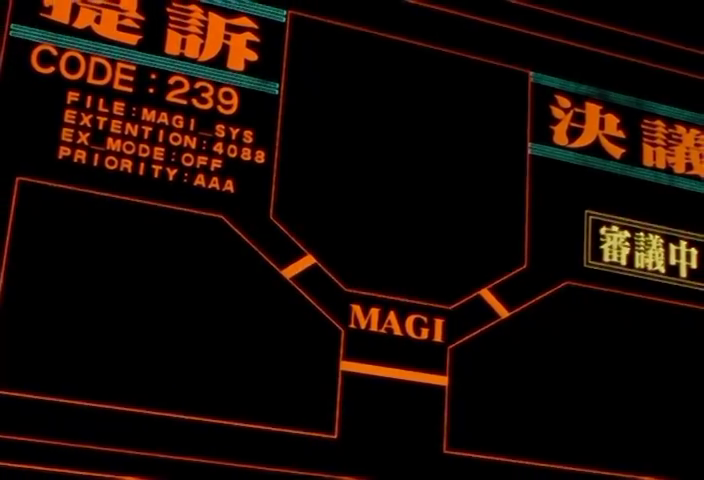 |
NGE-13 00:13:33 | Close variant of the triad during rapid voting sequence |
7. Waveform / Oscillograph Display¶
Complex sinusoidal or interference-pattern waveforms rendered on calibrated grid axes, representing sync rates, energy readings, AT field harmonics, or neural patterns. Colors are typically red/blue/pink on black with orange or yellow axis markings. The waveforms have visible aliasing and CRT-style phosphor trails, referencing real oscilloscope aesthetics. Axis labels use scientific notation and the displays include timecodes. Used to represent phenomena that are fundamentally unmeasurable — the show's way of making the metaphysical look empirical.
Note: the specific Psychographic / Sync Curve Trace is cataloged as an atomic element in the companion doc. This section covers the broader oscillograph aesthetic.
| Reference | Source | Notes |
|---|---|---|
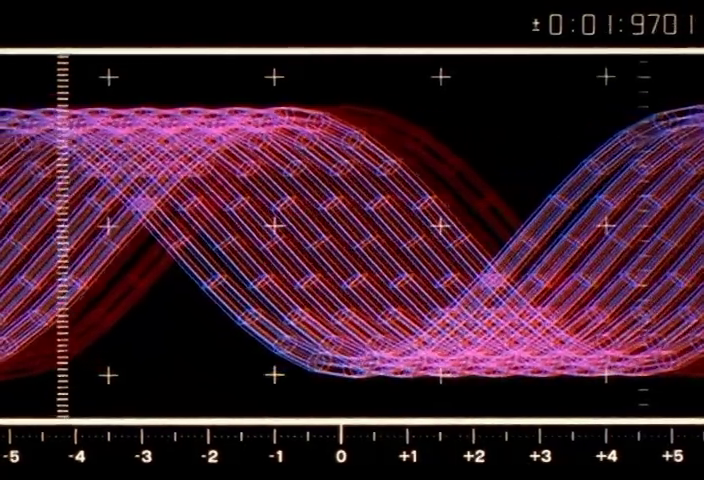 |
NGE-1 00:19:59 | Dual interleaved sinusoidal waveforms (red/blue) with ±5 axis scale and timecode |
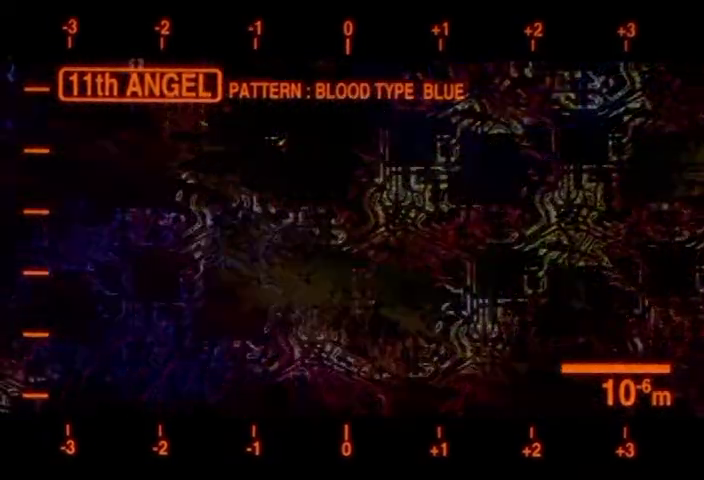 |
NGE-13 00:11:41 | 11th ANGEL PATTERN: BLOOD TYPE BLUE — scan-line interference with scale bar (10⁻⁶m) |
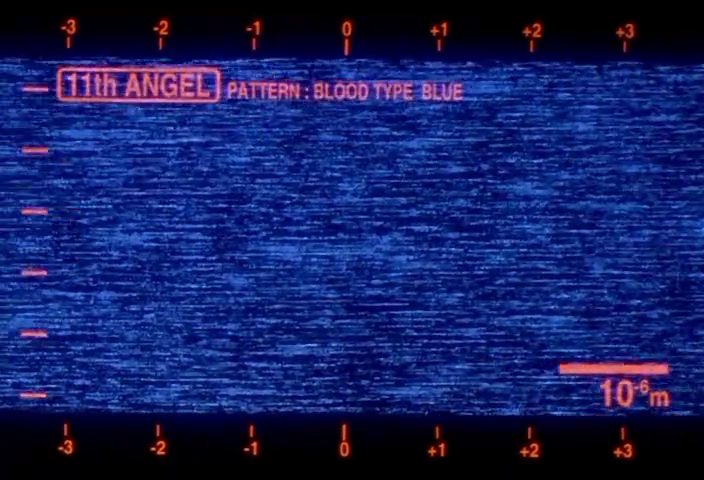 |
NGE-13 00:11:45 | Same pattern shifted to blue — the waveform as Angel detection signature |
8. CCTV Surveillance Feed¶
Grainy, heavily scanlined monochrome video with visible interlacing artifacts, timecodes (HH:MM:SS:FF), and camera station identifiers (F-46b, X07). The image quality is deliberately degraded — low resolution, CRT barrel distortion, noise — to contrast with the clean vector graphics of other NERV displays. Represents the boundary between the digital command layer and the messy physical world. ID comparison overlays appear as boxed metadata over detected subjects.
| Reference | Source | Notes |
|---|---|---|
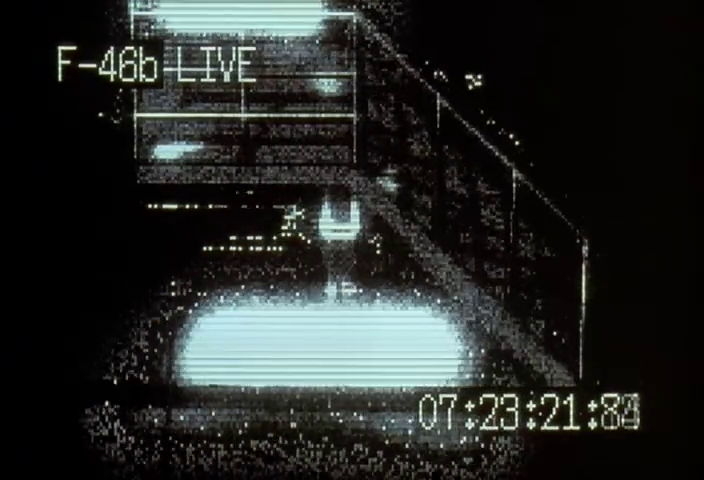 |
EoE 00:13:29 | F-46b LIVE feed — extreme scanline degradation with timecode 07:23:21:80 |
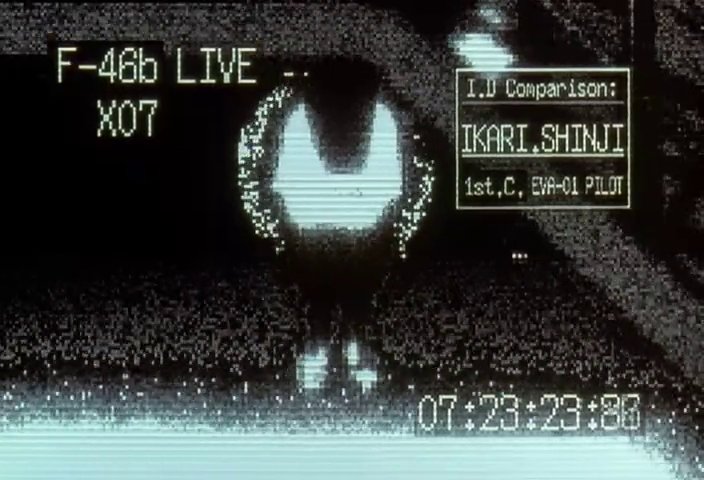 |
EoE 00:13:31 | Same camera with I.D Comparison overlay identifying IKARI.SHINJI, 1st.C, EVA-01 PILOT |
9. Pilot Monitor Triptych¶
Three vertical panels arranged side-by-side, each showing a live video feed of one Eva pilot (FIRST.C / REI AYANAMI, THIRD.C / SHINJI IKARI, SECOND.C / S.ASUKA LANGLEY). Each panel has a color-coded header (green, cyan, red respectively), unit designation (TEST PLUG 00/01/02), and CHECK O.K. / MONITOR status indicators. The composition is rigidly symmetrical. This is the show's "mission control" view of its human assets — pilots reduced to telemetry channels.
| Reference | Source | Notes |
|---|---|---|
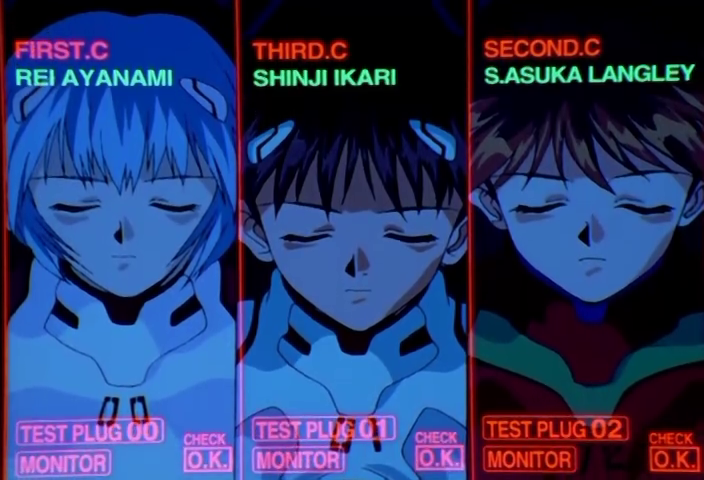 |
NGE-12 00:04:57 | Standard three-panel layout with colored headers and status readouts |
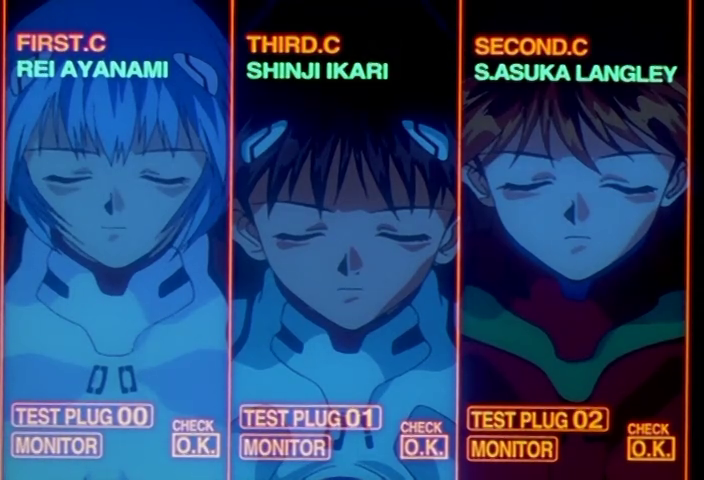 |
NGE-15 00:04:57 | Same composition, slightly different framing — the format is invariant across episodes |
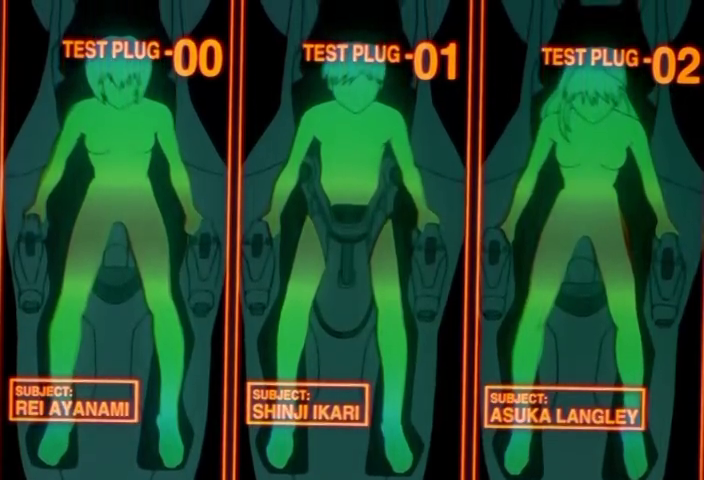 |
NGE-13 00:03:43 | Variant: green wireframe body silhouettes instead of video feeds, same triptych layout |
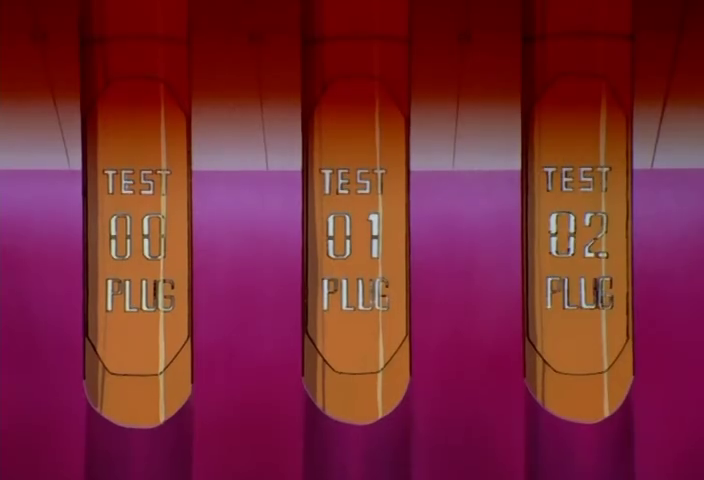 |
NGE-12 00:05:19 | Entry plug physical labels (TEST 00/01/02 PLUG) — the triptych pattern in hardware |
10. Biometric Targeting Overlay¶
Crosshairs, registration grids, and annotation callouts superimposed directly over human faces or bodies. Used for pilot identification, sync monitoring, and neural interface calibration. The overlay includes data fields (name, age, sample number) and geometric markers (triangular pointers, circle-dot indicators) positioned at specific anatomical landmarks. The effect is simultaneously clinical and invasive — the human subject is being measured, not observed.
| Reference | Source | Notes |
|---|---|---|
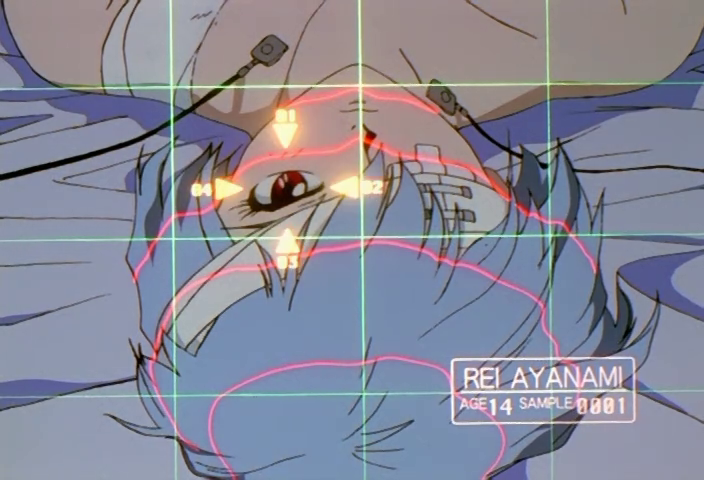 |
NGE-4 00:08:29 | Rei Ayanami face scan with grid, triangular markers, and REI AYANAMI AGE 14 SAMPLE 0001 data box |
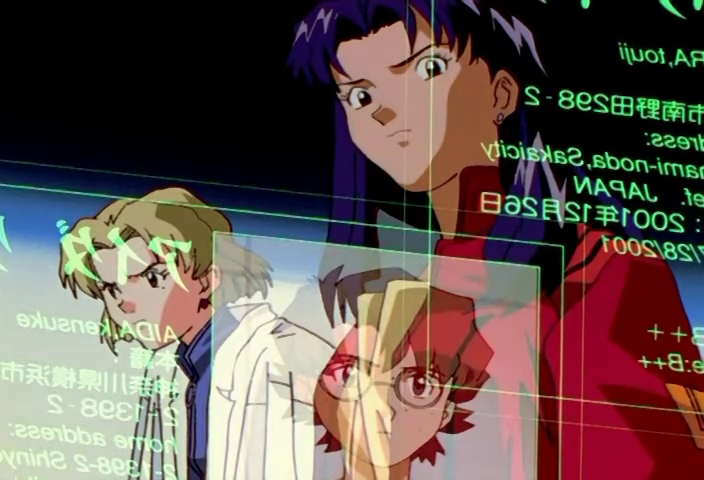 |
NGE-3 00:17:27 | Personnel identification through glass display — mirrored text with photo ID overlays |
11. Holographic Floating Panel¶
Semi-transparent rectangular data panels suspended in three-dimensional space at oblique angles, often overlapping. The panels have visible edge borders (typically orange/amber) and slight transparency allowing background architecture to show through. Used in the command center as a spatial data environment — operators view information arranged volumetrically around them rather than on flat screens. The panels cast no shadows and have a slight luminous quality.
| Reference | Source | Notes |
|---|---|---|
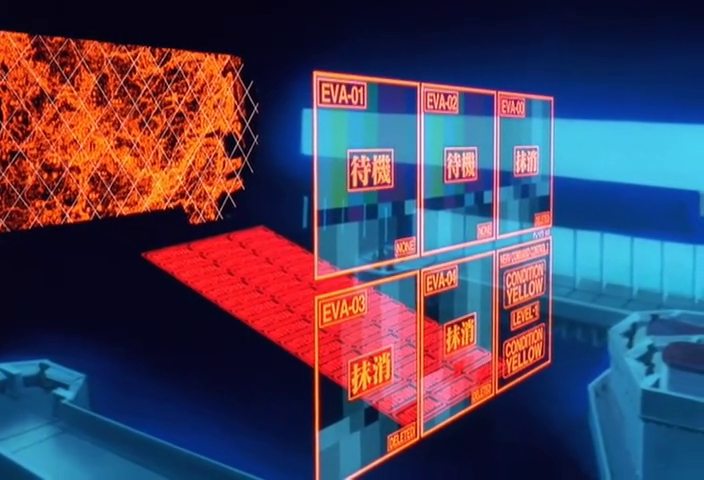 |
EoE 00:03:53 | EVA status panels floating in 3D above command center — EVA-01/02/03/04 with 待機/抹消 states |
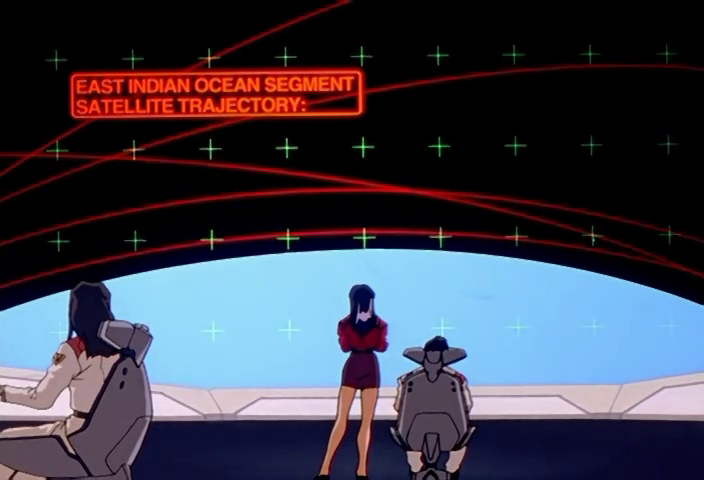 |
NGE-12 00:09:39 | Holographic text banner (EAST INDIAN OCEAN SEGMENT / SATELLITE TRAJECTORY) over bridge viewport |
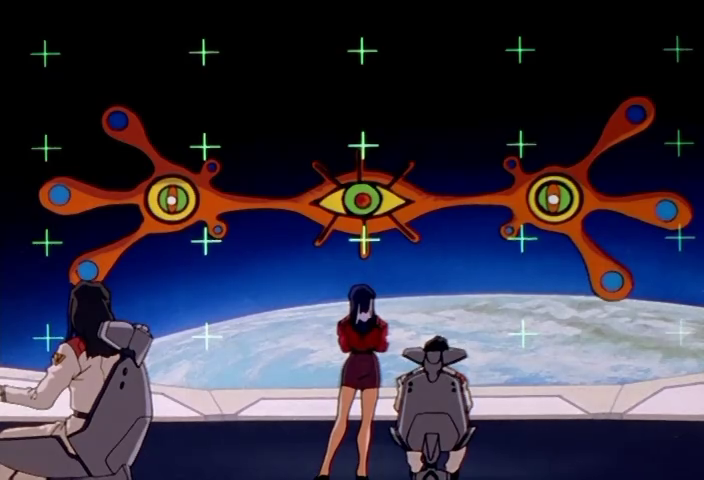 |
NGE-12 00:09:41 | Same viewport — holographic layer composited over real-world view through window |
12. System Architecture / Code Visualization¶
Detailed technical diagrams showing MAGI subsystem internals — LOGICsys, CIsys, I/Osys, X-prog — with labeled function blocks, assembly-language-like instruction listings (pushdi, popdi, movl, jmp), and color-coded status bars per module. Green text/bars indicate healthy systems; red indicates compromised or overloaded. The diagrams are dense enough to reward close reading — they contain plausible (if not compilable) pseudocode and system architecture that reflects real computer science concepts.
| Reference | Source | Notes |
|---|---|---|
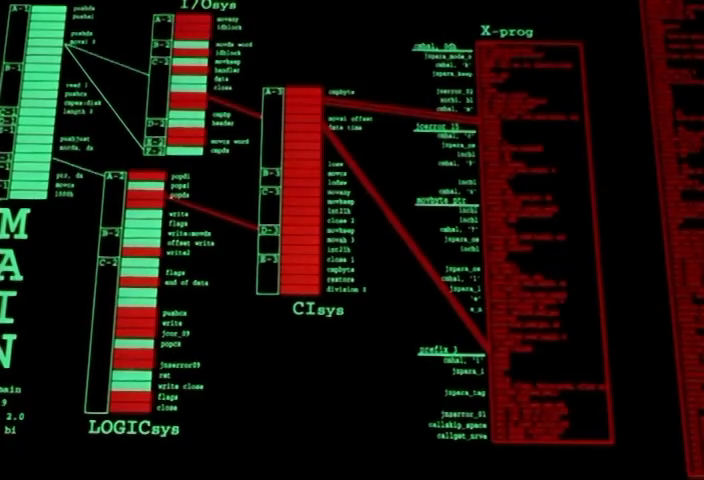 |
NGE-13 00:13:17 | Full system architecture: LOGICsys, I/Osys, CIsys, X-prog with assembly listings and red invasion indicators |
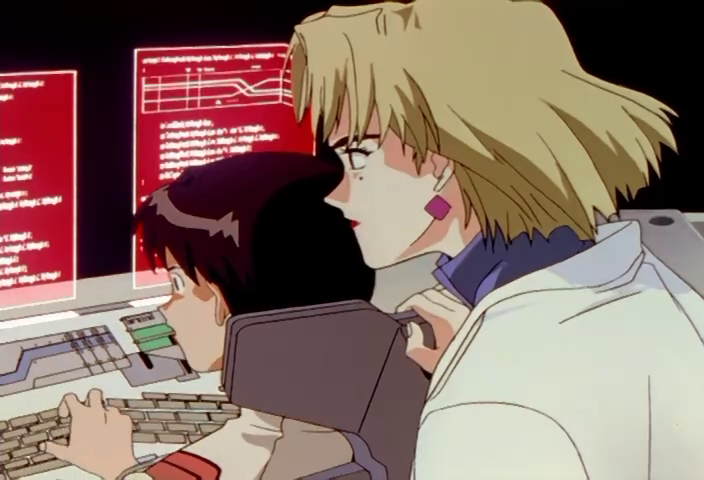 |
NGE-13 00:13:23 | Ritsuko and Maya at terminals with red code/diagram displays during MAGI defense |
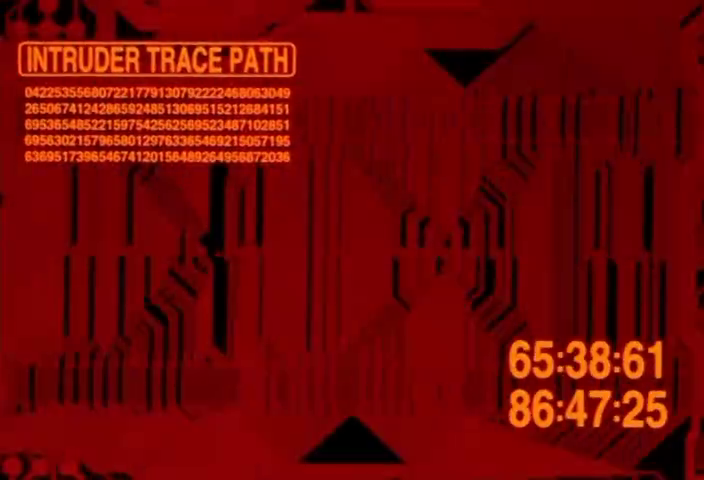 |
NGE-13 00:12:07 | INTRUDER TRACE PATH with hex dump data and dual countdown timers |
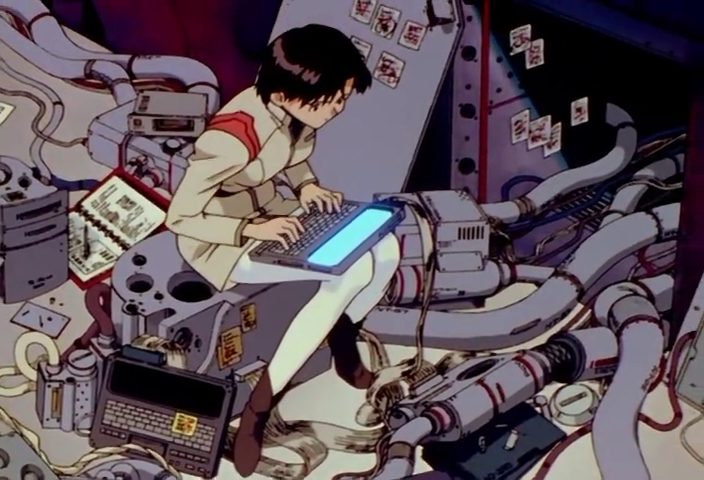 |
NGE-13 00:17:19 | Physical hardware access — Maya directly plugged into MAGI internals with portable terminal |
13. Physical Instrument Panel¶
Lovingly detailed renderings of analog hardware: rotary knobs with printed scales, toggle switches under flip-up safety covers, fader sliders, illuminated push-buttons with kanji labels, and bezeled indicator lights. The panels reference real military/industrial control equipment (submarine consoles, mixing desks, broadcast switchers). The art direction invests enormous effort in these — each knob has a pointer mark, each button has a hazard-striped guard. The message: this technology, however advanced, is operated by human hands.
Includes specialized variants: the Japanese naval engine order telegraph (前進/停止/後進 with speed grades 微速力 through 強速力) in the Pacific Fleet scenes, and the GEHIRN-branded PDA (palm-sized device with amber-on-black data cards showing personnel records or MAGI voting status in miniature).
| Reference | Source | Notes |
|---|---|---|
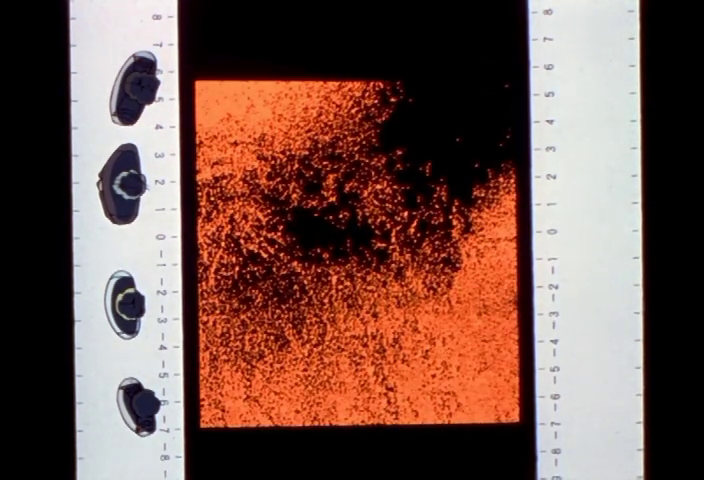 |
NGE-10 00:06:49 | Analog CRT monitor with physical rotary dials and scale markings — sonar/thermal display |
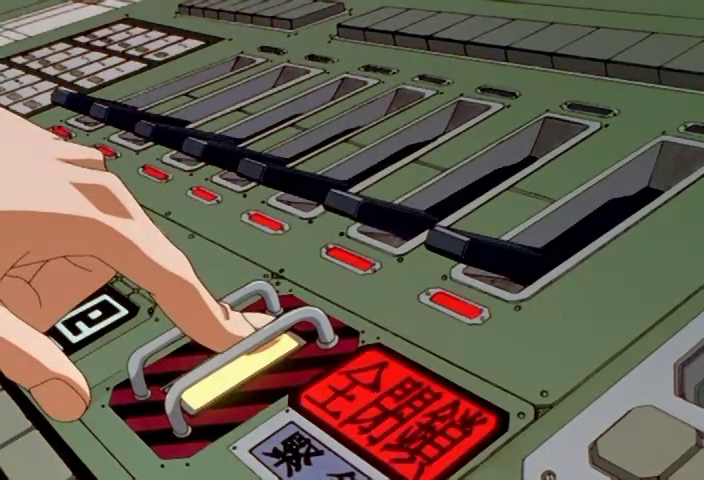 |
NGE-13 00:06:49 | Keyboard, flip-cover switches, red illuminated kanji buttons, yellow safety-guarded lever |
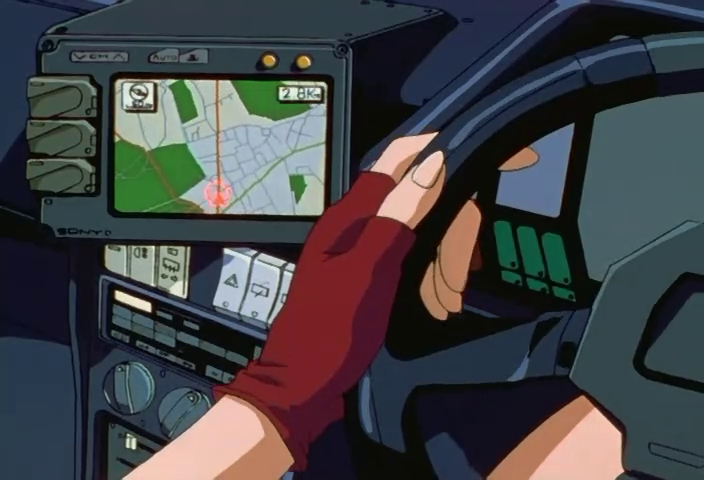 |
NGE-1 00:02:23 | Misato's car dashboard — GPS screen flanked by physical controls, Sony branding visible |
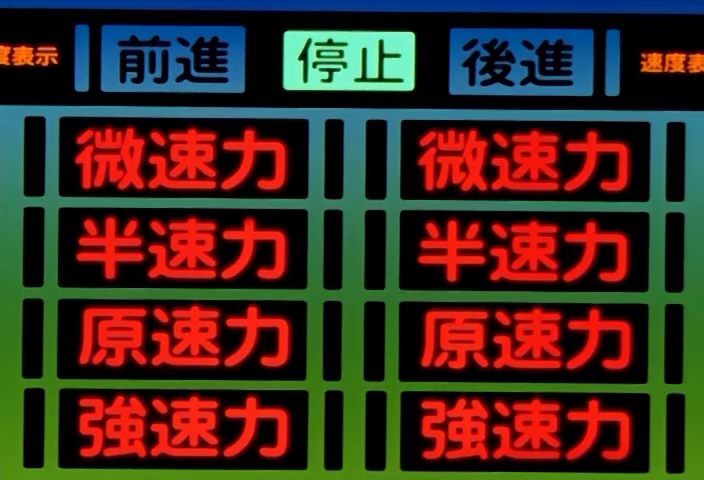 |
NGE-7 00:12:27 | Japanese naval engine order panel with 停止 (stop) highlighted in green |
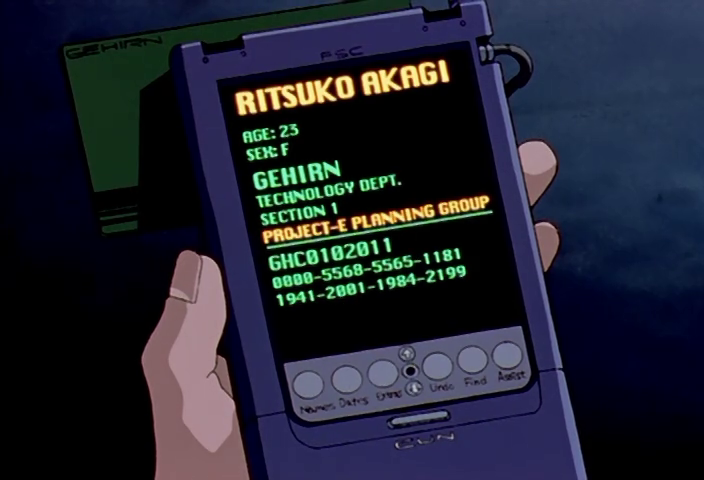 |
NGE-21 00:15:03 | GEHIRN PDA with Ritsuko Akagi personnel record — the NERV iPhone |
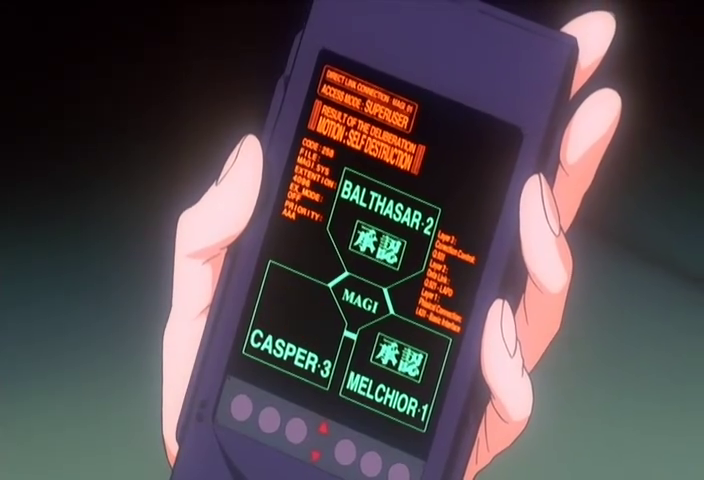 |
EoE 00:36:45 | Handheld terminal with MAGI triad, 承認 stamps, MOTION: SELF-DESTRUCTION |
14. Body Silhouette Display¶
Human or Eva body outlines rendered as solid-fill or wireframe figures, used to map sync status, nerve connections, damage, or pilot positioning within the entry plug. The figures are typically monochrome green or amber on black, with annotation lines connecting to labeled data points. When showing pilot bodies, the silhouettes are full-body and positioned within a schematic of the entry plug mechanism. For the Eva units, the silhouette shows the full mecha in a restraint/maintenance configuration.
| Reference | Source | Notes |
|---|---|---|
|
NGE-13 00:03:43 | Three green pilot silhouettes in entry plug cross-sections with TEST PLUG and SUBJECT labels |
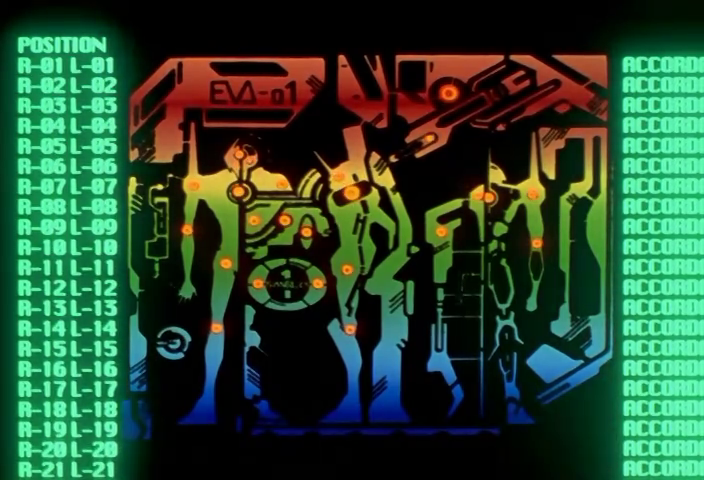 |
NGE-1 00:18:51 | EVA-01 full body schematic with POSITION listing (R-01 L-01 through R-21 L-21) and ACCORD status |
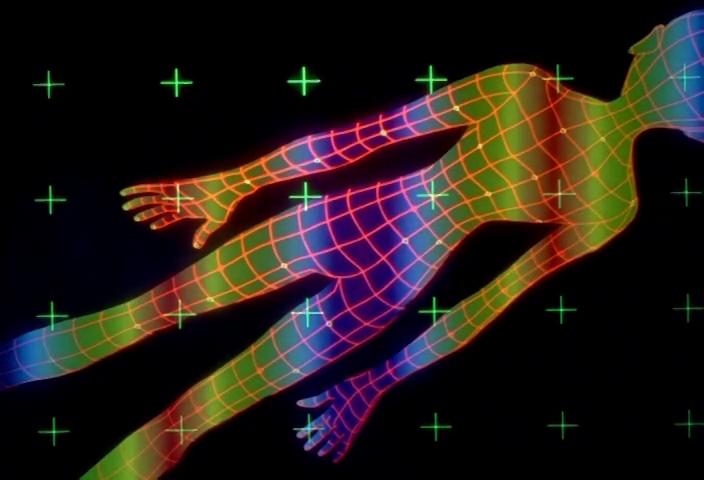 |
NGE-4 00:08:27 | Thermal wireframe body scan — multicolor heat map over polygonal mesh with crosshair grid |
15. Data Lock / Status Grid¶
A grid of repeated status tags — typically "LOCKED" — overlaid across a system diagram or displayed as a cascading matrix. Each tag has an associated system identifier (DB-L3-001, DB-M5-015, etc.). The pattern represents systemic lockout, cascading failure, or deliberate system quarantine. The visual effect is overwhelming: dozens of identical status indicators create a wallpaper of failure that reads as institutional paralysis.
| Reference | Source | Notes |
|---|---|---|
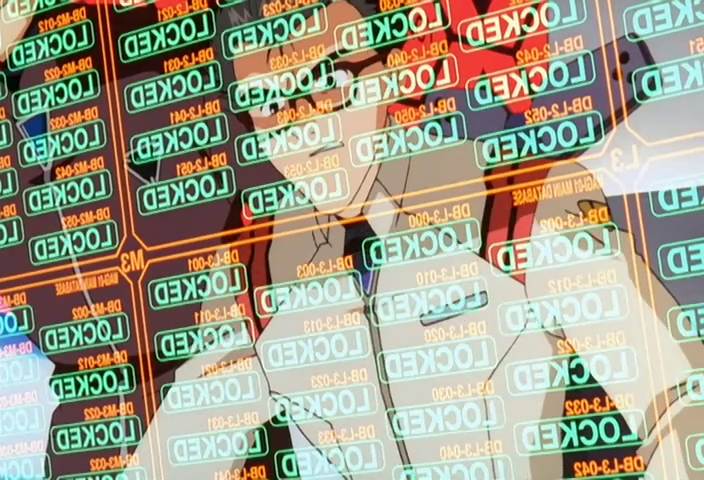 |
EoE 00:07:47 | Dozens of LOCKED tags in green/orange/red overlaying system map — MAGI lockdown during invasion |
16. Environmental Signage and Wayfinding¶
Physical signs, wall-mounted displays, floor markings, and painted designations within the Geofront and NERV HQ. Includes section numbers (R-20 ATU), hazard stripes on blast doors, illuminated status indicators on infrastructure, and painted directional markers. These aren't screen-based UI — they're environmental graphic design, grounding NERV's fantastical underground complex in the visual language of real military/industrial facilities.
| Reference | Source | Notes |
|---|---|---|
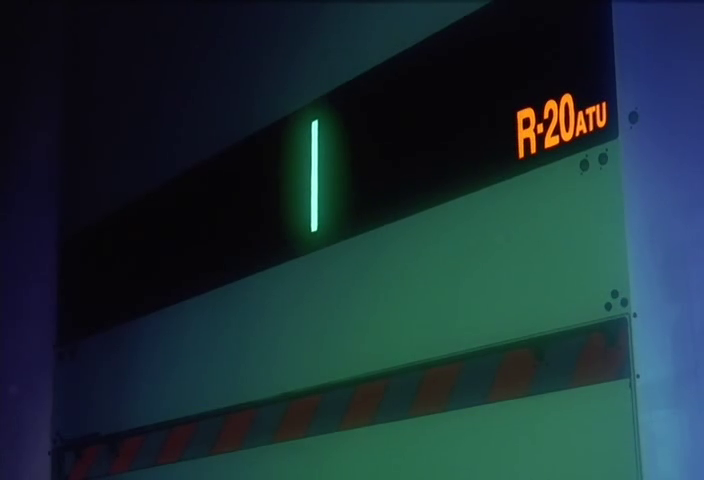 |
EoE 00:33:05 | R-20 ATU wall sign with green indicator light and red/white hazard stripe below |
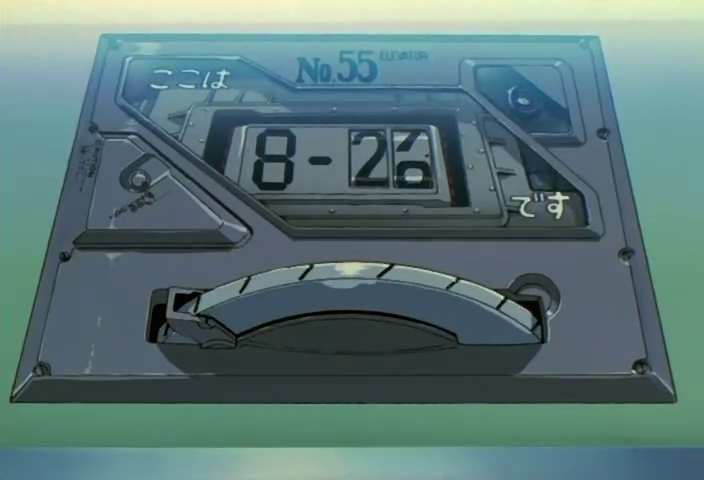 |
NGE-1 00:11:43 | ここはです elevator indicator — No.55, mechanical floor counter with scale arc |
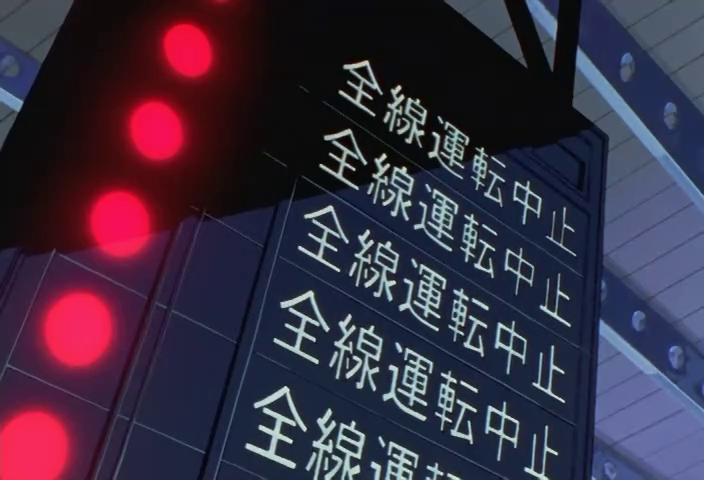 |
NGE-1 00:02:13 | 全線運転中止 (All lines suspended) transit signboard with red indicator lights |
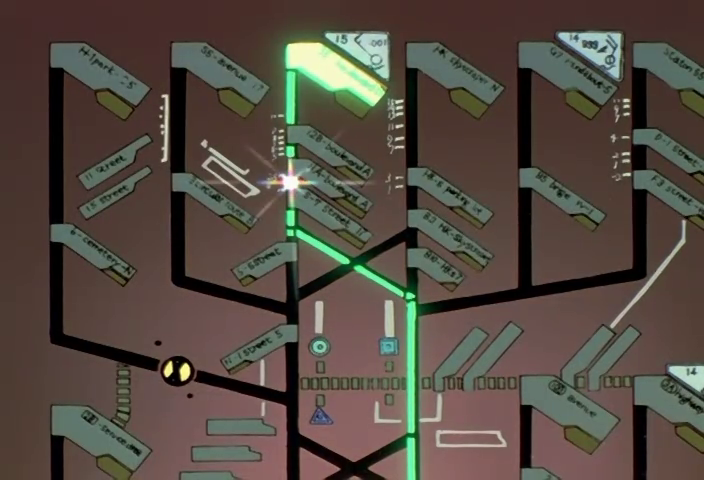 |
NGE-1 00:21:27 | City street map with illuminated route — navigation/transit UI at urban scale |
17. Color-Coded Multi-Monitor Command Center¶
The NERV command bridge seen from above, with operators at individual workstations emitting distinct colors (yellow, green, blue, red, white). The color differentiation serves no explained narrative purpose — it's pure graphic design, creating a visual rhythm of colored light sources in an otherwise dark space. The arrangement is symmetrical and hierarchical, with Gendo's observation position elevated above the operator tier.
| Reference | Source | Notes |
|---|---|---|
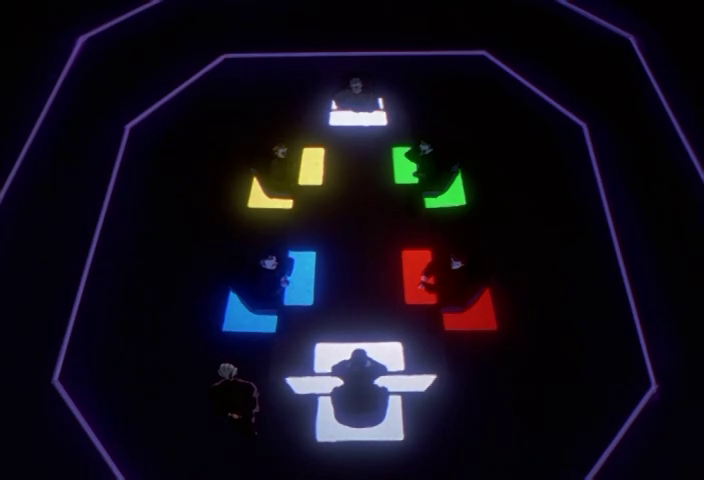 |
NGE-10 00:08:47 | Overhead view: five distinct workstation colors in pyramidal arrangement |
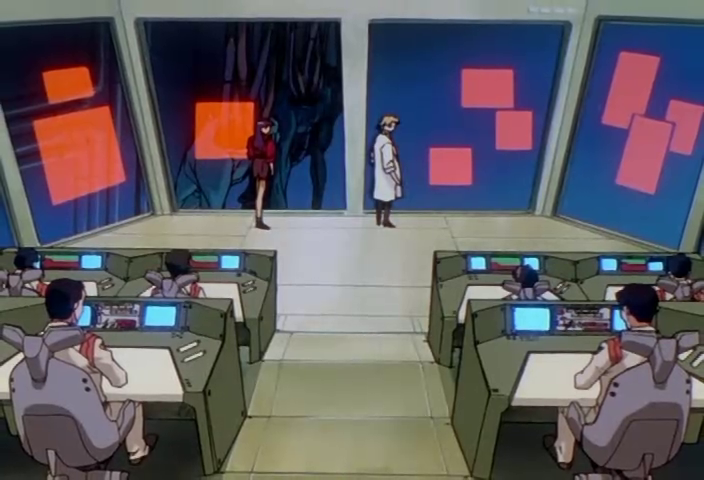 |
NGE-13 00:06:33 | Bridge from behind operators — colored wall displays flanking MAGI core, floating panels visible |
|
NGE-24 00:02:49 | Gendo silhouetted against wall display — the command hierarchy visualized as spatial position |
18. Red Monochrome Emergency State¶
When NERV enters crisis mode, the entire visual palette collapses to red. Screens, ambient lighting, environmental signage — everything shifts to monochromatic red with darker red or black details. This isn't one UI element but a mode that transforms all elements simultaneously. The red state is pervasive enough to tint characters and physical spaces, blurring the boundary between the digital interface layer and physical reality.
| Reference | Source | Notes |
|---|---|---|
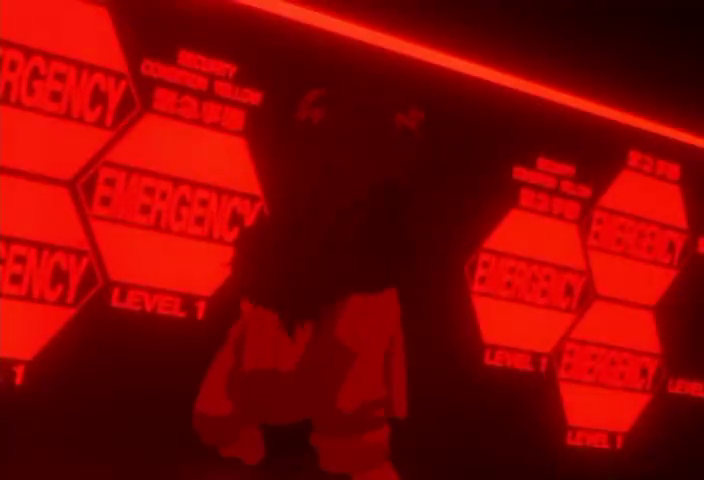 |
NGE-9 00:04:23 | Full red-monochrome emergency state — hexagonal EMERGENCY panels, red-lit command center |
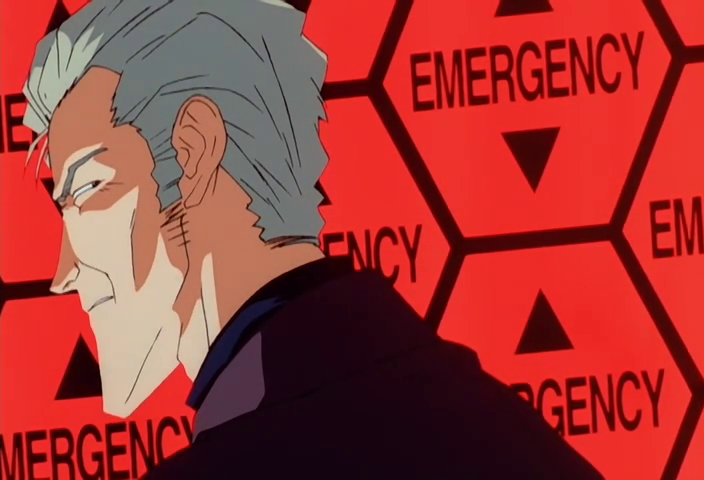 |
EoE 00:07:41 | Hexagonal EMERGENCY wallpaper behind character — the red mode consuming physical space |
|
NGE-13 00:12:07 | INTRUDER TRACE PATH — red monochrome with circuit-board background texture |
|
NGE-19 00:16:15 | WARNING / REFUSED / DUMMYPLUG REI-00 — deep red on red |
19. Decorative Data Noise¶
Dense, non-functional text and numerical strings used as visual texture — hex dumps, scrolling number arrays, pseudo-code listings, and pseudo-random character blocks. These are not meant to be read; they create the impression of data density. The technique fills negative space on displays with a sense of computational activity. Real enough to pass a glance test but meaningless on close inspection (or sometimes containing in-jokes). The noise is almost always in a green or amber monospaced font.
| Reference | Source | Notes |
|---|---|---|
|
NGE-13 00:12:07 | Hex dump array above INTRUDER TRACE PATH — rows of digits as visual texture |
|
NGE-13 00:13:17 | Assembly-like code columns flanking system architecture — plausible but decorative |
20. Perspective-Skewed Axis Grid¶
Two-axis calibrated grids rendered in slight perspective or with deliberate convergence, creating a sense of spatial depth on a 2D display. Axis markings are numbered (typically ±values from a zero origin) with tick marks at regular intervals. Used as the coordinate backdrop for waveforms, trajectory plots, and status overlays. The perspective skew is never extreme — just enough to suggest the data exists in a three-dimensional analytical space rather than on a flat screen.
| Reference | Source | Notes |
|---|---|---|
|
NGE-1 00:19:59 | Dual-axis grid (-5 to +5) with crosshair registration and timecode — slightly converging verticals |
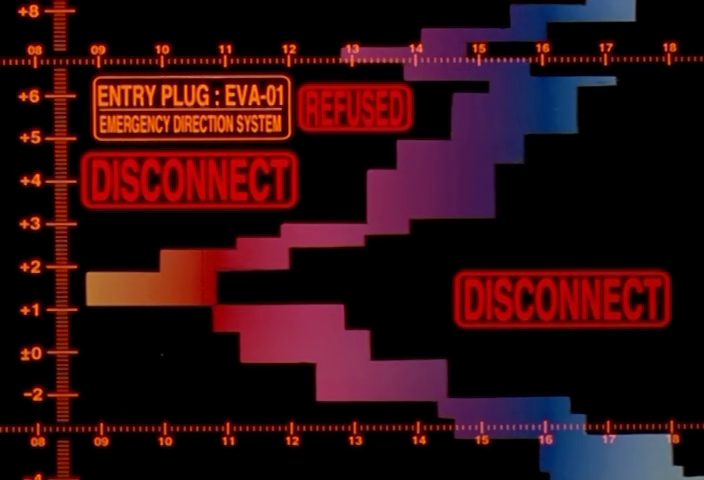 |
NGE-20 00:05:13 | Axis-grid with cascading DISCONNECT/REFUSED status blocks — warm-to-cool gradient data |
|
NGE-13 00:11:41 | Horizontal axis (-3 to +3) with scale bar — Angel pattern display |
21. Eva Neural Connection Map¶
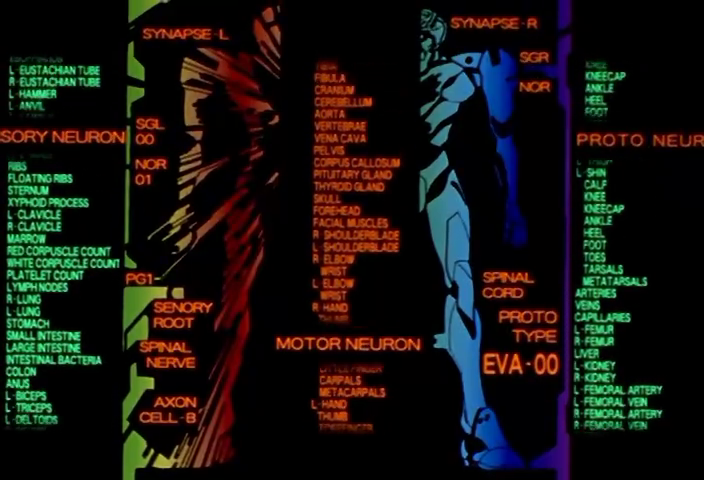
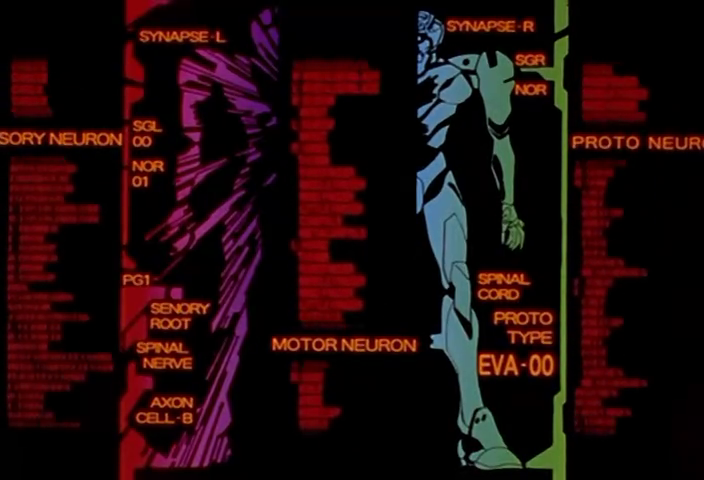
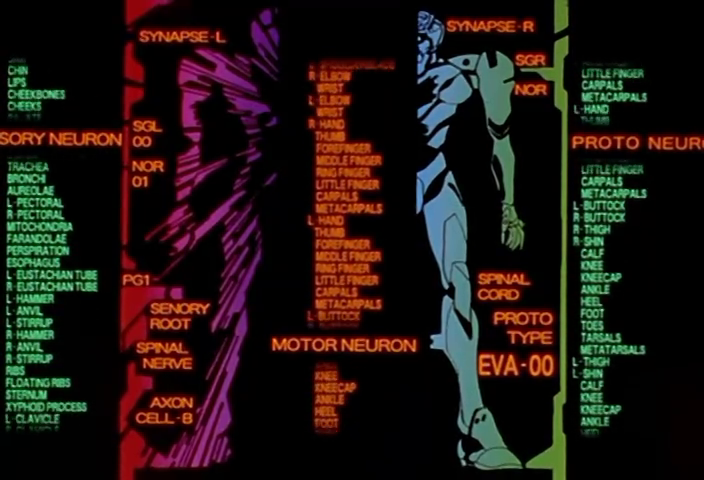
A full-screen anatomical readout mapping the neural interface between pilot and Eva unit. The Eva's body is rendered as a translucent silhouette (blue-white, centered) with four flanking text columns: SYNAPSE-L (left connections), MOTOR NEURON (center-left, body part listings from THYROID GLAND down to CARPALS), SPINAL CORD (center-right), and PROTO NEURON (right, mirroring with KNEECAP down to FEMORAL ARTERY). Additional subsystem labels — SGL 00, NOR 01, PG1, SENSORY ROOT, AXON CELL-B — are stacked alongside. A red/magenta waveform trace runs vertically along the left edge representing neural signal data. The unit designation (PROTO TYPE EVA-00) appears prominently at bottom-center. This is NERV's deepest visualization of the pilot-Eva bond: every named body part mapped to its synthetic counterpart.
| Reference | Source | Notes |
|---|---|---|
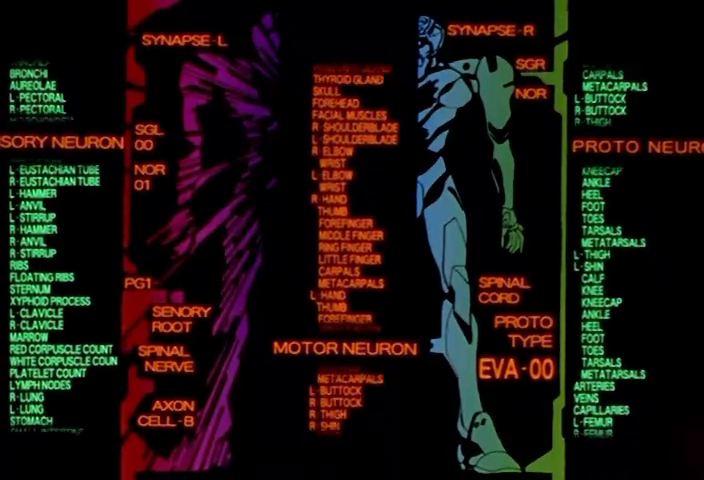 |
NGE-13 00:06:19 | Canonical form: full layout with all four text columns, Eva-00 silhouette, red trace |
 |
NGE-5 00:19:35 | Same composition, different moment — anatomical listings fully legible |
 |
NGE-14 00:17:59 | Wider shot showing red/purple waveform trace column on left edge |
 |
NGE-14 00:16:35 | Close-up variant with MOTOR NEURON body part list fully readable |
22. Angel Genetic Analysis Screen¶
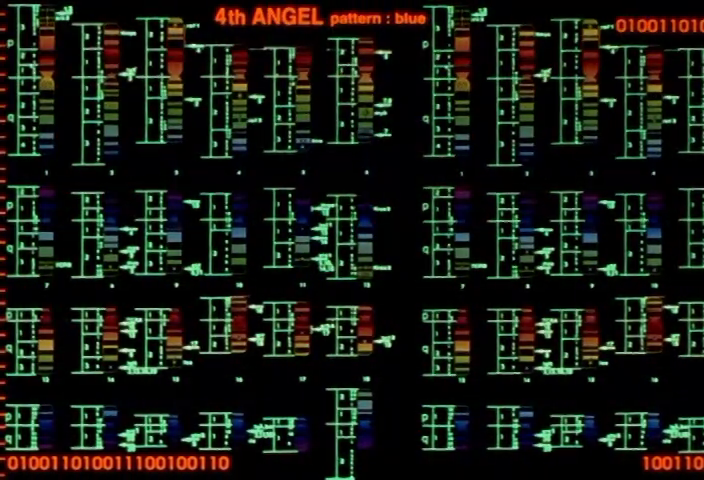
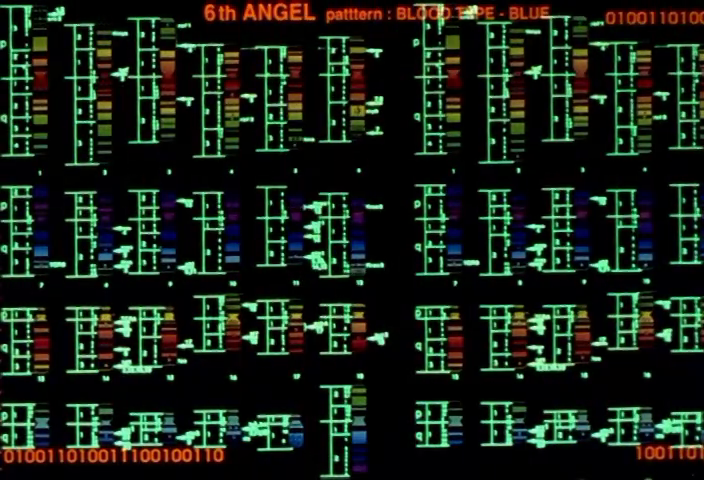
The recurring display used when MAGI performs genetic analysis on an Angel. A grid of multicolored vertical bar patterns resembling real gel electrophoresis results fills the main area, labeled "Nth ANGEL pattern: blue" in red text at top. Binary strings (0100110100...) border the top and bottom edges. A sidebar sometimes shows numbered nucleotide base pair listings (ATTG, CTCA, TATG...). A secondary panel may show a pixelated body scan of the Angel. The bars themselves are rendered in greens, blues, reds, yellows — the only polychrome display in the entire NERV visual language. This screen appears every time an Angel is first detected and classified.
| Reference | Source | Notes |
|---|---|---|
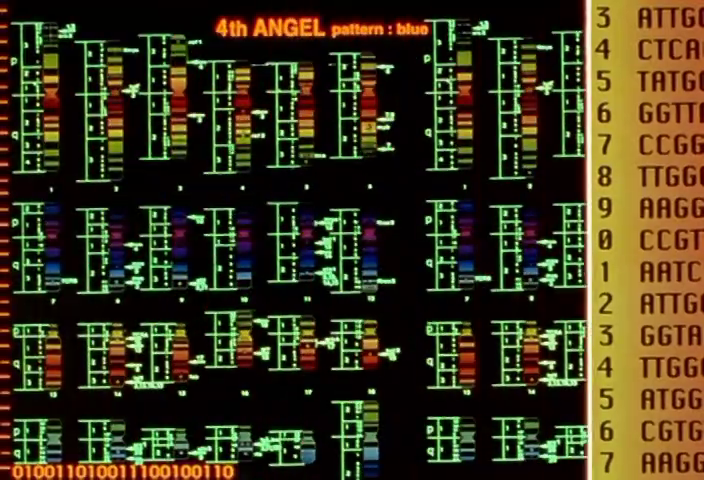 |
NGE-14 00:05:11 | 4th ANGEL — full display with numbered nucleotide sidebar |
 |
NGE-5 00:06:33 | 4th ANGEL — wider frame showing binary border strings |
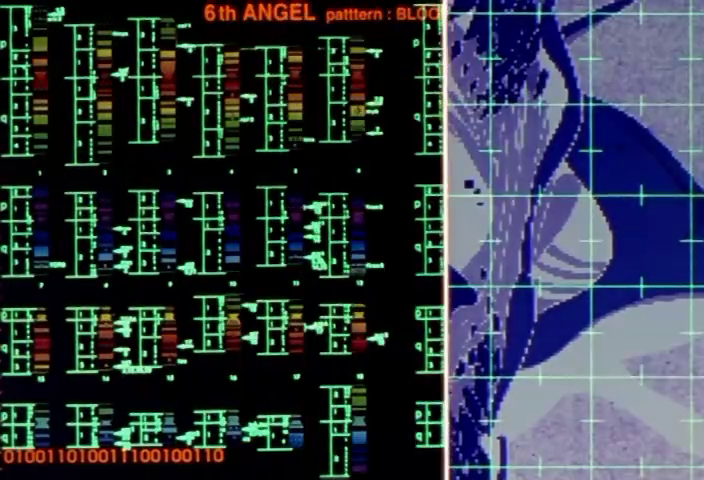 |
NGE-9 00:03:27 | 6th ANGEL — split screen with gel on left, pixelated Angel body scan on right |
 |
NGE-9 00:03:28 | 6th ANGEL — same display, wider frame |
23. Geofront Armor Layer Descent Display¶
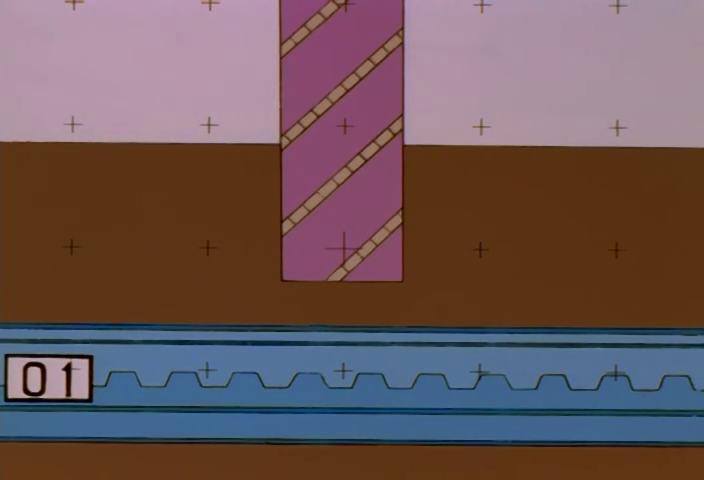
A side-view cross-section showing the Geofront's horizontal armor layers as numbered blue sawtooth/wave-pattern bands (01, 02... 22+), stacked vertically with brown earth between them. A pink/magenta striped vertical column (barber-pole pattern) represents the descending object (Eva or Angel) punching through the layers. The sky/surface is pink at top; GEO FRONT appears at the bottom. Crosshair registration marks appear in both the ground and sky zones. A 予想図 (forecast diagram) cartouche labels the display. This is the show's "elevator shaft" visualization — communicating pure vertical position through counted barrier layers.
| Reference | Source | Notes |
|---|---|---|
 |
NGE-6 00:04:45 | Upper layers with crosshairs and barber-pole column beginning descent |
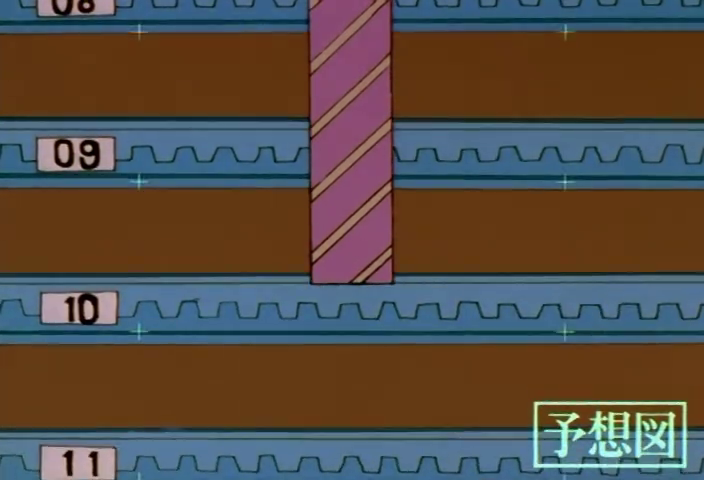 |
NGE-6 00:05:03 | Mid-depth: layers 08–10 with crosshairs, column passing through |
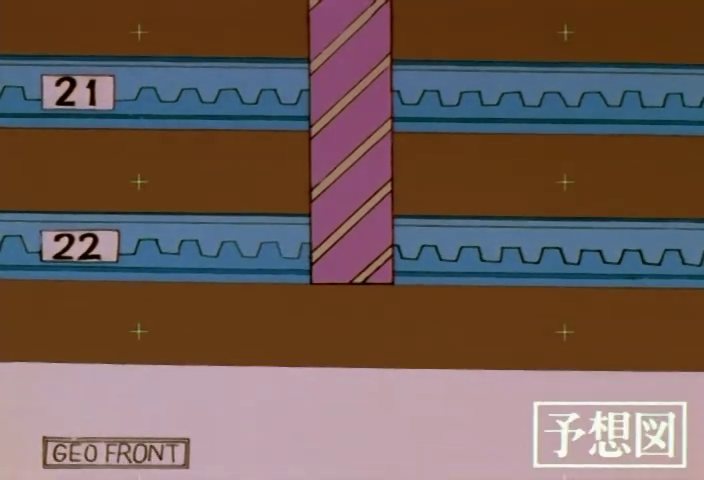 |
NGE-6 00:05:05 | Bottom: layers 21–22, GEO FRONT label, column reaching the void |
24. SEELE Monolith Conference¶
The visual representation of SEELE's remote committee meetings: tall, dark, rectangular monolith shapes arranged in a circle or arc, each displaying only a member number (SEELE 01 through SEELE 12) and SOUND ONLY in red text on the otherwise featureless black surface. No faces, no video feeds — just numbered black slabs with red text. The monoliths float in a black void. This is Anno's visual translation of "faceless power" — the humans controlling the fate of humanity are literally less visually present than a laptop error screen. The SOUND ONLY label reuses the same language as the blue communication card (see Atomic Elements §3) but inverts every aspect: red not blue, black not light, monumental not utilitarian.
| Reference | Source | Notes |
|---|---|---|
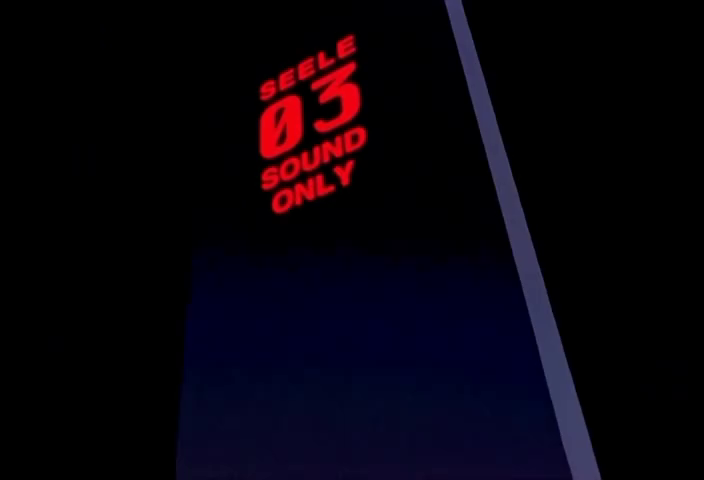 |
NGE-21 00:02:55 | Single SEELE 03 monolith — the form in isolation |
25. Armor Layer Breach Progress Display¶
A diagonal grid showing NERV HQ's physical defense layers being penetrated by an Angel. Each cell represents a PARTINTION [sic] No. and ARMOR PLATE numbered sequentially, with a color-coded SAFETY LEVEL bar (green = intact, shifting through yellow/amber to red/cyan as breach progresses). Red downward-pointing chevron arrows (▼▼▼) indicate the direction of penetration. As the Angel descends, CENTRAL DOGMA location labels appear in the lower cells. This is the "fortress is falling" display — each cell that goes red is another layer between the Angel and Terminal Dogma that no longer exists.
| Reference | Source | Notes |
|---|---|---|
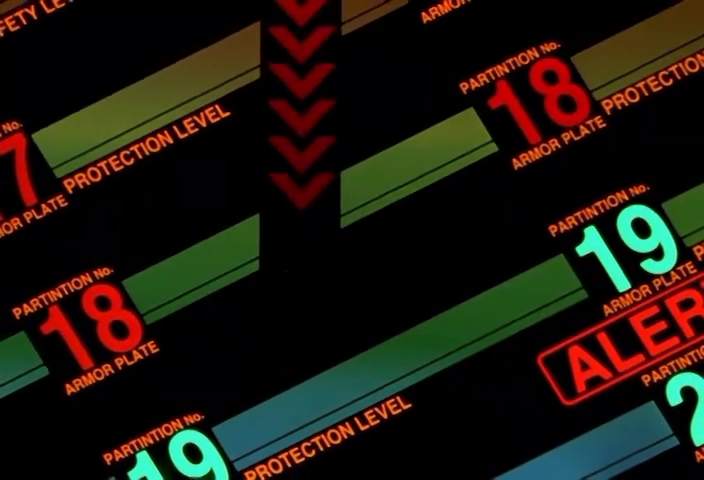 |
NGE-19 00:10:13 | PARTINTION No. 17–19 with green/red bars, red downward chevrons |
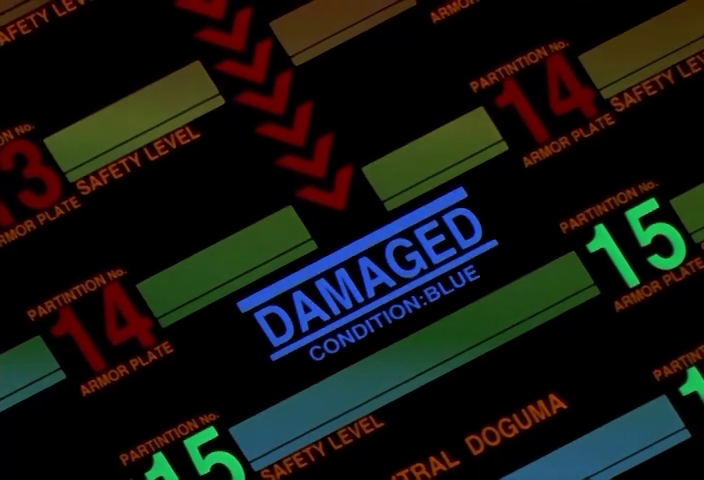 |
NGE-24 00:14:21 | Blue DAMAGED / CONDITION:BLUE cartouche overlaid on breached section |
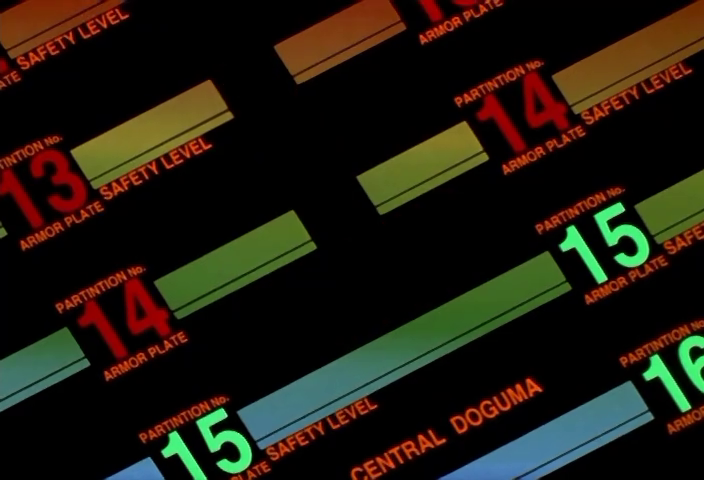 |
NGE-24 00:16:57 | CENTRAL DOGMA labels emerging as breach reaches critical depth |
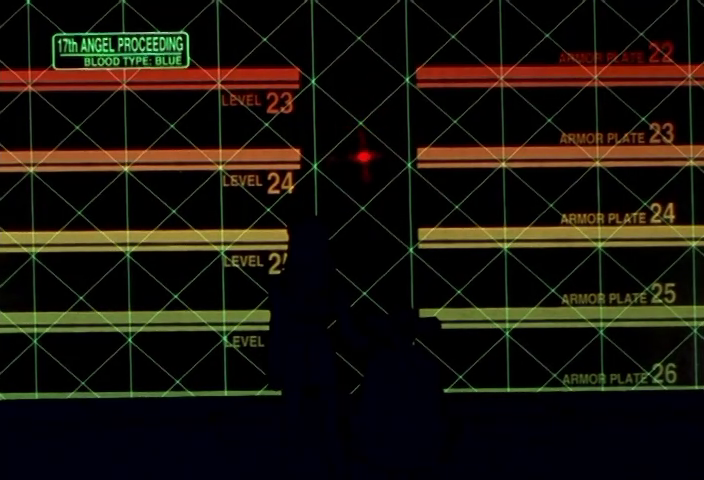 |
NGE-24 00:16:39 | 17th ANGEL PROCEEDING cartouche over green lattice with red/amber layer bars |
26. Multi-Camera Surveillance Wall¶
A grid of live camera feeds from observation stations around Tokyo-3, each labeled with a station number (S.S. NO.23-12-A) and Japanese location identifier (第23警戒群 / 第12光学観測所 Side-B). The feeds show real-world imagery (mountains, infrastructure, coastline). As the threat approaches, individual panels are overwritten with orange SIGNAL LOST cartouches and red WARNING labels — the camera grid becomes a map of the incoming destruction's footprint. Distinct from the single CCTV feed (§8): this is the matrix of feeds, and the compositional power comes from watching them fail one by one.
| Reference | Source | Notes |
|---|---|---|
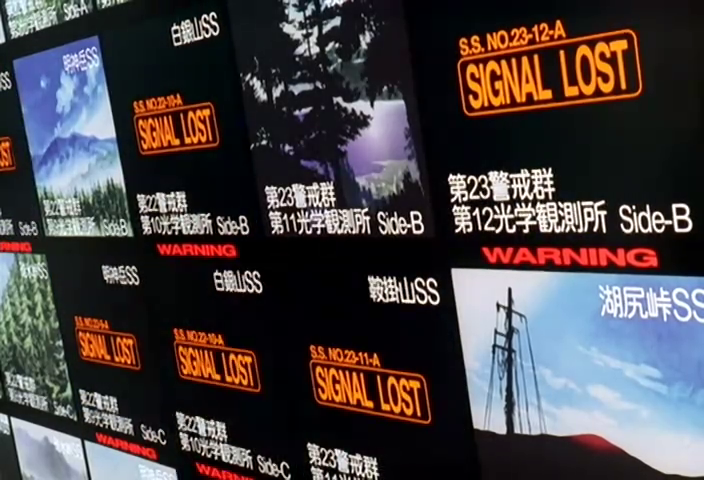 |
EoE 00:11:13 | Multiple SIGNAL LOST overlays propagating across the camera grid |
27. Repeating Text Wallpaper¶
A single sentence or word repeated in rows to fill the entire display surface — not as an overlay but as the sole content of the screen. Distinct from the Full-Bleed Status Card (§2), which uses a single word at maximum scale. The wallpaper uses normal-sized text and achieves its impact through sheer repetition: the same message, dozens of times, tiling the display like a pattern. Known instances: COMPUTERS HAVE OPTED FOR SELF DESTRUCTION (red, filling the command center ceiling projection), FEHLER (German for "error," red, spiraling behind Asuka in the entry plug), DELETED (red, filling a laptop screen). The effect is less "urgent notification" and more "the system is stuck in a loop."
| Reference | Source | Notes |
|---|---|---|
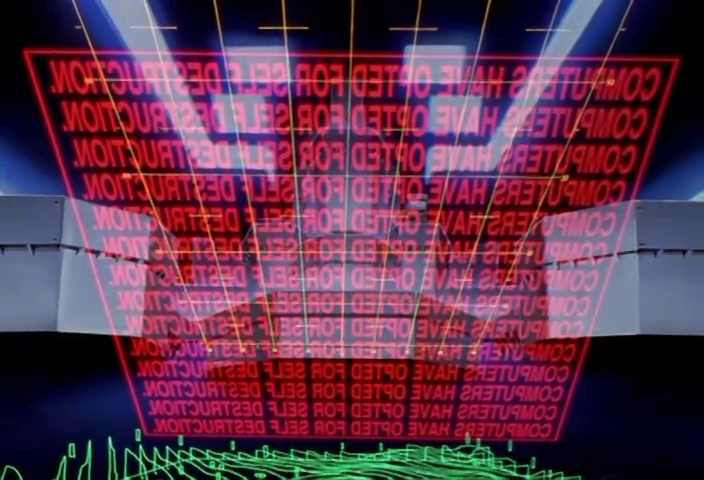 |
NGE-13 00:18:49 | COMPUTERS HAVE OPTED FOR SELF DESTRUCTION — mirrored on ceiling display, green topo below |
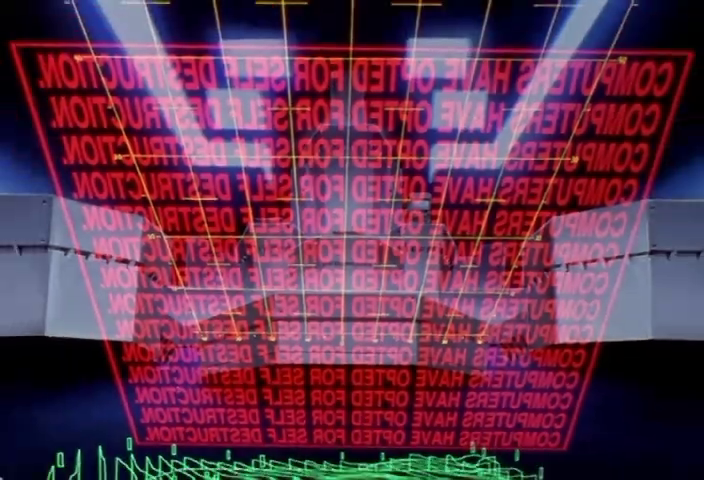 |
NGE-13 00:19:39 | Same message, different angle — scale of repetition visible |
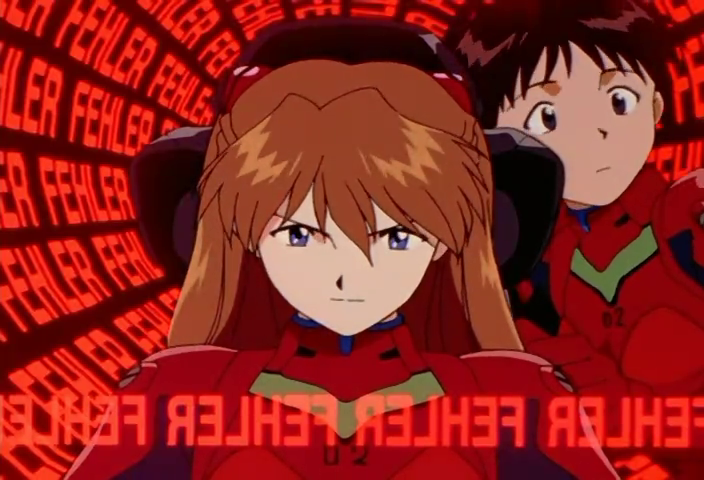 |
NGE-8 00:12:05 | FEHLER FEHLER FEHLER spiraling behind Asuka — cylindrical display topology |
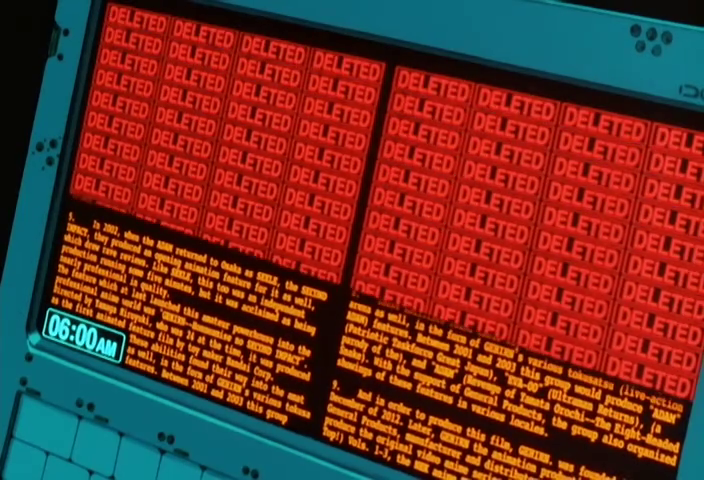 |
EoE 00:06:55 | DELETED filling laptop display panels over amber data text |
28. Entity Silhouette on Tactical Map¶
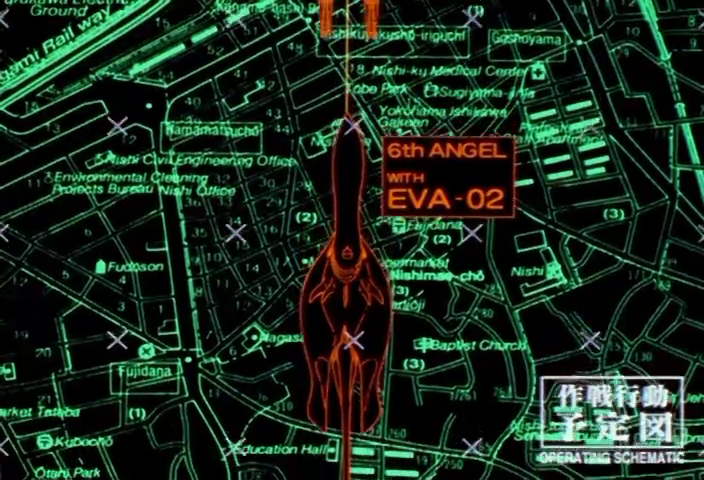
An orange or red-filled silhouette of a ship, Eva unit, or Angel, rendered as a detailed top-down or side profile, overlaid on the green wireframe city/terrain map (see §4). Each silhouette has a red cartouche label identifying it (DDG-173 KONGO, UN CVN075 MPACN Over The Rainbow, 6th ANGEL WITH EVA-02). The silhouettes are transparent enough to show map detail beneath. This is the operating schematic (作戦行動予定図) view — the compositional pattern of placing identified entities onto a spatial reference.
| Reference | Source | Notes |
|---|---|---|
|
NGE-8 00:17:41 | Ships positioned on street map with named cartouche labels |
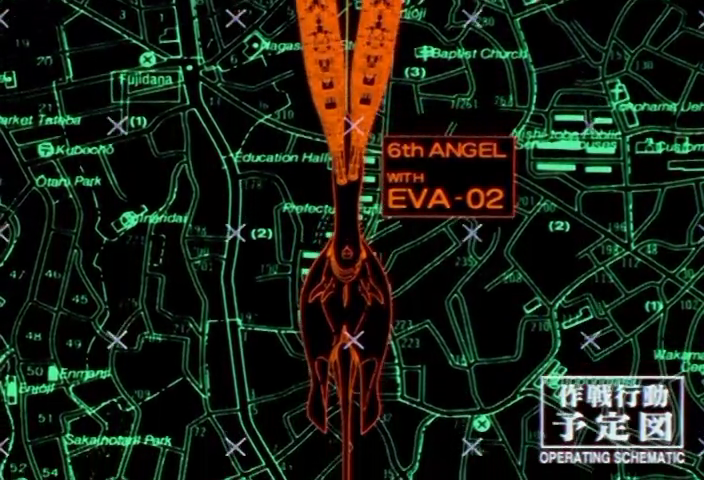 |
NGE-8 00:17:55 | 6th ANGEL WITH EVA-02 silhouette descending through city grid |
 |
NGE-8 00:17:51 | Wider view of same operation showing full map coverage |
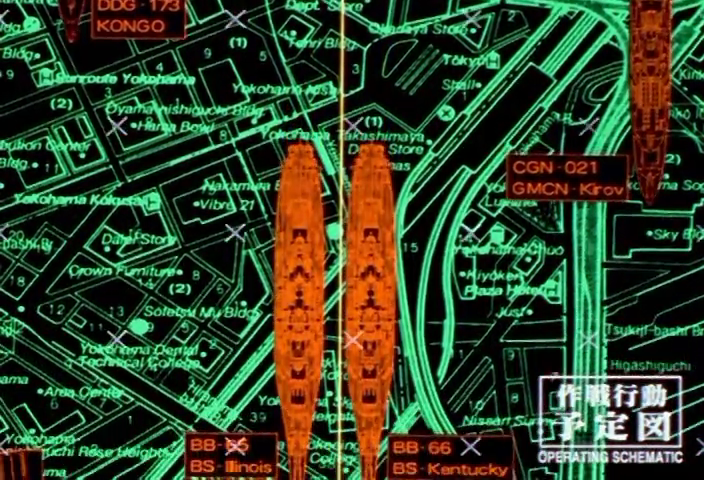 |
NGE-8 00:17:45 | Multiple ship silhouettes (CGN 021 GMCN Kirov, BB-66 Kentucky) positioned on map |
29. Eva Damage Status Display¶
Amber-on-black schematic of an Eva unit with a numbered list of OPERATING PARTS down both sides (0001–0035+). Each part slot shows either a green OPERATING cartouche or a red DAMAGED cartouche. An entry plug schematic appears in a sub-panel. The Eva silhouette is centered with damage overlays. This is the mech maintenance readout — the most mechanically detailed Eva interface in the series, composing body silhouettes, status cartouches, and segmented indicators into a single dense diagnostic view.
| Reference | Source | Notes |
|---|---|---|
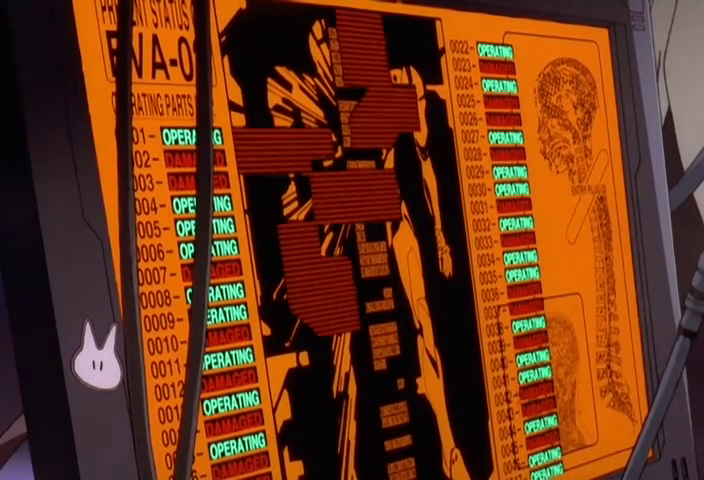 |
EoE 00:39:31 | EVA-0[2] PRESENT STATUS with mixed OPERATING/DAMAGED part list — green/red mixed |
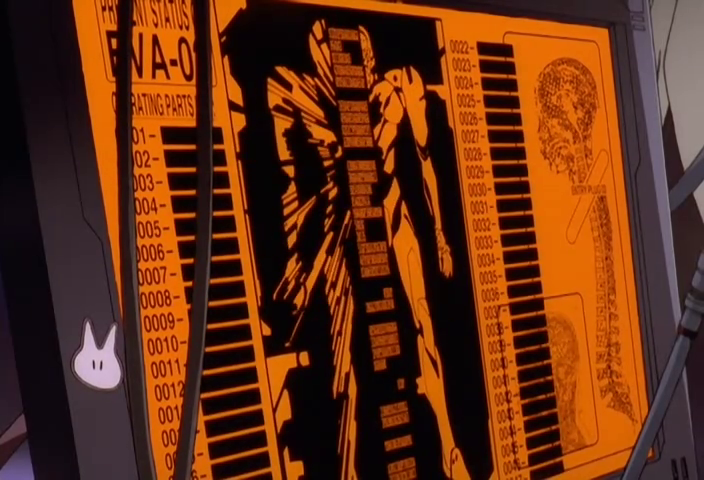 |
EoE 00:39:32 | Same display moments later — more parts going dark/damaged |
30. Flow Field Visualization¶
Contour-like flowing lines on a calibrated axis grid, showing field interactions (AT fields, electromagnetic phenomena). The lines bend and distort around a central object or void, resembling fluid dynamics or electromagnetic field line diagrams. Green/red upper/lower halves split at a zero baseline. Numeric readouts at each corner. Used for the scientifically-uninterpretable-but-visually-convincing display of phenomena that don't map to real physics.
| Reference | Source | Notes |
|---|---|---|
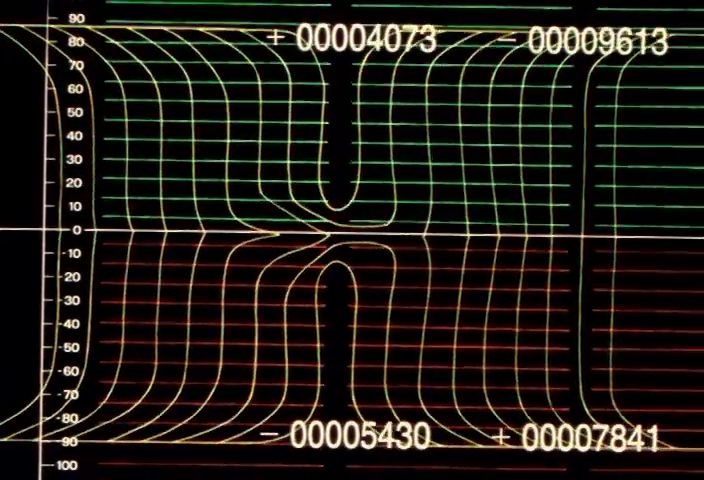 |
NGE-2 00:19:15 | Green upper / red lower field lines bending around central distortion, ± numeric readouts |
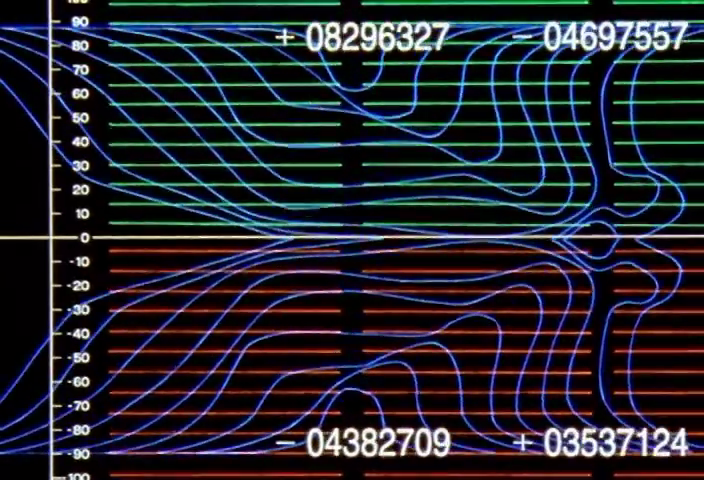 |
NGE-23 00:10:57 | Blue contour lines in chaotic disruption pattern — same axis structure, more turbulent |
31. Energy Observational Data Display¶
A green gradient field with orange segmented diagonal chevron stripes and amber cartouche labels: ENERGY OBSERVATIONAL DATA, RADIOACTIVITY: NEGATIVE, HIGH LEVEL ENERGY FIELD APPROACHING, GENERATING POINT: TERMINAL DOGMA: POINT 00. The chevrons pulse and shift as energy levels change. This is the Instrumentality-specific energy display — it appears nowhere else in the series.
| Reference | Source | Notes |
|---|---|---|
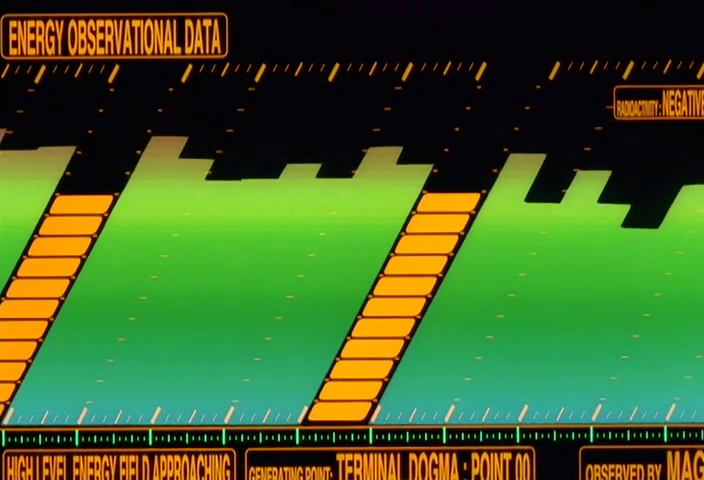 |
EoE 00:53:29 | Full display: green gradient, orange diagonal chevrons, multiple cartouche labels |
32. 666 Hex Pattern / MAGI Defense Visualization¶
During the MAGI cyber-warfare sequence in EoE, a hex-tiled background fills with repeating 666 numbers in shifting colors (green → yellow → orange → red), representing the attacking MAGI systems' hacking attempts. The original MAGI-01 is centered with its triad labels. The 666 tiles create a visual allusion to the Biblical Number of the Beast — the MAGI are literally named after the Three Wise Men, and they're under attack by something with that number's association. The PROTECT NO. 666 / DANANG TYPE-B DEFENSE SCREEN display is the defensive counterpart.
| Reference | Source | Notes |
|---|---|---|
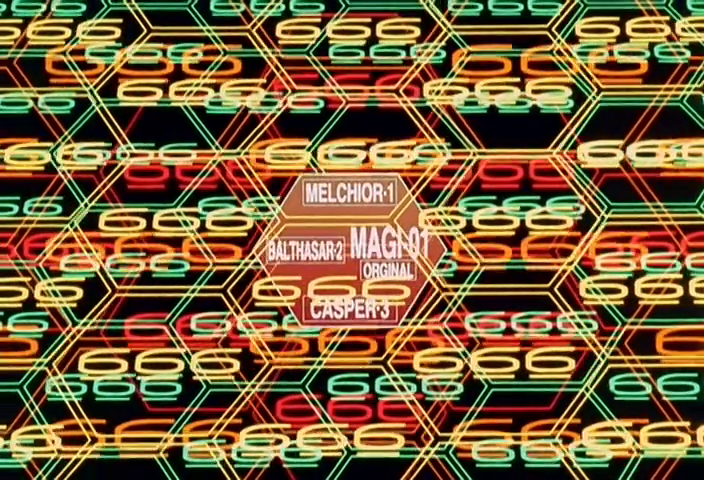 |
EoE 00:09:57 | 666 hex pattern surrounding MAGI-01 ORIGINAL triad center |
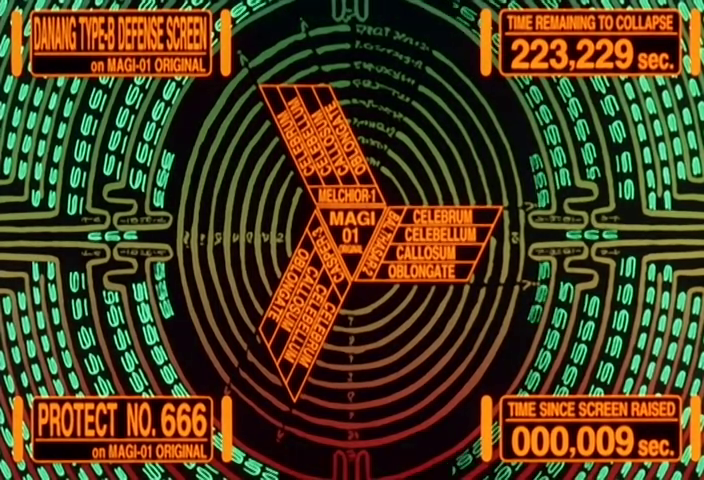 |
EoE 00:10:01 | PROTECT NO. 666 defense screen with TIME REMAINING TO COLLAPSE countdown |
33. Reserve Energy Depletion Staircase¶
A stepped descending display showing RESERVE ENERGY REMAINING for an Eva's entry plug. Each step is a colored block labeled SEG.1 through SEG.6+, descending from left to right. Above the steps, amber cartouche labels indicate what systems will fail at each level (LIFE SUPPORT SYSTEM, LINK CONTROL SYSTEM, EXTERNAL COMMUNICATIONS). A cyan BORDER LINE runs horizontally across the display. The staircase visually communicates "you are descending toward zero."
| Reference | Source | Notes |
|---|---|---|
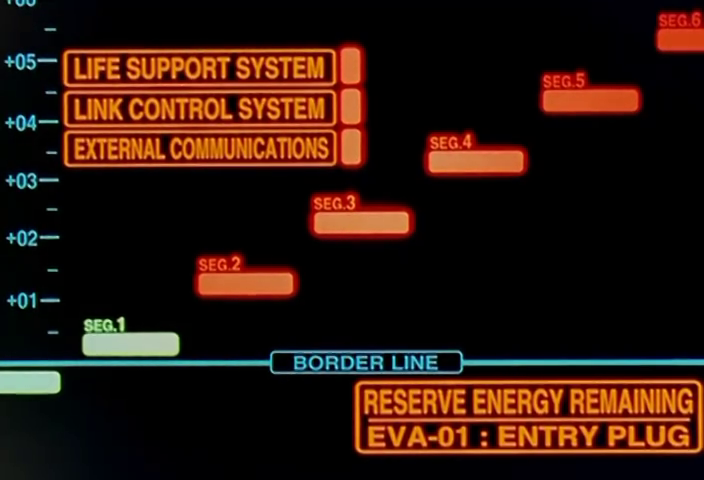 |
NGE-16 00:16:03 | Full staircase display with system failure labels and BORDER LINE — RESERVE ENERGY REMAINING / EVA-01: ENTRY PLUG |
34. Solenoid Graph Pattern¶
Paired 3D wireframe trace patterns — one green (FIELD NEGATIVE), one red (FIELD POSITIVE) — showing helical/toroidal shapes rendered as line meshes on calibrated axes. The traces look like three-dimensional magnetic field visualizations or solenoid cross-sections. Used during Instrumentality/Third Impact sequences to represent AT field interaction data. Labeled SOLENOID GRAPH PATTERN A. The visual makes something fundamentally metaphysical — the interaction between two souls' AT fields — feel like it could be graphed on an oscilloscope. That pseudoscientific authority is the point.
| Reference | Source | Notes |
|---|---|---|
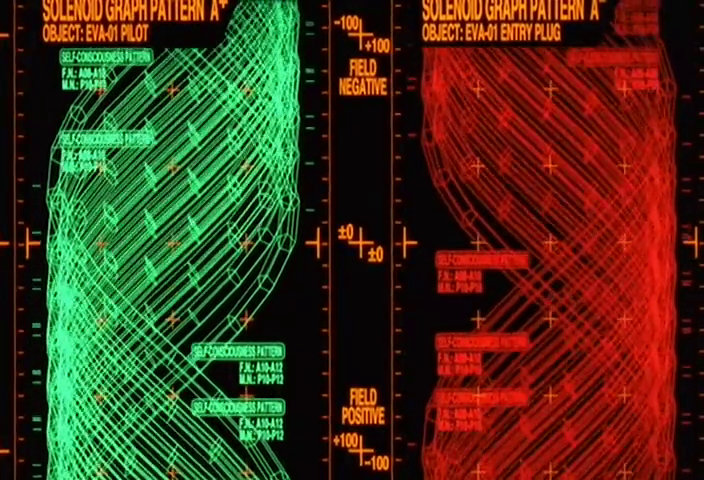 |
EoE 00:56:35 | Green (EVA-01 PILOT) and red (EVA-01 ENTRY PLUG) solenoid traces side by side |
35. Bracket/Tree Cascade Diagram¶
Columns of segmented bars connected by branching lines that merge and split — resembling a circuit diagram or tournament bracket turned vertical. The segments shift from black (inactive/nominal) to red (active/critical) as a state change propagates through the system. The connective lines show dependency relationships between segments. Used in the Operation Yashima power distribution display. The visual effect isn't about reading which segment is active — it's about watching power cascade through a web of dependencies, each node lighting up in sequence. The complexity feels earned and systemic.
| Reference | Source | Notes |
|---|---|---|
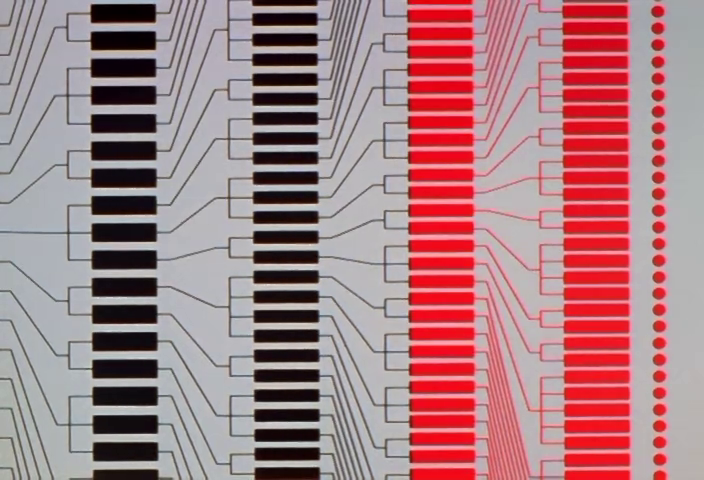 |
NGE-6 00:17:55 | Black-to-red transition across bracket columns with branching connectors |
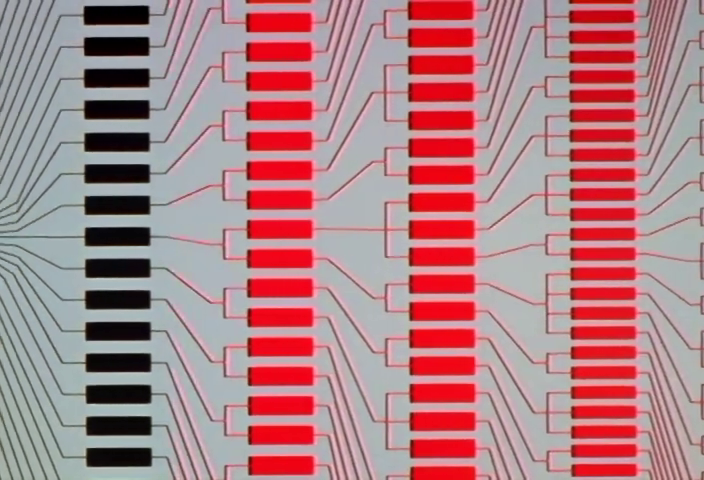 |
NGE-6 00:18:27 | Same display further into the sequence — more segments lit red |
Design Principles (Cross-Cutting)¶
These are not individual elements but recurring principles that govern how the elements above are composed:
Information Hierarchy Through Scale¶
The most important datum is always the largest. A single word (ALERT) at screen-filling scale. A countdown timer in digits you can read from across the room. Secondary data is small, dense, and peripheral. NERV's UI commits to a reading: this is what matters right now.
Redundancy as Aesthetic¶
The same information often appears in multiple formats simultaneously — Japanese and English, digital and analog, graphical and textual. This isn't poor design; it's a visual philosophy that says critical systems should never have a single point of legibility failure.
CRT Materiality¶
Displays show visible phosphor glow, scanline artifacts, slight barrel distortion, and color fringing. The UI doesn't try to look "clean" or "flat" — it insists on its own physicality as light emitted by cathode ray tubes in a dark room. This grounds the fiction in a specific technological era and gives every screen a warmth that modern UI design has abandoned.
Terminal Color Palettes¶
NERV uses two distinct terminal color schemes that map to functional domains: - Amber-on-black (the dominant palette): orange/amber text and line graphics on pure black, borrowing from amber phosphor CRT monitors standard in 1980s–90s industrial and military computing. Used for operations and command — the bridge crew's domain. The amber ranges from deep orange (warning/critical) to bright yellow-orange (nominal). The black background bleeds into the command center darkness, making data appear to float. - Green-on-black (Maya's terminals): referencing 1970s–80s phosphor terminal aesthetics (VT100, IBM 3278). Used for programming and analysis — Ritsuko and Maya's domain. These terminals show source code (C-like function signatures: GetStringWork, MyString, LenxCheck), small embedded graphs, and structured data layouts.
The split is functional worldbuilding: amber = operating the system, green = building/debugging the system.
Black as Negative Space¶
NERV's command center is dark. Screens float in darkness. The black isn't empty — it's the connective tissue between information nodes, the void that makes each illuminated element legible. The darkness is a design choice as deliberate as any color.
Color-Coded Pilot Identity¶
Consistent color mapping across the entire series: FIRST.C / Rei Ayanami = green, THIRD.C / Shinji Ikari = cyan/blue, SECOND.C / S. Asuka Langley = red. This mapping is applied to header labels, designation numbers (00/01/02), and panel border tints. The colors never swap. They are a persistent visual identifier across all UI contexts — test plug monitors, sync tests, pilot cards, harmonics displays. When Kaworu appears as FIFTH C., he gets amber, breaking the RGB triad. This isn't a component you build; it's a rule you apply to every component that references a pilot.
Mechanical Honesty¶
When NERV needs a countdown timer, it doesn't render one on a screen — it builds a physical seven-segment LED display with mode buttons. When it needs a switch, the switch has a safety cover. The commitment to representing physical interface hardware alongside digital displays creates a layered, believable technology stack.
Taxonomy compiled from 271 reference frames spanning NGE episodes 1–24 and The End of Evangelion. Source album: https://imgur.com/a/mvW7g