NERV UI Atomic Visual Elements
A companion to the NERV UI Visual Language Taxonomy. Where that document catalogs the compositions and feelings — how elements combine, what emotional effects they create, and the overarching "vibe" that makes a NERV screen feel like a NERV screen — this document catalogs the atoms: the specific recurring visual shapes, marks, and patterns that those compositions are built from. These are how things look. The LEGO bricks of the Evangelion FUI. If you're building your own NERV-style interface, these are the specific components you'd assemble; the design language tells you how to compose them so they feel right.
Note: NERV interfaces almost never convey real information — they're visual storytelling devices. These atoms are defined by their visual appearance, not by what data they nominally display.
Sourced from close examination of all 271 reference frames in the Evangelion User Interfaces album.
1. Status Cartouche
A single-color rounded-rectangle or rectangular border enclosing a status word or short phrase. The border has a consistent stroke weight; the text inside is typically condensed sans-serif in the same color as the border. The cartouche appears as an overlay on whatever content is beneath it. This is arguably the single most prolific atomic element in the entire NERV visual language — it carries every status word the system needs to communicate: IDENTIFIED, LOCKED, CAPTURE, REFUSED, VANISHED, MISSING, DAMAGED, OPERATING, DELETED, OPEN, PILOT VANISHED, SIGNAL LOST, and dozens more.
The cartouche changes color to match its semantic context: amber/orange for informational status, red for critical/negative, green for positive/cleared, blue for condition codes, white for neutral observation overlays. The shape is always the same. The atom is the framing device, not its content.
| Reference | Source | Notes |
|---|---|---|
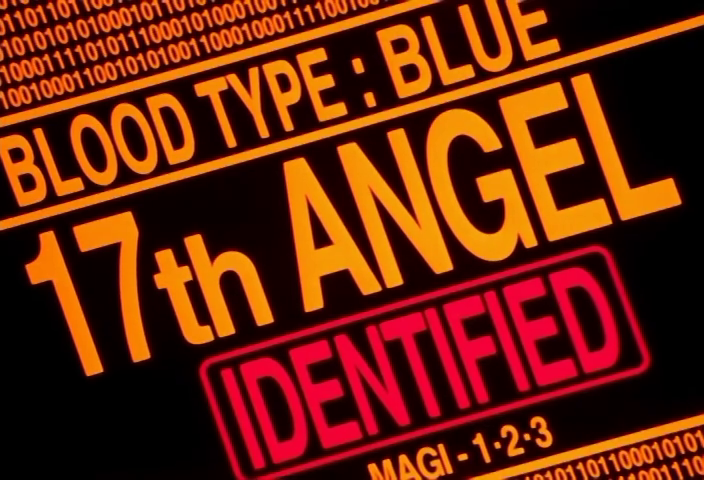 |
NGE-24 00:13:29 | Red IDENTIFIED cartouche below 17th ANGEL — the canonical example |
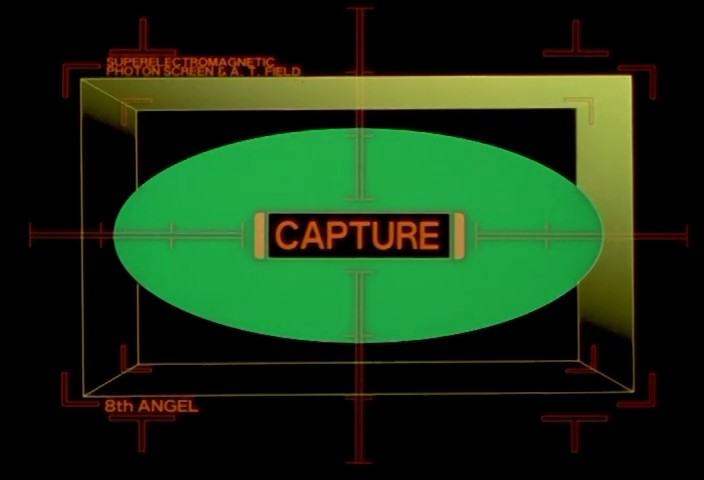 |
NGE-10 00:15:53 | Amber CAPTURE cartouche centered on AT Field targeting display |
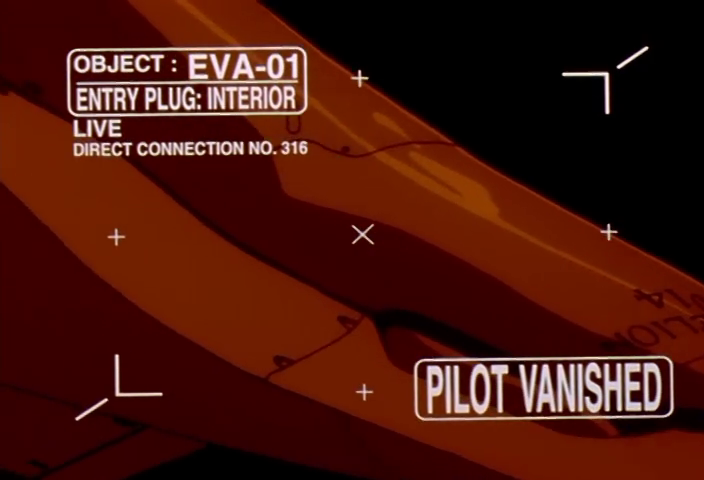 |
NGE-20 00:05:23 | White PILOT VANISHED and OBJECT: EVA-01 cartouches on observation feed |
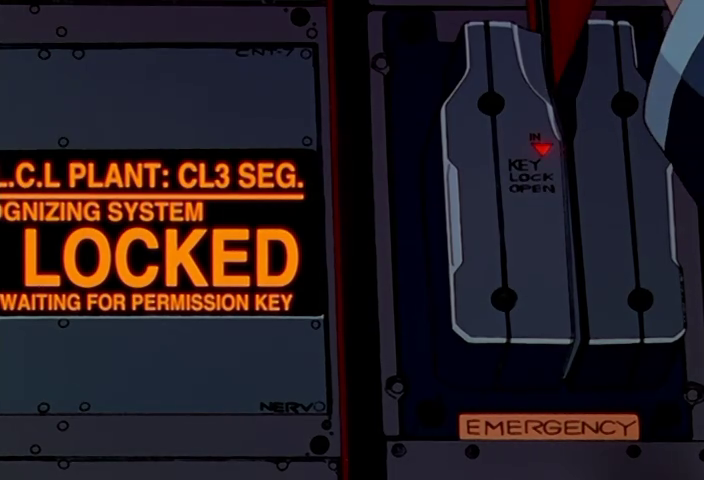 |
NGE-15 00:20:39 | Amber LOCKED on physical hardware display, with adjacent green OPEN state |
2. Psychographic / Sync Curve Trace
A continuous line graph that starts as orderly parallel sinusoidal waves and degrades into chaotic, tangled scribbling as synchronization or mental state deteriorates. The line is drawn in amber/orange on a calibrated axis grid. When stable, the curves are smooth and rhythmic; when unstable, they become Lissajous-like tangles that fill and overflow the graph area. The visual contrast between order and chaos is the entire point — the line is the pilot's mind.
Appears in two distinct sub-variants: the dual-helix sync waveform (two interleaved sinusoids in red/blue/pink) and the psychographic display (single amber trace with labeled LINK A¹ through A¹⁰ channels that fan out into noise).
| Reference | Source | Notes |
|---|---|---|
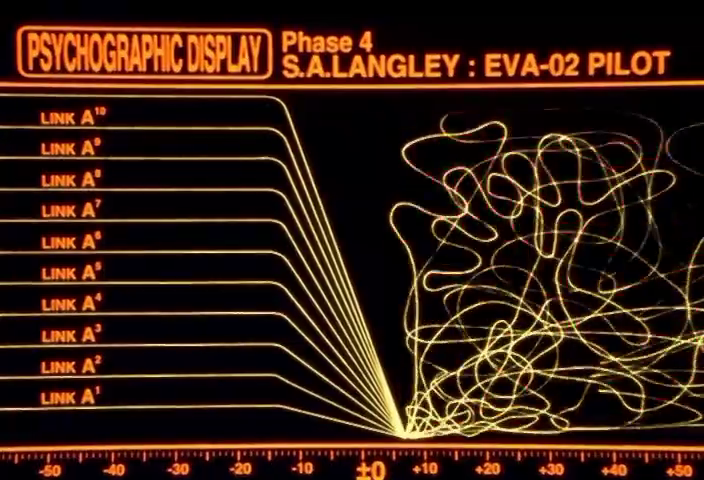 |
NGE-22 00:15:13 | PSYCHOGRAPHIC DISPLAY Phase 4, S.A.LANGLEY: EVA-02 PILOT — ten LINK channels fanning into chaos |
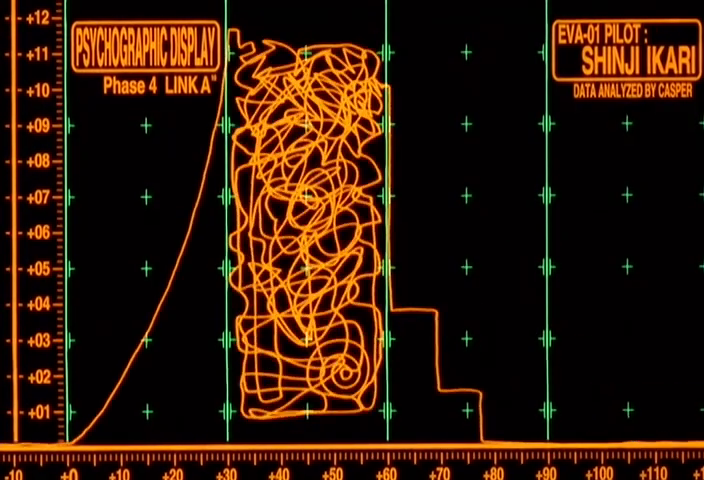 |
EoE 00:55:39 | PSYCHOGRAPHIC DISPLAY with exponential curve and histogram — Shinji's trace |
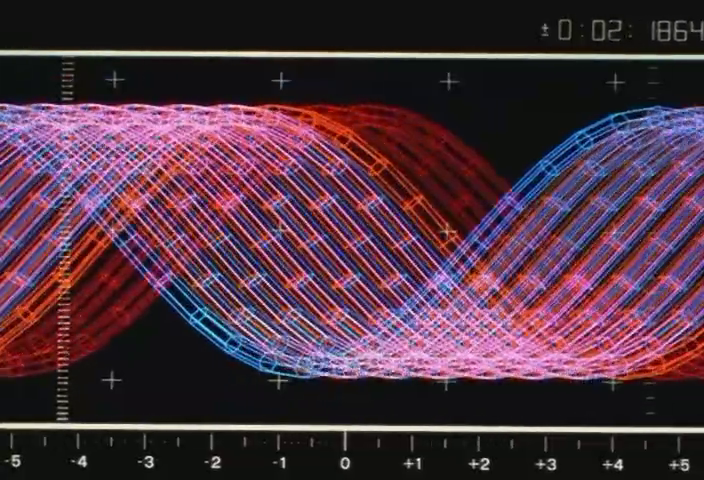 |
NGE-19 00:13:29 | Dual-helix sync waveform, orderly state — the red/blue interleave at full coherence |
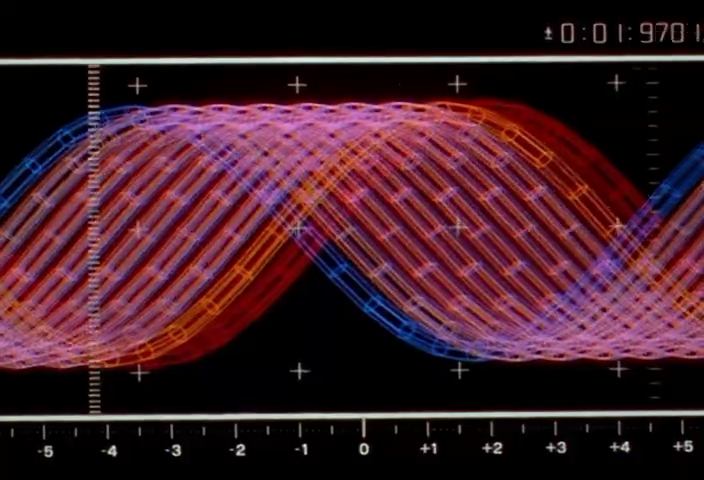 |
NGE-14 00:18:05 | Same dual-helix waveform with slight phase offset, orange dominant |
3. SOUND ONLY Card
A light-blue rectangular card with dark text reading 音声 (onsei) above SOUND ONLY, bordered by a thin red or amber outline. Appears when a communication channel is active but no video feed is available. The card replaces the video panel entirely — it's not overlaid on static, it is the display. The blue is a distinctive pale cerulean, unique in the NERV palette which otherwise runs amber/green/red.
A variant exists for SEELE communications: red text (SEELE ##, SOUND ONLY) on a dark monolith shape, inverting the color relationship. The SEELE variant is discussed further in the Design Language doc under SEELE Monolith Conference.
| Reference | Source | Notes |
|---|---|---|
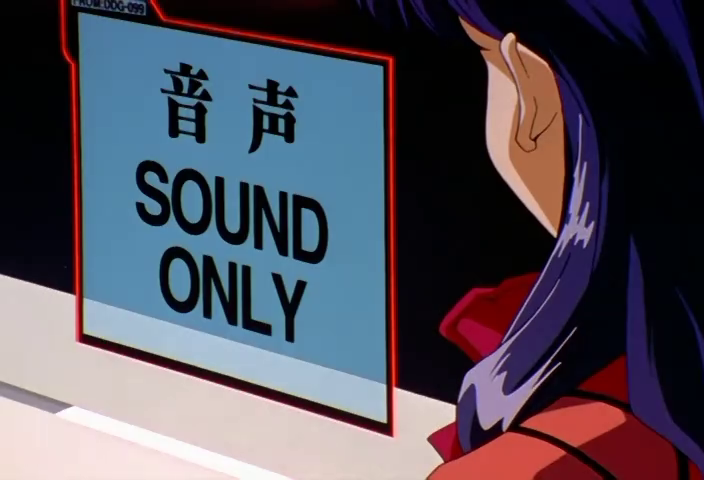 |
NGE-12 00:20:13 | Standard form: blue card with red border, FROM:DDG-099 source tag, viewed by Misato |
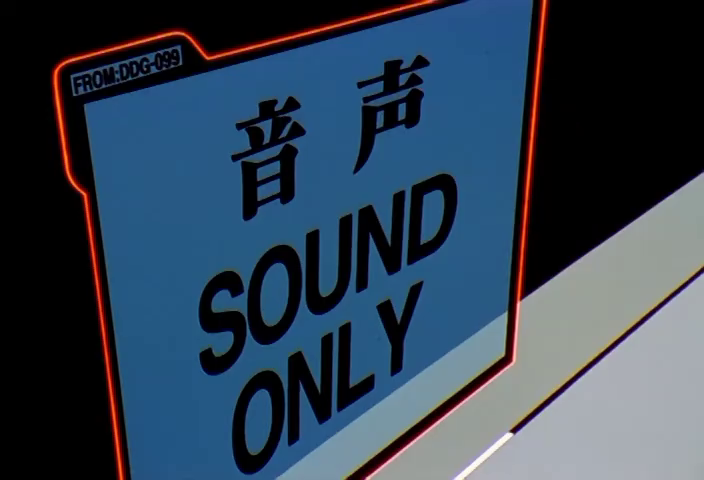 |
NGE-20 00:13:11 | Same card, slightly different angle — the FROM:DDG-099 tag visible at top-left |
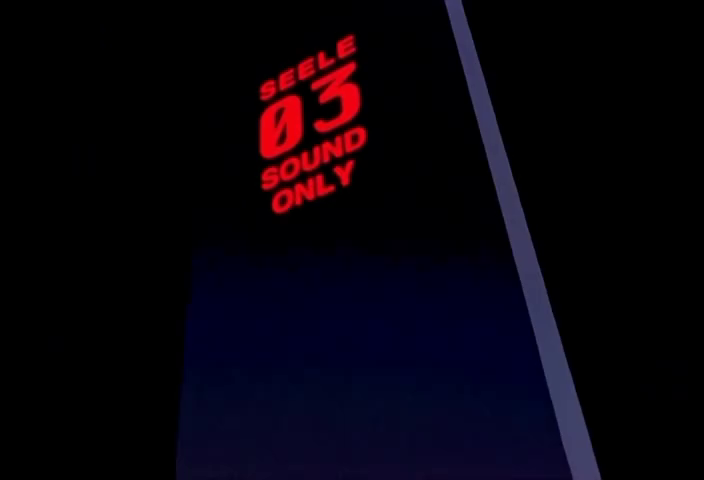 |
NGE-21 00:02:55 | SEELE variant: red SEELE 03 / SOUND ONLY on black monolith |
4. Registration Grid Overlay
Evenly-spaced registration marks arranged in a grid pattern, superimposed over live camera feeds, satellite imagery, or holographic projections. The marks imply the image is being digitally processed, tracked, or targeted. Two variants exist:
- Plus-sign (
+) crosshairs: white/gray for passive observation, green for active tracking. Appears on closer-range tactical and command center displays. - Rotated-cross (
×) marks: typically white or orange. Appears specifically on satellite photos, observation stations, and long-range sensor feeds.
Grid spacing is consistent within a single shot but varies across scenes to match the implied magnification level. The marks are a pure signal-processing visual — they say "this feed is being analyzed."
| Reference | Source | Notes |
|---|---|---|
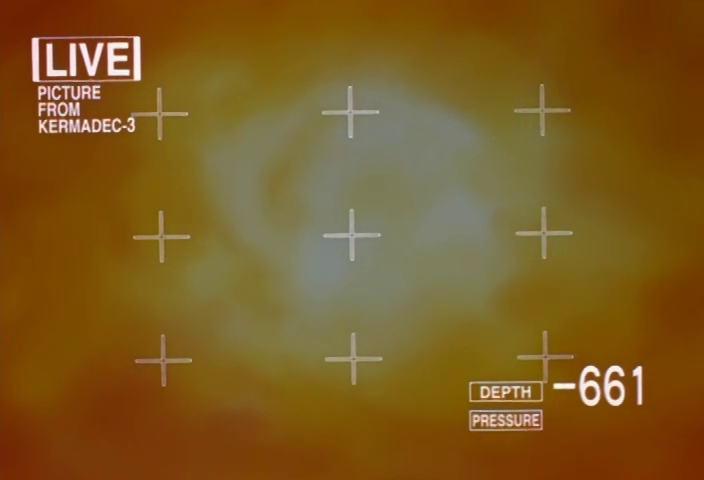 |
NGE-10 00:07:11 | Canonical + form: white crosshairs over live satellite feed with DEPTH/PRESSURE readout |
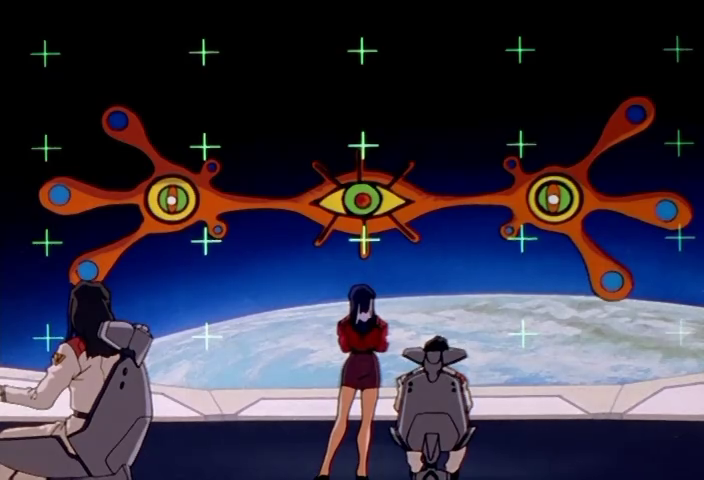 |
NGE-12 00:09:41 | Green + crosshairs over orbital view during Angel approach — active tracking mode |
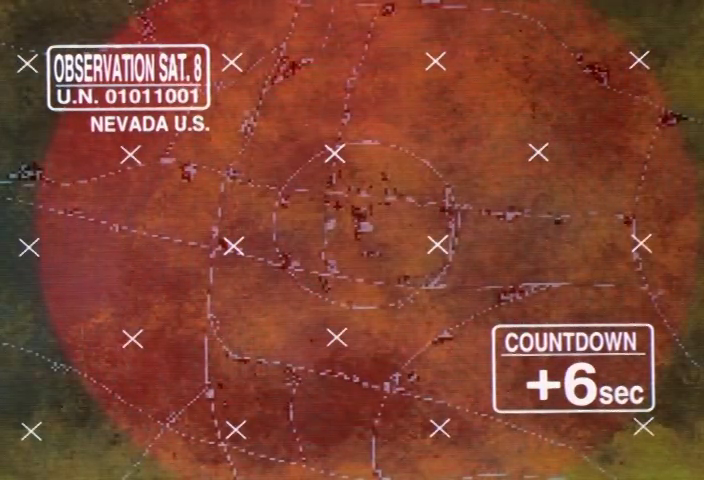 |
NGE-17 00:05:01 | White × grid over OBSERVATION SAT. 8 / NEVADA U.S. satellite imagery with COUNTDOWN badge |
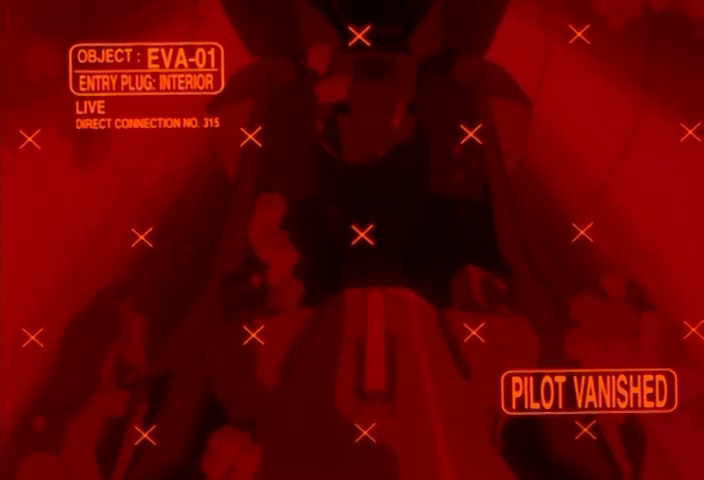 |
NGE-20 00:15:59 | Orange × grid on red-tinted EVA-01 entry plug interior feed — emergency variant |
5. LIVE Badge
A boxed label reading LIVE followed by source/channel identification: PICTURE ×01, FROM KIKU-07, DIRECT CONNECTION NO. 316, etc. Always appears in the corner of a video or sensor feed to denote real-time data. The box is typically a simple single-stroke rectangle. The word LIVE is always uppercase, always in the same condensed typeface. Sometimes accompanied by a secondary channel number or magnification indicator (×08, ×05).
| Reference | Source | Notes |
|---|---|---|
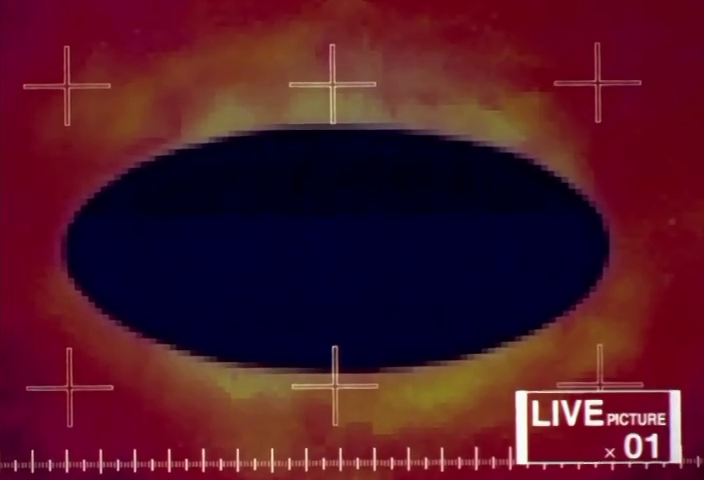 |
NGE-10 00:15:43 | LIVE PICTURE ×01 in bottom-right corner of thermal feed |
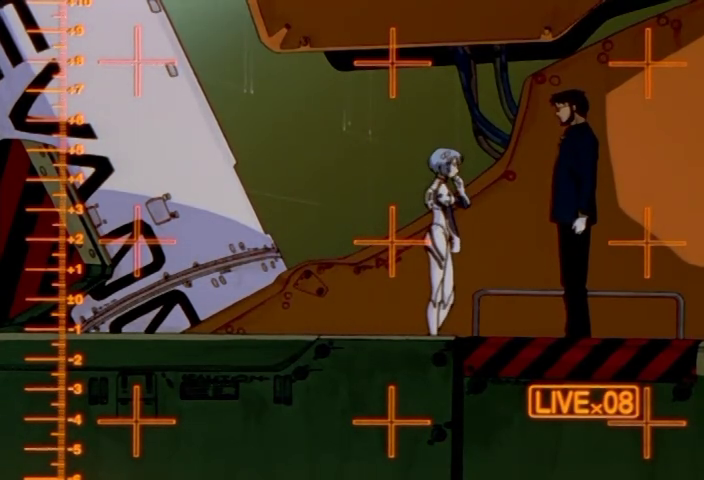 |
NGE-5 00:09:57 | LIVE ×08 badge in bottom-right of crosshair-overlaid observation feed |
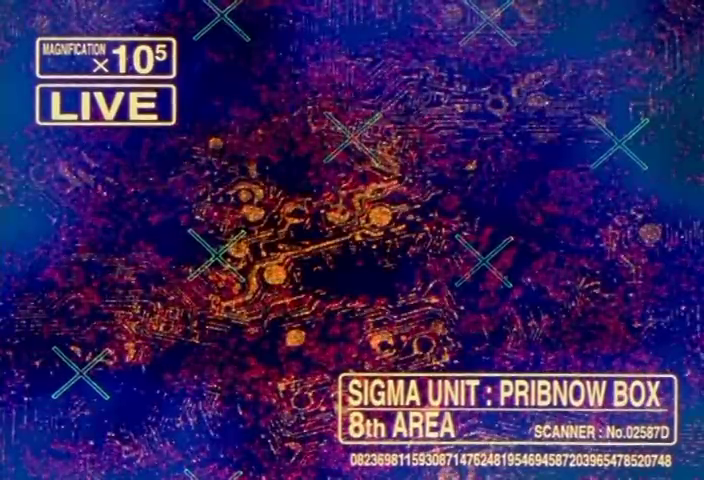 |
NGE-13 00:12:19 | MAGNIFICATION ×10⁵ / LIVE in top-left of Pribnow Box microscopy |
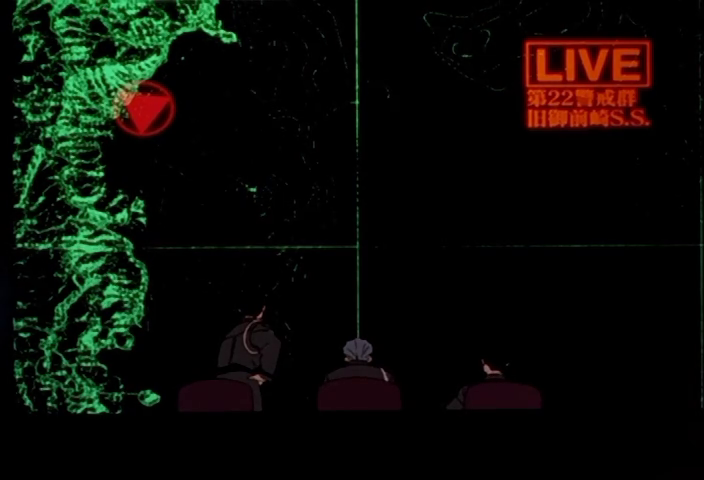 |
NGE-11 00:07:47 | LIVE badge with Japanese source ID (第22警戒群) on topo map display |
6. Phase Completion Matrix
Parallel columns of labeled horizontal bars (PHASE 01 through PHASE 17+), one column per Eva unit or subsystem, where each bar is either green (complete/nominal) or red (incomplete/failed). The bars are solid-fill rectangles. Below the phase bars, larger orange rectangles serve as summary indicators. The matrix provides at-a-glance status comparison across multiple parallel systems. The green-to-red transition point is visually immediate.
| Reference | Source | Notes |
|---|---|---|
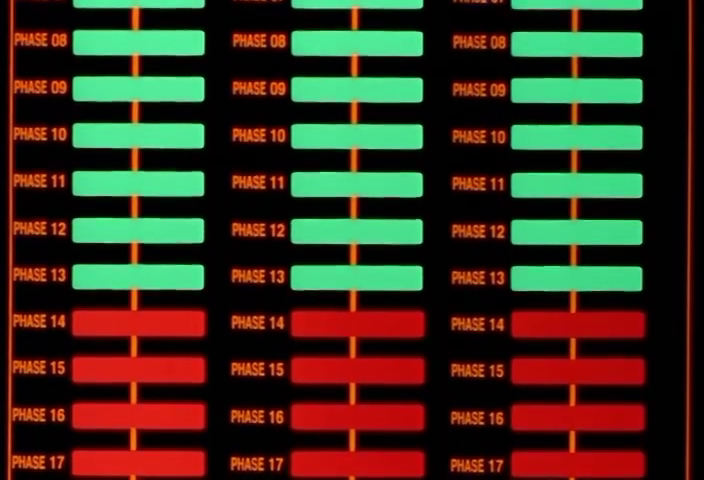 |
NGE-13 00:03:03 | Three columns, PHASE 08–17 visible, green above / red below the transition point |
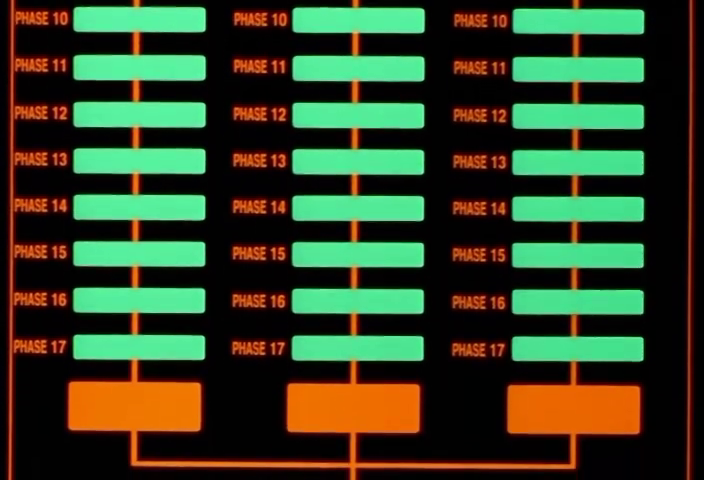 |
NGE-13 00:03:05 | Same display scrolled: PHASE 10–17 all green, orange summary blocks below |
7. Neural Channel Monitor
Vertical waveform traces arranged side-by-side, each labeled with a brain region: AMYGDARA [sic], HIPPOCAMPUS, PARIETAL LOBE, MOTOR CORTEX, SENSORY CORTEX. Numbered -01 through -05 along the bottom. The traces are green or cyan lines on dark backgrounds with alternating darker column bands. A horizontal red reference line crosses all channels. Each channel's waveform amplitude and character reflects the corresponding brain region's activity. This is NERV's EEG.
| Reference | Source | Notes |
|---|---|---|
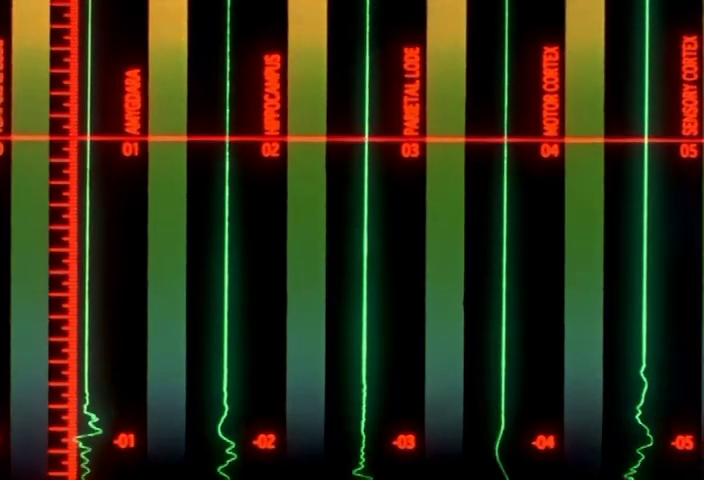 |
NGE-2 00:03:17 | Green vertical bars with labeled brain regions, horizontal red baseline |
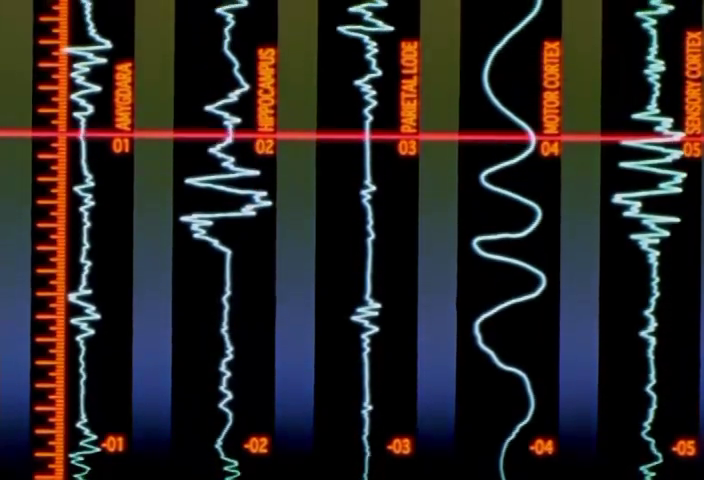 |
NGE-6 00:02:19 | Cyan/white variant of same display — traces more active, same layout |
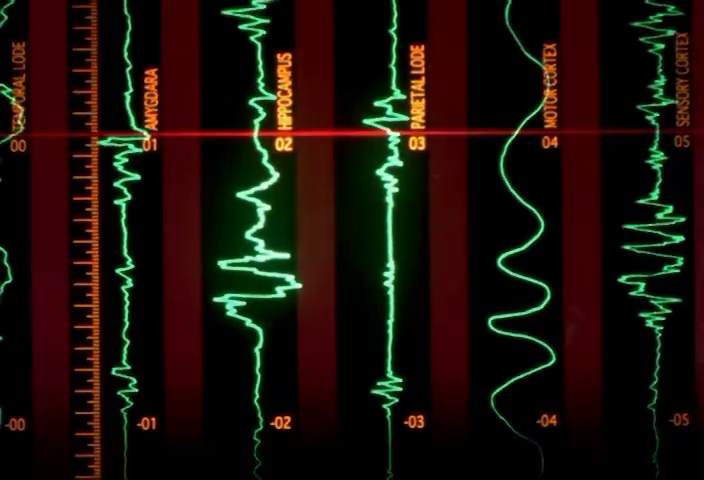 |
NGE-22 00:13:49 | Green traces during Asuka's mental contamination — HIPPOCAMPUS trace spiking wildly |
8. Targeting Reticle / HUD Diamond
The Eva cockpit heads-up display in combat mode: a wireframe diamond (octahedron projection) centered on the target, with cardinal tick marks, a center crosshair, and a surrounding circle or ring. Corner readouts show MODE:SHOOT, coordinate strings (T:, S:, X:, Y:, Z:, M:, R: values), and an ATTACK label. An orange horizontal frequency-bar indicator runs along the bottom. This is the pilot's direct combat interface.
| Reference | Source | Notes |
|---|---|---|
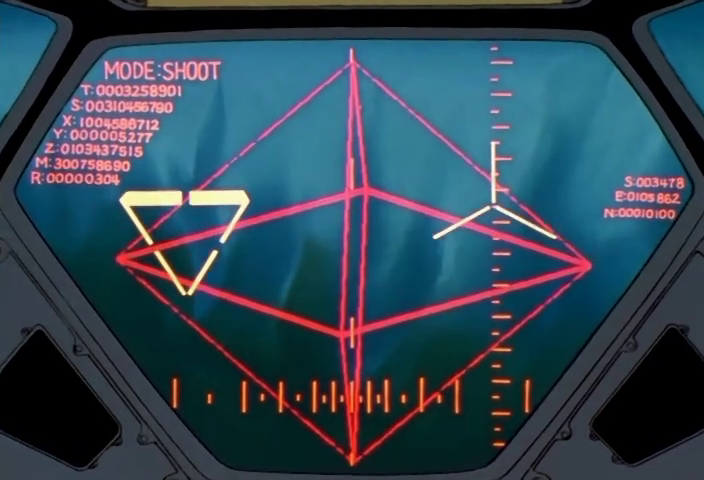 |
NGE-6 00:19:47 | Full HUD: diamond wireframe, MODE:SHOOT, coordinate readouts, through cockpit viewport |
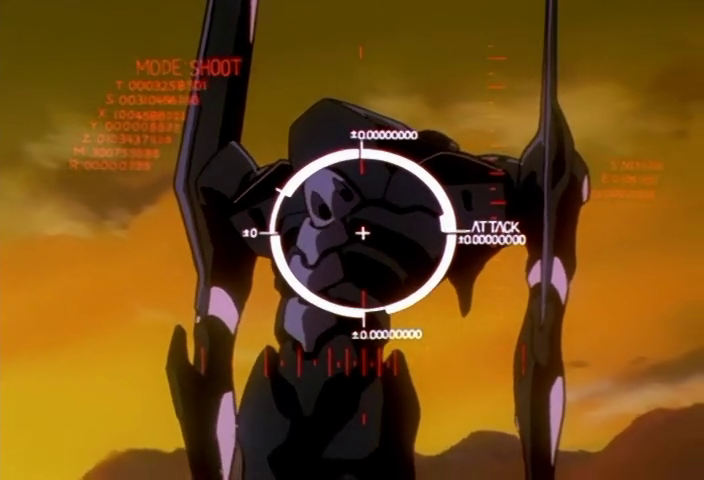 |
NGE-18 00:14:41 | Circle-and-crosshair variant with ATTACK label and ±0.00000000 readouts |
9. Binary String Decoration
Strings of 0s and 1s (0100110100111100100110...) rendered along display borders, in corners, or as background texture behind primary content. The strings are always in a small monospaced font, typically orange or green. They appear on Angel analysis screens, A.T. Field readouts, and the MAGI voting display. They serve no readable data function — they're the show's visual signifier for "digital/computational process in progress."
| Reference | Source | Notes |
|---|---|---|
|
NGE-24 00:13:29 | Binary strings above and below the 17th ANGEL / IDENTIFIED display |
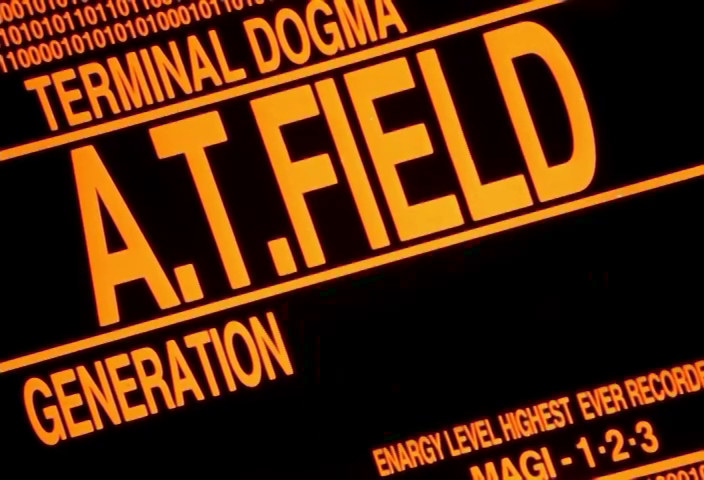 |
NGE-24 00:17:59 | Binary strings above A.T.FIELD / GENERATION readout |
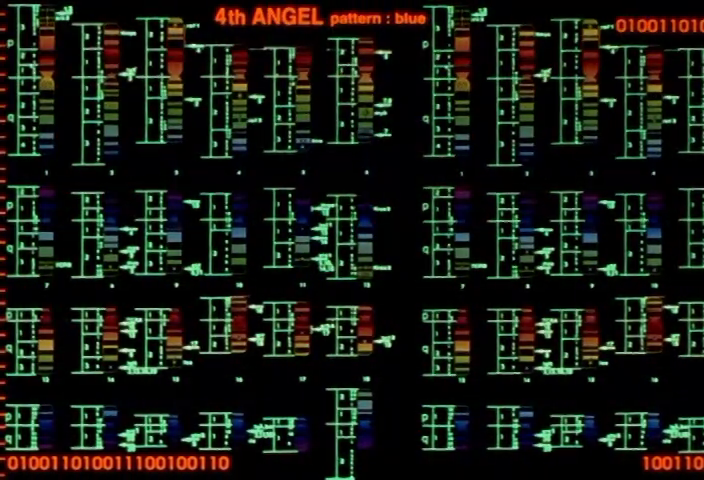 |
NGE-5 00:06:33 | Binary strings as border of Angel gel electrophoresis display |
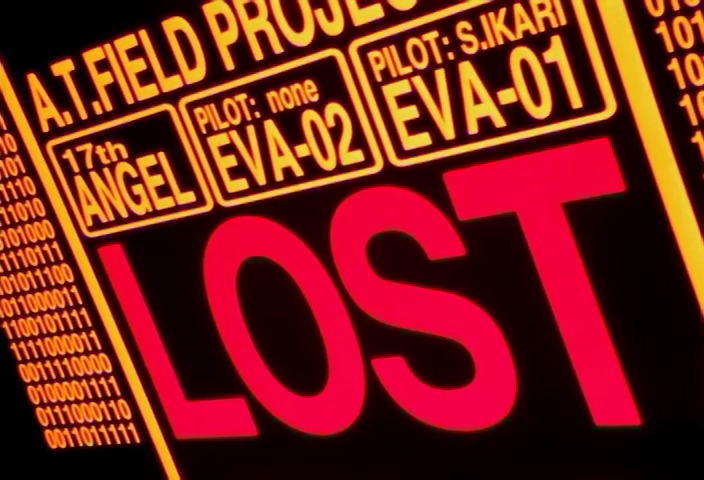 |
NGE-24 00:17:03 | Binary strings alongside LOST status and A.T. FIELD PROJECT data |
10. Scrolling Nucleotide Ticker
Base pair letter sequences (AGTG, ITCAA, TAGTG, CTCAG...) displayed as scrolling or orbiting text, usually in green, wrapping around a subject or running horizontally across a display. The letters are individual nucleotide codes (A, T, G, C) arranged in groups. Appears specifically in contexts related to Eva biology, Rei clones, and LCL — the biological rather than mechanical layer of NERV's technology.
| Reference | Source | Notes |
|---|---|---|
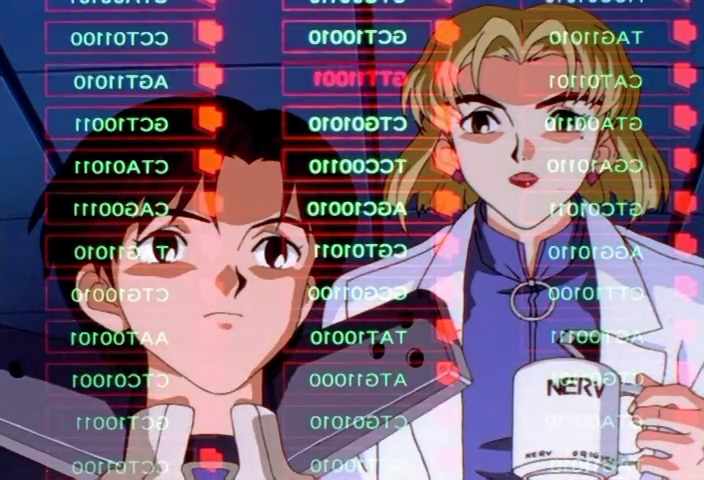 |
NGE-11 00:03:33 | Mirrored nucleotide codes (CCTOI1OO, AGTIIOI0...) on transparent display in front of Maya and Ritsuko |
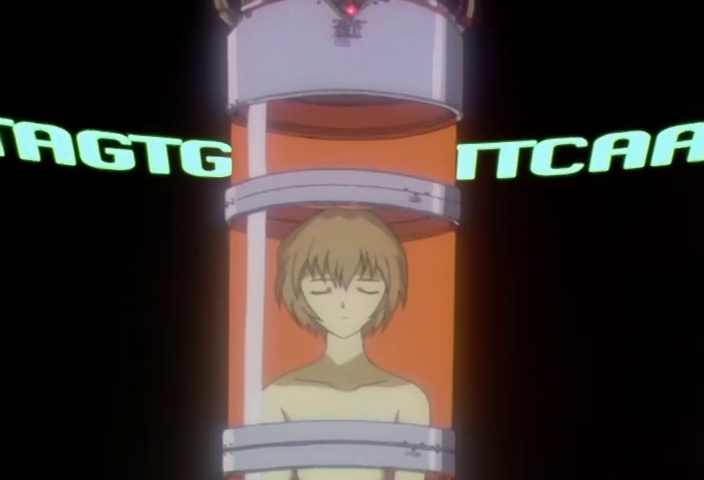 |
NGE-15 00:20:15 | TAGTG / ITCAA scrolling past Rei clone in tube |
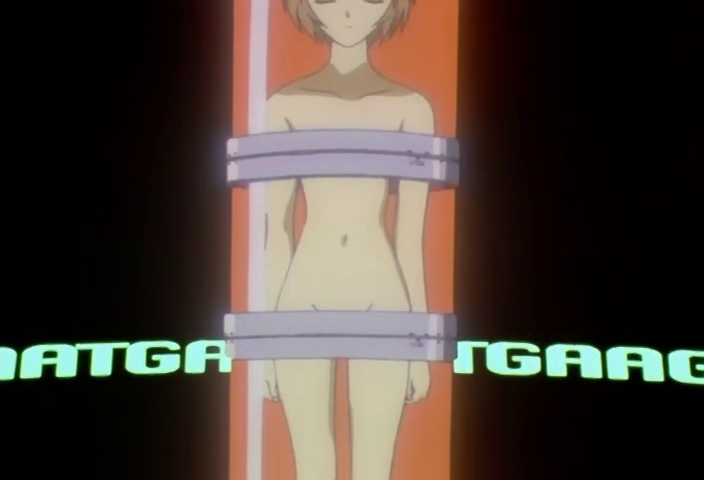 |
NGE-15 00:20:17 | Same nucleotide ticker, wider shot showing green text orbiting the containment tube |
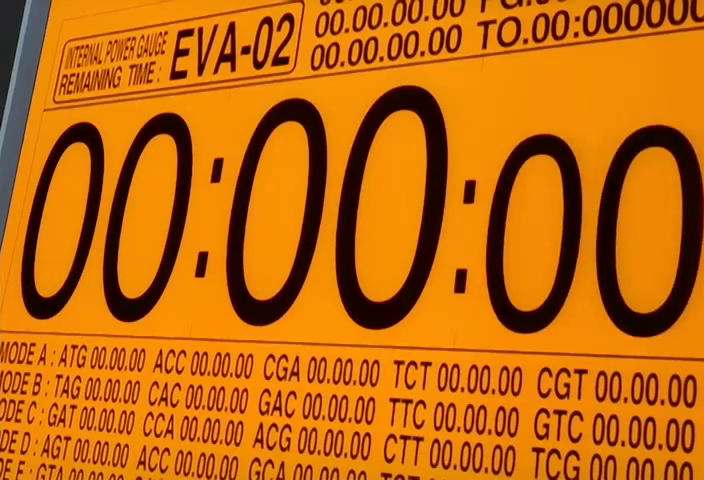 |
EoE 00:38:33 | MODE A/B/C/D/E with nucleotide triplet timers (ATG, ACC, CGA, GAC...) on EVA-02 power gauge |
11. Horizontal Ruler / Scale Bar
Calibrated tick marks running along one or more edges of a display, numbered at regular intervals (typically ±values from a zero origin, or sequential numbers). The ticks are short perpendicular lines with larger marks at major intervals and smaller marks at subdivisions. Always orange or amber. Provides the spatial or temporal reference frame for whatever data is plotted. Appears on waveform displays, psychographic readouts, satellite feeds, and field analysis graphs.
| Reference | Source | Notes |
|---|---|---|
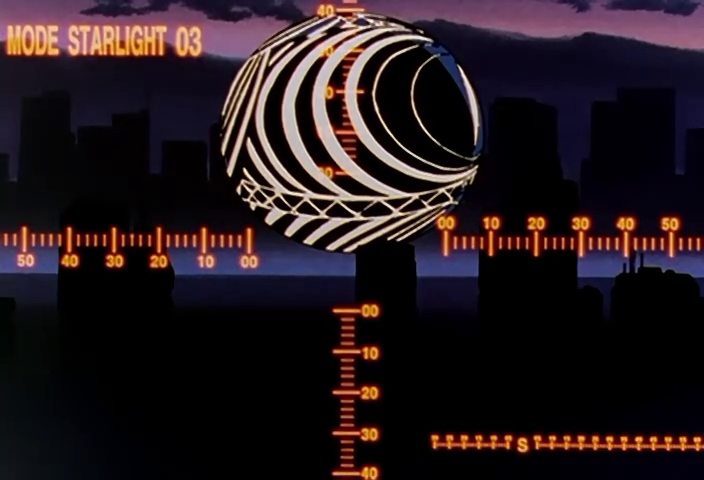 |
NGE-16 00:09:09 | Horizontal and vertical rulers with numbered 00-50 intervals on MODE STARLIGHT observation |
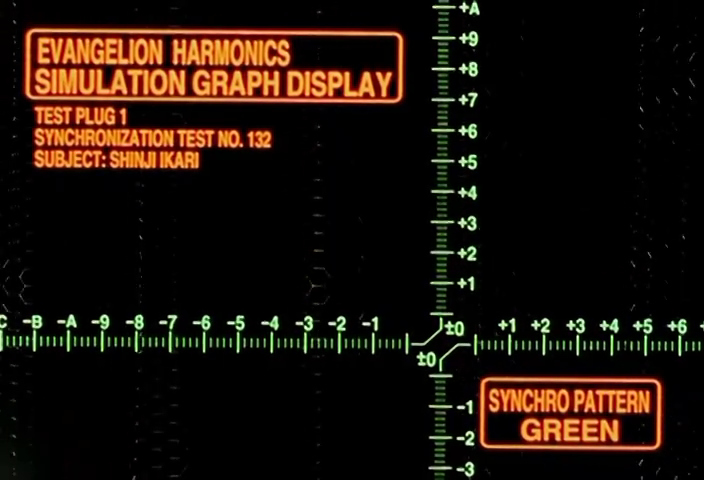 |
NGE-16 00:03:09 | EVANGELION HARMONICS SIMULATION GRAPH DISPLAY — full calibrated axis with -A through +A and ±0 through ±10 |
12. Video Feed Frame
A rectangular border — typically amber or red with a slight glow — enclosing a live video feed. A solid-color label bar runs along the bottom edge reading FROM EVA-## in condensed type. The video inside is often degraded (scanlines, static, color distortion) to contrast with the clean border. The frame is the UI's way of declaring "this is a window into another viewpoint." Distinct from the CCTV feed aesthetic (see Design Language), which has no clean border — just raw degraded footage.
| Reference | Source | Notes |
|---|---|---|
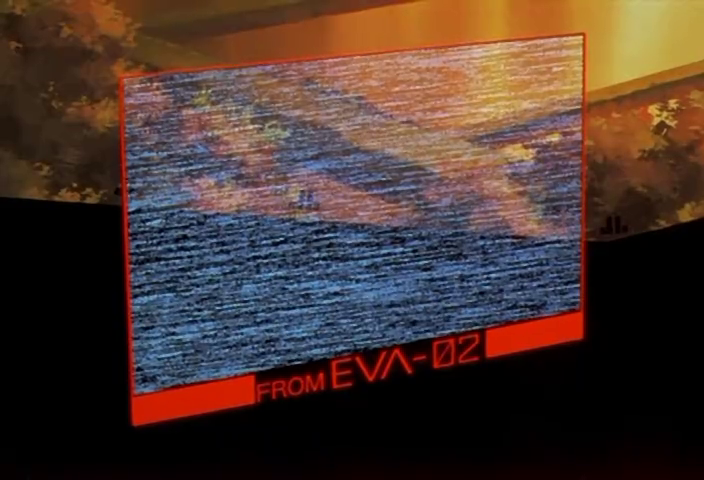 |
NGE-18 00:14:07 | Red-bordered frame with FROM EVA-02 label bar, heavily scanlined content |
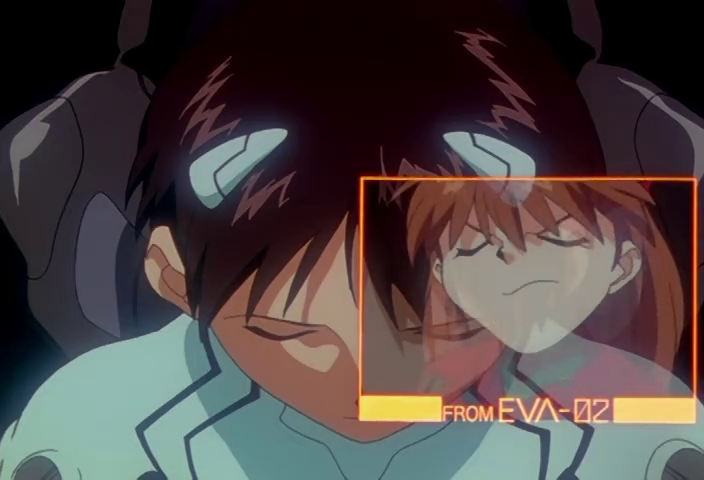 |
NGE-14 00:17:23 | Amber-bordered frame with FROM EVA-02, showing Asuka in entry plug |
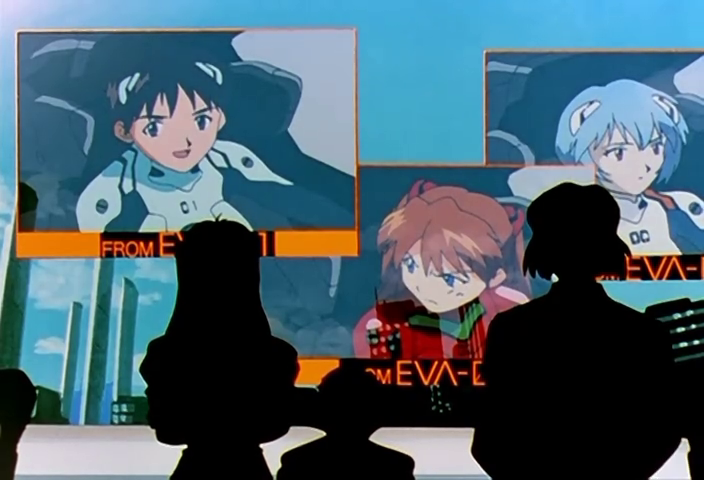 |
NGE-16 00:05:55 | Three video feed frames (FROM EVA-01, EVA-02, EVA-00) on command center display |
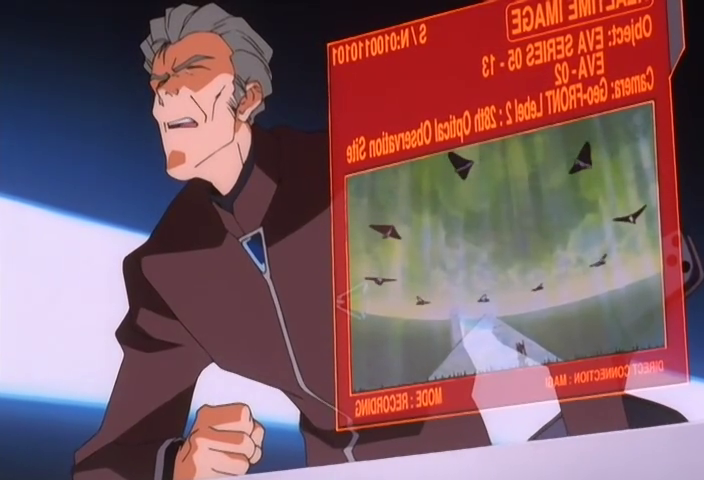 |
EoE 00:27:31 | Red-bordered REALTIME IMAGE frame held by Fuyutsuki — handheld holographic variant |
13. Targeting Bracket Corners
L-shaped marks at two or four corners of a rectangular region, framing an area of interest without enclosing it fully. The brackets define a zone without obscuring it. Typically white or amber. Often appear alongside crosshair grids and LIVE badges. Distinct from the full rectangular video feed frame — bracket corners are open, suggesting "area of attention" rather than "bounded window."
| Reference | Source | Notes |
|---|---|---|
|
NGE-20 00:05:23 | White L-brackets at corners of entry plug interior observation area |
|
NGE-10 00:15:53 | Red targeting brackets surrounding AT Field capture zone with center crosshair |
14. Segmented Bar Indicator
Vertically or horizontally stacked rectangular segments acting as level meters, progress indicators, or system health gauges. Each segment lights independently (typically green for nominal, red for critical, dark for depleted). The aesthetic comes straight from 1980s–90s audio VU meters and industrial PLC displays, but NERV uses them at massive scale — sometimes filling entire wall-mounted panels. The chunked segmentation (vs. a smooth gradient) gives the readout a mechanical, quantized feel.
NERV applies this atom everywhere something has an amount: LIFE gauges with SAFETY LINE thresholds, coolant pump output levels on labeled axes (PUMP:01 through PUMP:06), mental toxicity readings per pilot with CAUTION/DANGER threshold markers. The bars may be monochrome (red, green, cyan) or color-graded (green → blue → purple/magenta as values increase). The context changes; the building block doesn't.
| Reference | Source | Notes |
|---|---|---|
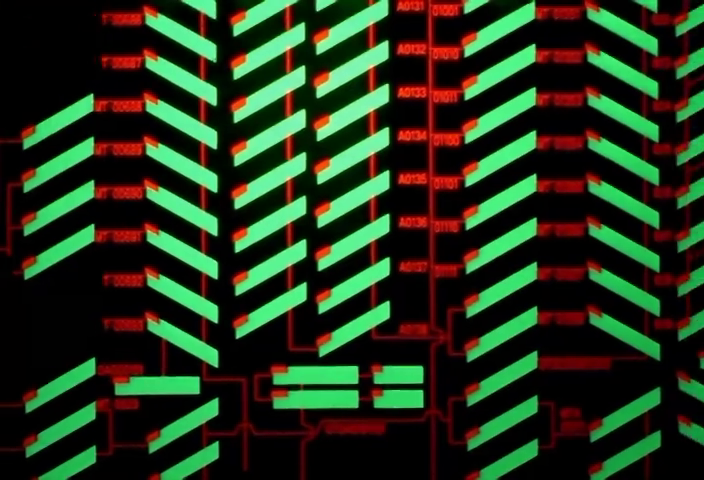 |
NGE-11 00:05:19 | Green/red segmented bars in a herringbone arrangement — dense system status panel |
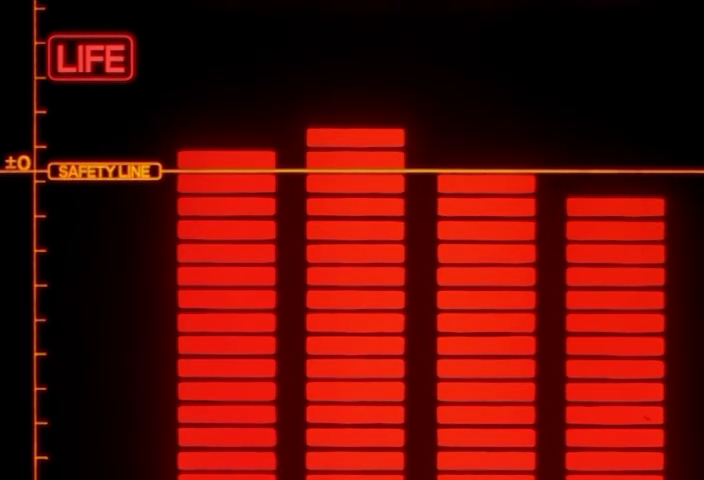 |
NGE-6 00:09:33 | LIFE indicator: red segmented columns with SAFETY LINE threshold marker |
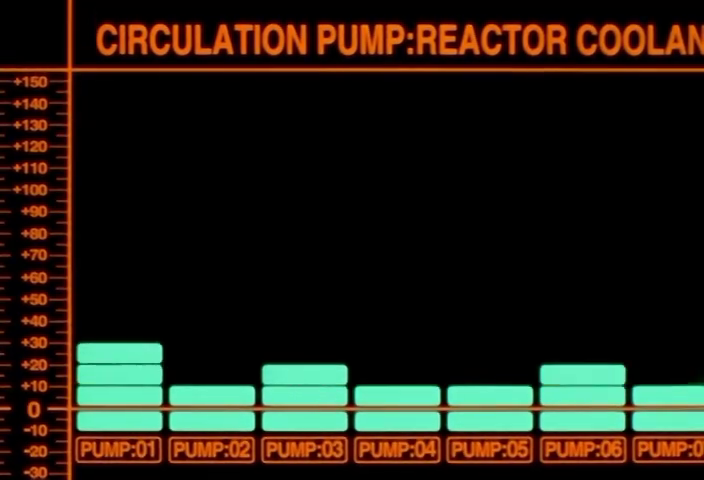 |
NGE-7 00:13:01 | CIRCULATION PUMP: REACTOR COOLANT — bar chart variant with labeled axis and cyan segments |
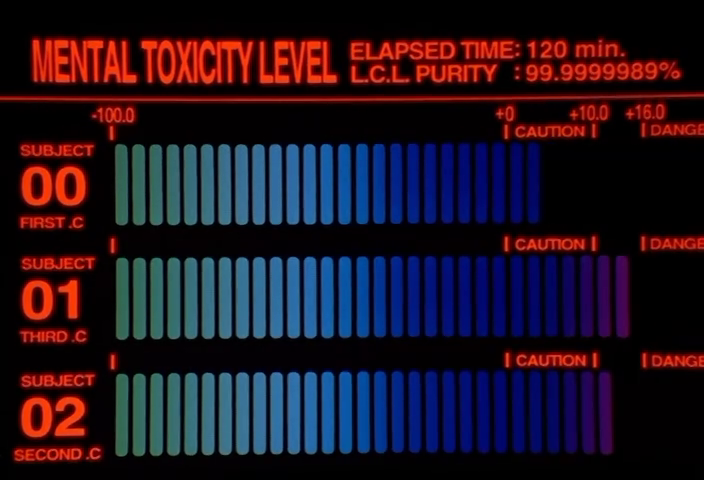 |
NGE-12 00:05:01 | MENTAL TOXICITY LEVEL — three-pilot display with green-to-purple color-graded bars |
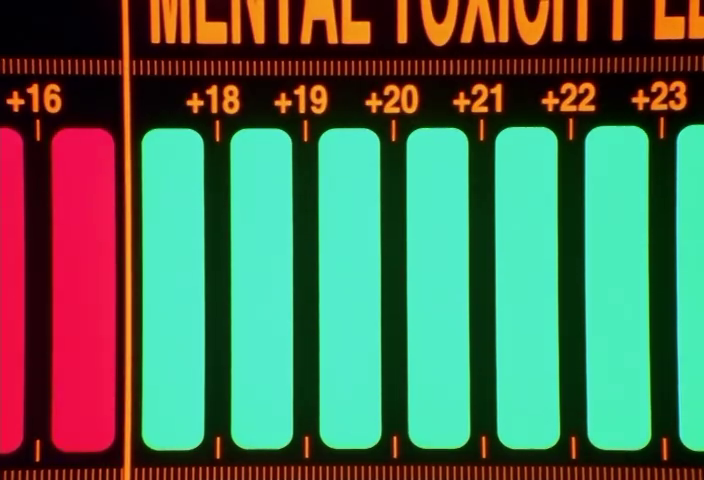 |
NGE-22 00:07:33 | Same display in abnormal state — pink/red bars at +16 alongside cyan/green at +18-23 |
15. Seven-Segment Countdown Timer
Large seven-segment LED numerals displaying time remaining, rendered as physical in-world displays (not screen overlays). The digits have visible segment gaps and slight glow bleed. Always accompanied by bilingual labeling (活動限界まで / ACTIVE TIME REMAINING) and mode selectors (STOP / SLOW / NORMAL / RACING). The timer is orange or red depending on urgency. Perhaps the single most iconic NERV UI element — it appears every time an Eva goes off the umbilical cable.
| Reference | Source | Notes |
|---|---|---|
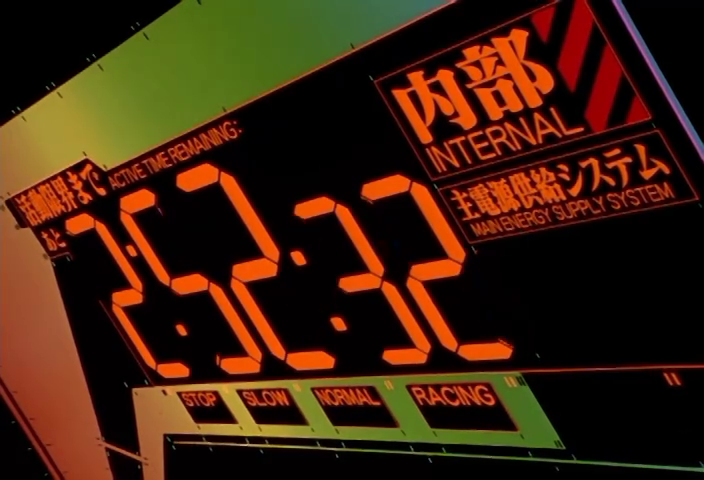 |
NGE-11 00:19:17 | Full context: timer with 内部/INTERNAL label, mode buttons, hazard striping on edges |
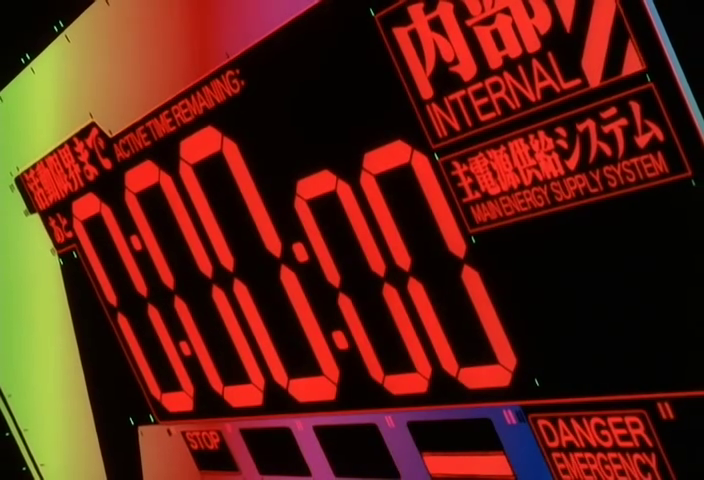 |
EoE 00:38:15 | Timer at 0:00:00 — end state with DANGER EMERGENCY readout |
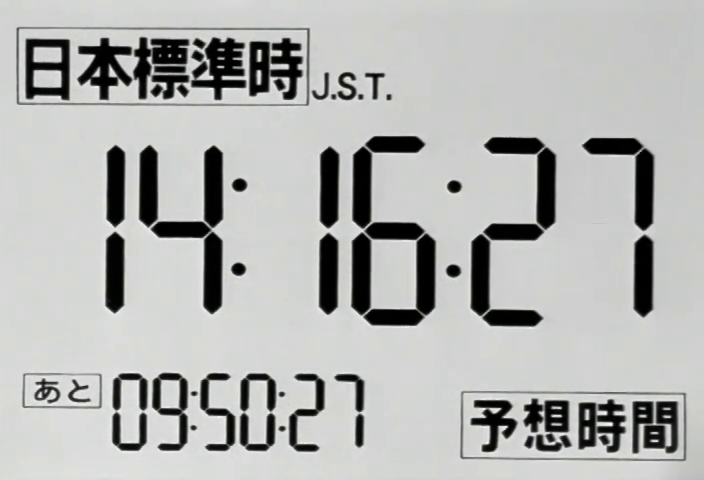 |
NGE-6 00:04:59 | JST clock variant with あと (remaining) secondary countdown |
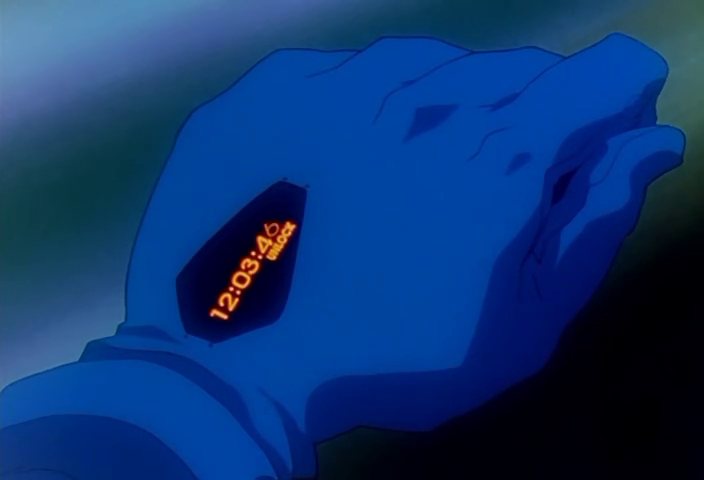 |
NGE-16 00:10:43 | Wristwatch-embedded seven-segment display — the format miniaturized to personal scale |
16. Sector Capture Grid
A grid of cells — typically chevron-shaped or triangular — each representing a physical sector of NERV HQ, labeled with location (SIDE-10, MAIN SHAFT LEVEL 3 BLOCK-C) and orientation (TOP, UPPER, MIDDLE, LOWER, BOTTOM). Cells are colored red/yellow with hazard triangles when CAPTURED, and presumably remain dark/green when held. The grid is specific to the EoE JSSDF invasion sequence, showing the progressive physical capture of the facility.
| Reference | Source | Notes |
|---|---|---|
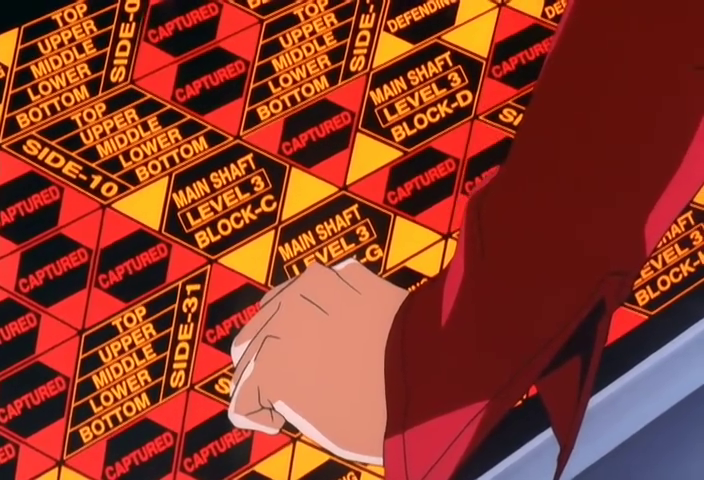 |
EoE 00:15:05 | Dense grid of CAPTURED sectors with location labels — Misato's fist against the display |
17. Error Status Matrix
A massive wall-filling grid of numbered cells (C110, C111, C112... C510, C511...) each displaying a different error condition: BLACKOUT, NO REPLY, CIRCUIT OVERLOAD, POWER SURGE, DISCONNECTED, PROTOCOL ERROR, NETWORK CONGESTION, ACCESS DENIED, BURNOUT, NO CARRIER, COMMAND ERROR, BUSY, FAILURE, IO ERROR, NO SIGNAL, OUT-OF-RANGE, SYSTEM DOWN, INCORRECT CODE, POWER DOWN, NO ANSWER. Every cell has a different error — the diversity communicates total systemic failure across all subsystems simultaneously.
| Reference | Source | Notes |
|---|---|---|
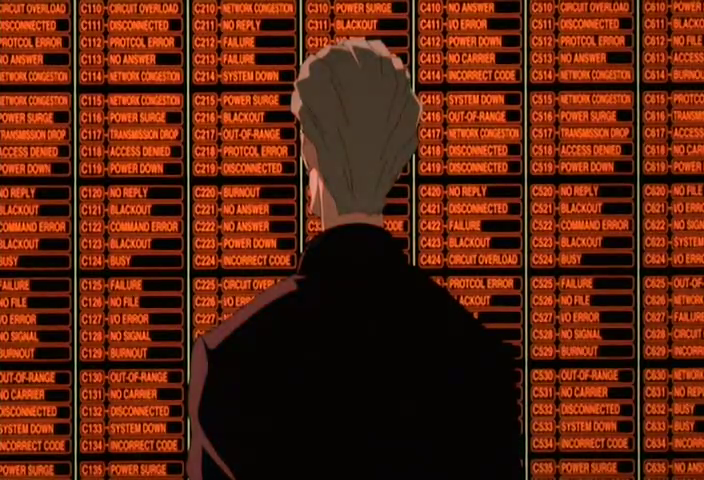 |
EoE 00:51:53 | Full error matrix: Fuyutsuki standing before hundreds of unique error labels during Instrumentality |
18. DOS/BIOS Boot Screen
A full-screen monospaced text display resembling a real PC boot sequence: copyright notice (日本重化学工業共同体, 通産省, 防衛庁), system checks (CO-CPU, I/O VECTORS, CONSOLE DRIVERS, VIRUS PROTECTION — all Check OK), memory tables (addr, PSP, blks, size, owner/parameters), and HEMS version info. Rendered in amber on black. The text is plausibly structured — not random noise — containing real computing concepts in a fictional configuration.
| Reference | Source | Notes |
|---|---|---|
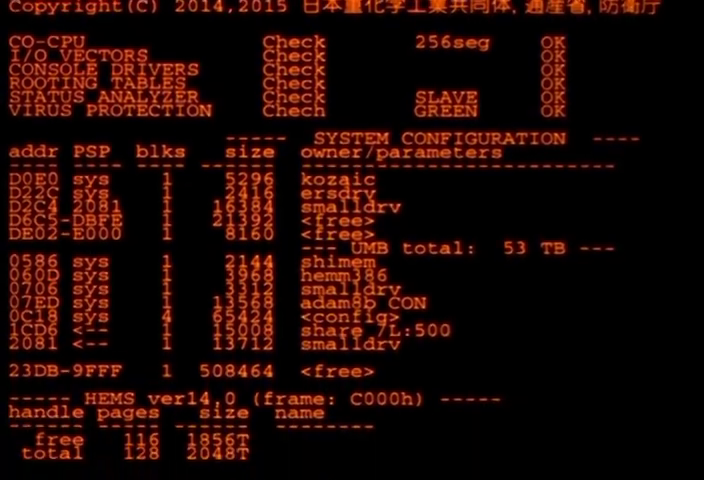 |
NGE-7 00:11:49 | Full BIOS-style boot screen with system config table, 53 TB UMB, HEMS ver14.0 |
19. Circular Dial / Radar Display
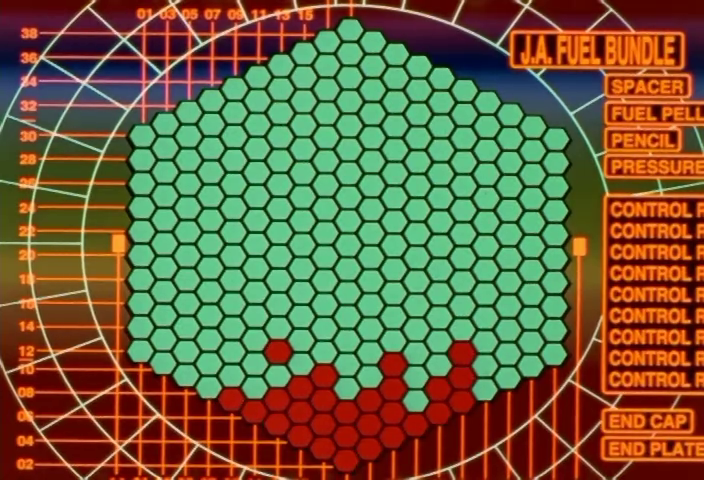
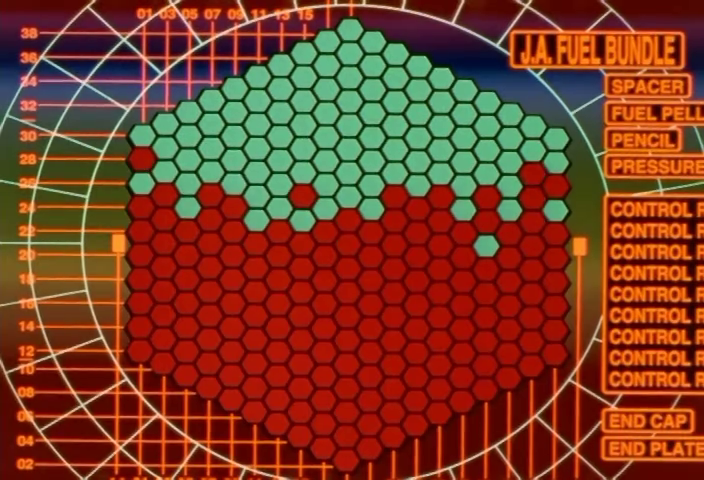
A circular calibrated gauge with tick marks at regular angular intervals, used for either targeting (INNER TORUS REACTOR readout) or fuel bundle status (J.A. FUEL BUNDLE cross-section showing hex-tiled cells, green = operational, red = damaged). The dial has a prominent outer ring with minor/major tick marks and may include a secondary concentric ring. Distinct from the targeting reticle diamond — this is a static diagnostic gauge, not a cockpit HUD.
| Reference | Source | Notes |
|---|---|---|
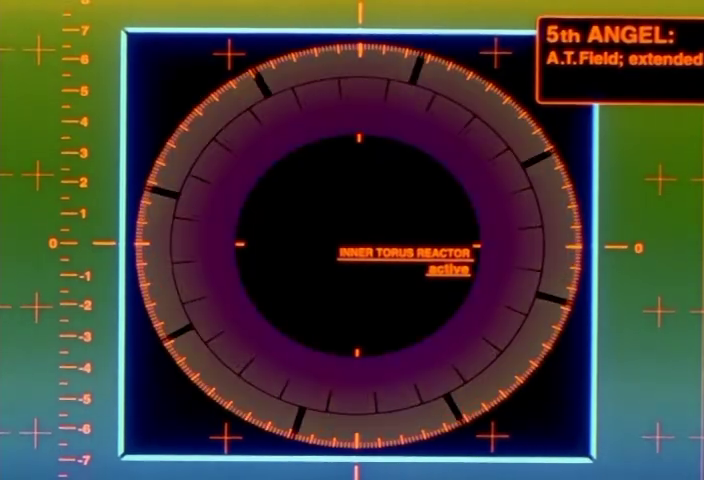 |
NGE-6 00:19:25 | Circular gauge: INNER TORUS REACTOR / active, with crosshairs and axis rulers surrounding it |
 |
NGE-7 00:12:55 | J.A. FUEL BUNDLE circular cross-section: green/red hex cells with CONTROL ROD status list |
 |
NGE-7 00:18:51 | Same fuel bundle display in degraded state — mostly red cells |
20. Ring Indicator Lights
Circular glowing rings mounted on facility walls, evenly spaced. Green when nominal, red when in emergency state. They have a visible glow bloom and small mounting hardware details (tick marks, attachment points). These are physical environmental indicators — not screen-based UI — that shift color to reflect facility status.
| Reference | Source | Notes |
|---|---|---|
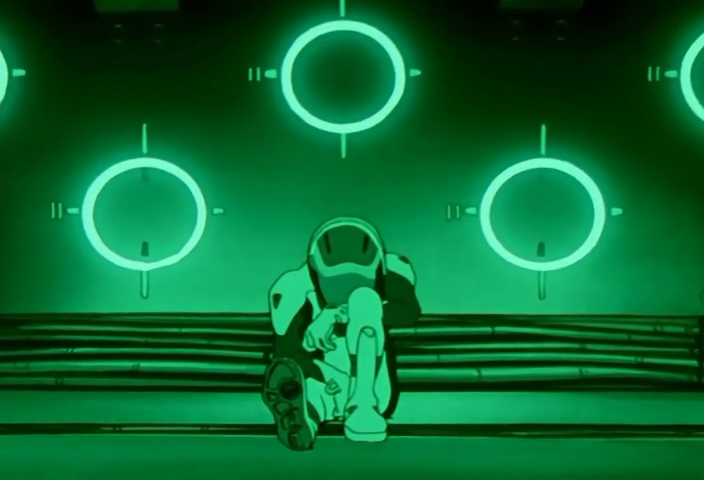 |
NGE-7 00:20:17 | Green ring indicators on corridor wall — nominal state |
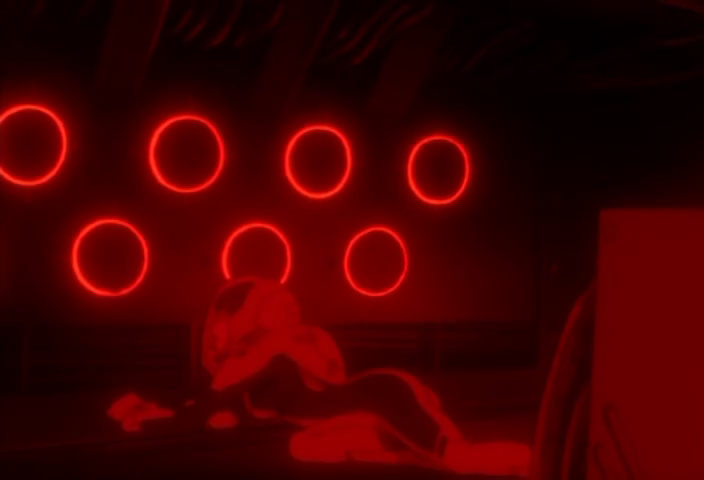 |
NGE-7 00:19:47 | Same rings in red — emergency state, entire environment red-shifted |
21. KEEP OUT / Restricted Area Signage
Large-format physical wall signage with KEEP OUT in massive red type, 立入禁止区域 (restricted area) below, followed by a location identifier (TERMINAL DOGMA: LEVEL 1 SECTOR 2 or MAIN L.C.L. PLANT: CIRCULATION LINE NO.3) and a threat statement (TRESPASSERS WILL BE SHOT ON SIGHT / VIOLATORS WILL BE LIABLE FOR PENALTIES OF UP TO 10 YEARS' IMPRISONMENT, $100,000 FINE, OR BOTH.). Orange horizontal rules above and below. This is environmental graphic design, not digital UI — painted/printed signage in the physical world of NERV HQ.
| Reference | Source | Notes |
|---|---|---|
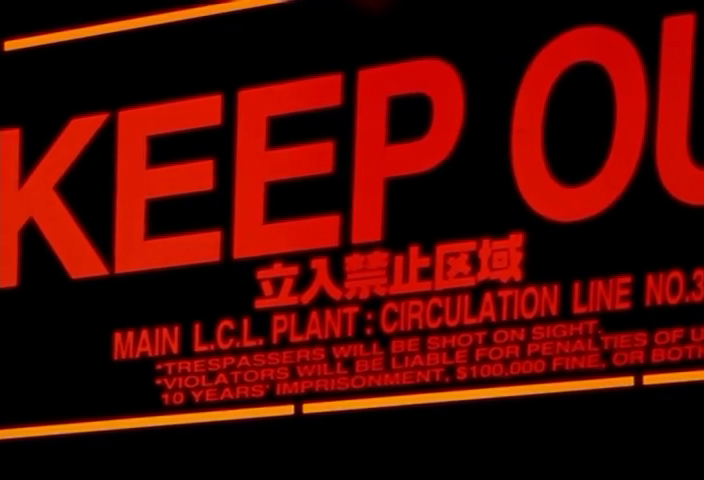 |
NGE-15 00:20:37 | KEEP OUT / MAIN L.C.L. PLANT variant with full threat text |
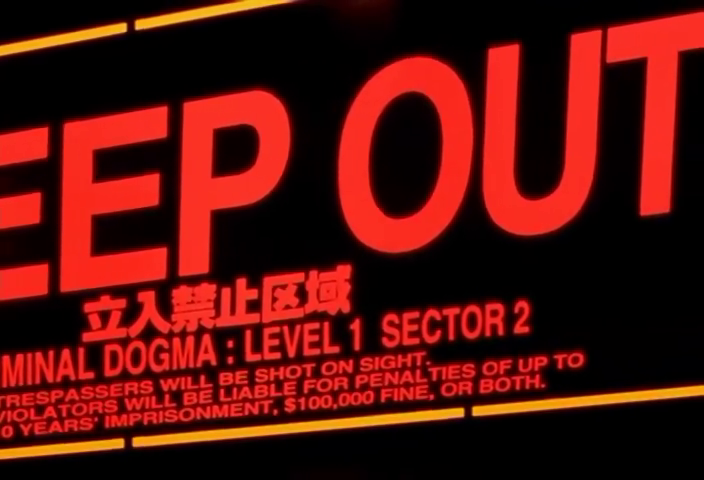 |
NGE-23 00:19:23 | KEEP OUT / TERMINAL DOGMA: LEVEL 1 SECTOR 2 — same format, different location |
22. CAUTION Overhead Barrier
An illuminated overhead sign reading CAUTION / DANGER LOCK BOLT-OUT in red LED-style text, mounted above physical blast barriers. Accompanied by traffic-signal-style indicator lights (red/yellow/green circles). Red/white hazard stripes run along the barrier edges. This is Tokyo-3's street-level infrastructure UI — the mechanical interface between the city's surface and its retractable defense systems.
| Reference | Source | Notes |
|---|---|---|
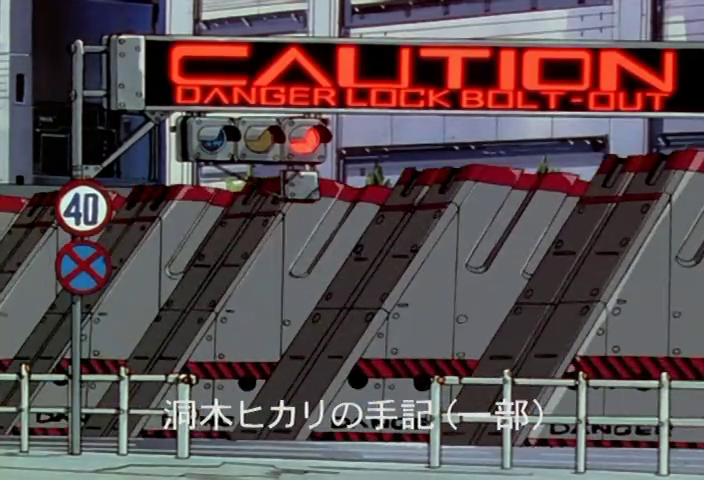 |
NGE-14 00:04:15 | CAUTION / DANGER LOCK BOLT-OUT with traffic signals, 40km speed sign, no-stopping sign |
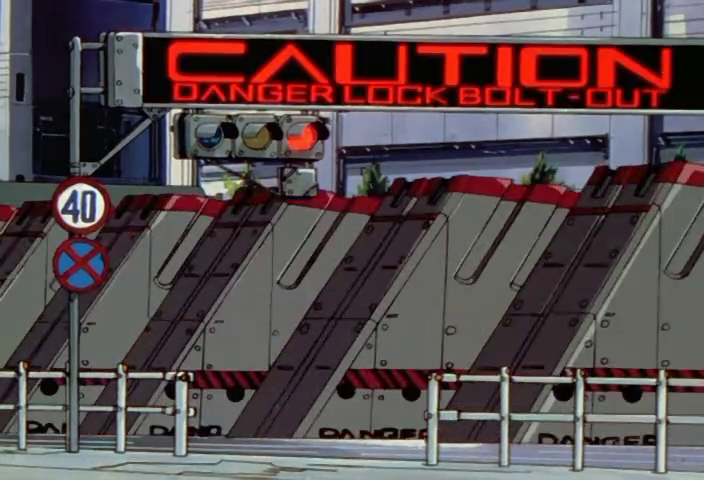 |
NGE-3 00:11:41 | Same barrier design, different angle — barriers in locked position |
23. REC Badge
A red-bordered box containing REC in red text, typically in the upper-left corner of a feed. Sometimes accompanied by a pause (‖) symbol. This is the consumer-camcorder visual language imported directly into NERV's military displays — a deliberate anachronism that says "this is being recorded by a device someone pointed at a thing," not "this is data from a sensor array." Appears in the episode 3 battle footage shot by Kensuke.
| Reference | Source | Notes |
|---|---|---|
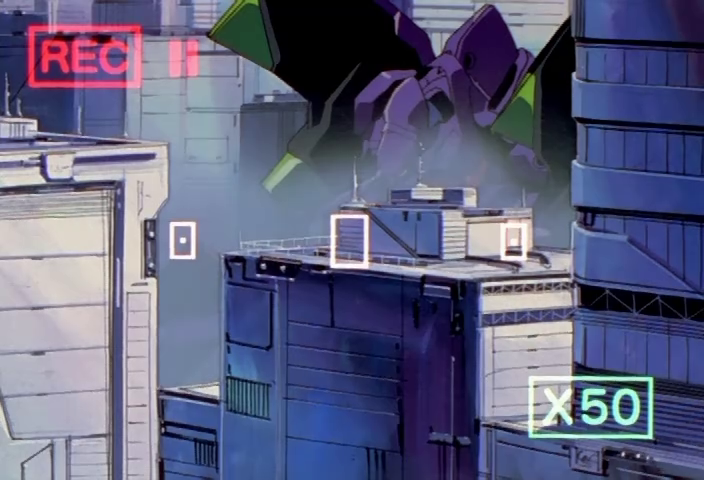 |
NGE-3 00:16:19 | REC badge with ‖ pause indicator, green X50 magnification badge — handheld camera POV |
24. NERV Transit Signage
Physical infrastructure signage for NERV's internal transportation systems. Includes numbered green NERV-branded platform signs (NERV + number, green header, red no-entry circle), South Hub Station Spoke Line identifiers, and illuminated LED scrolling destination boards on JR trains (第3新東京環状第7号線). These are mass-transit wayfinding elements — the mundane infrastructure that connects NERV's fantastical underground to real Japanese rail design conventions.
| Reference | Source | Notes |
|---|---|---|
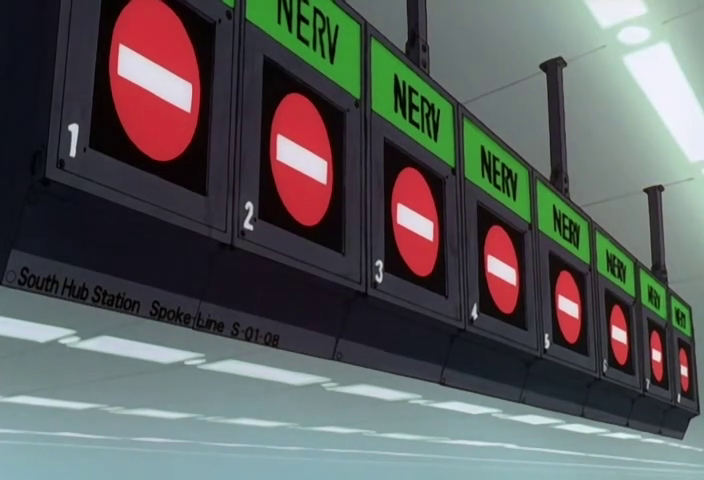 |
EoE 00:11:41 | NERV platform signs 1–5 with red no-entry symbols, South Hub Station label |
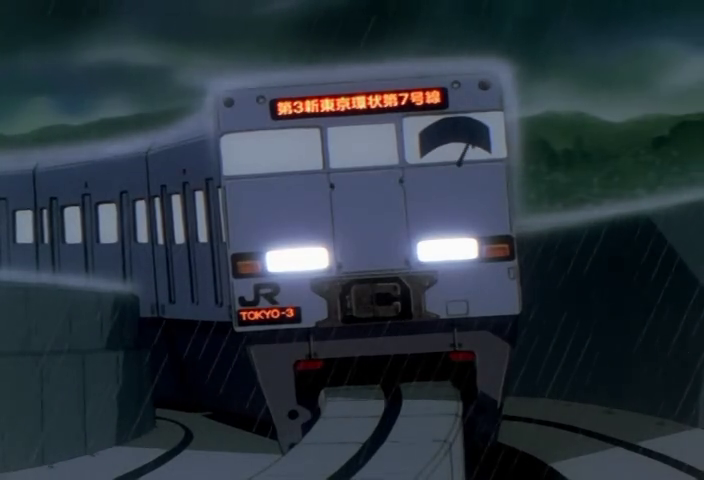 |
NGE-4 00:03:55 | JR TOKYO-3 train with LED destination board |
Atomic elements catalog compiled from close examination of all 271 reference frames. Companion to: NERV UI Visual Language Taxonomy Source album: https://imgur.com/a/mvW7g